
Ryobi D620H Mode Selector Switch Replacement

Jacob da Ponte and 4 other contributors
Last updated on Jan 17, 2024
Views: 522
View statistics:
- Past 24 Hours:
- 2
- Past 7 Days:
- 12
- Past 30 Days:
- 63
- All Time:
- 522
Comments: 1
1 comment on steps.
Completed: 1 2
1 person has marked this guide "completed." Will you be next?
2 people have marked this guide "completed." Including you — great job!
Favorites: 0 1
No one has favorited (and subscribed to) this guide. Will you be the first?
1 person has favorited (and subscribed to) this guide — and that's you!
Better Introduction
Improve this guide by completing or revising its introduction.
Introduction
Go to step 1 ↓Safety:
For your safety, ensure the Ryobi D620H Hammer Drill is not connected to any power source before you perform any repairs.
Before reassembly
While wearing disposable nitrile gloves, apply grease all around the mode shift button before reinserting it into the drill's motor assembly. This allows the mode shift button to slide easily when changing modes.
What you need
Parts
Tools
-
-
-
Torx T20 ScrewdriverAffiliate linkAvailable for sale on Amazon
Available in the ifixit tool kit, or any major home improvement store.


-
-
-
Turn the drill so that the screws face upwards.
-
Use the Torx T20 screwdriver to remove all nine screws.
 Ask FixBot
-
-
-
Insert the end of an opening tool between the right and left sides of the drill to pry the right side of the case.
-
Remove the right side case to expose the inside of the drill.
-
-
-
-
-
The mode selector switch (Circled in red) once the right side case is removed.
-
-
-
-
Push the mode selector switch up (away from the work surface) to dislodge it.
-
Lift the mode selector switch out of its slot.
-
-


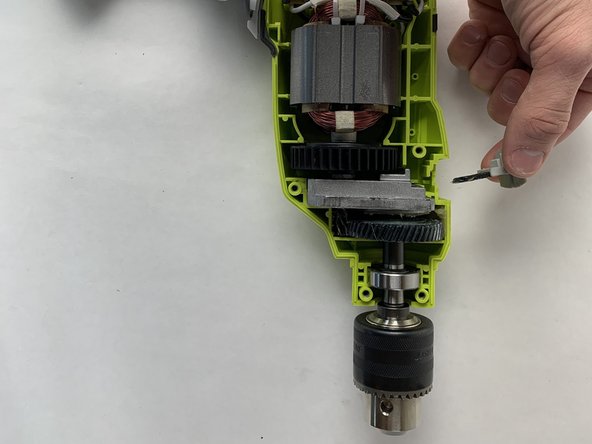
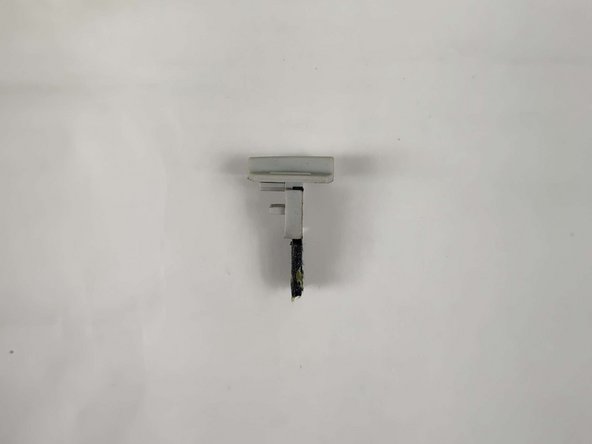
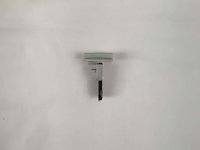
To reassemble your device, place the mode shift button in the slot it was removed from at a slight angle and straighten it out as you push it into place.
Congratulations, you have replaced the mode shift button on your Ryobi hammer drill!
Cancel: I did not complete this guide.
One other person completed this guide.

Team

UMass Dartmouth, Team 1-2, Petersen Fall 2023 Member of UMass Dartmouth, Team 1-2, Petersen Fall 2023
UMASSD-PETERSEN-F23S1G2
4 Members
72 Guides authored
