Free Shipping on Domestic Orders $75+

Royal Kludge GK64 Keyboard Switch Spring Replacement

What you need

  1. Royal Kludge GK64 Keyboard Switch Spring Replacement, Keyboard Switch Spring: step 1, image 1 of 2 Royal Kludge GK64 Keyboard Switch Spring Replacement, Keyboard Switch Spring: step 1, image 2 of 2
    • Use a keycap remover to pull your keycap up and off of the keyboard.

    • Remove any keycaps surrounding the one you are working on if you need more space.

    Ask FixBot

    Add Comment

  2. Royal Kludge GK64 Keyboard Switch Spring Replacement: step 2, image 1 of 3 Royal Kludge GK64 Keyboard Switch Spring Replacement: step 2, image 2 of 3 Royal Kludge GK64 Keyboard Switch Spring Replacement: step 2, image 3 of 3
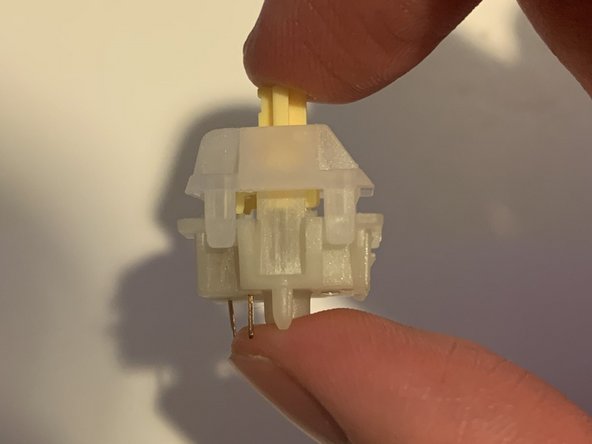
    • Use the switch puller to pull the desired switch out of your keyboard.

    Ask FixBot

    Add Comment

  3. Royal Kludge GK64 Keyboard Switch Spring Replacement: step 3, image 1 of 2 Royal Kludge GK64 Keyboard Switch Spring Replacement: step 3, image 2 of 2
    • Place your switch onto your switch opener, and gently push down.

    • Make sure the switch is securely in place and continue to remove the top housing.

    Ask FixBot

    Add Comment

  4. Royal Kludge GK64 Keyboard Switch Spring Replacement: step 4, image 1 of 3 Royal Kludge GK64 Keyboard Switch Spring Replacement: step 4, image 2 of 3 Royal Kludge GK64 Keyboard Switch Spring Replacement: step 4, image 3 of 3
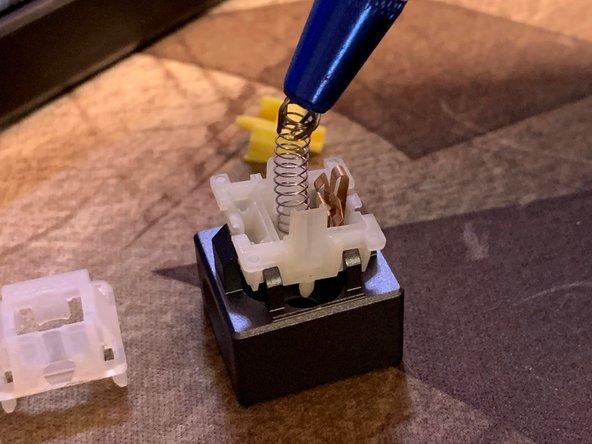
    • Use the stem holder to remove the stem, which will reveal the switch spring.

    • Remove the switch spring.

    Ask FixBot

    Add Comment

  5. Royal Kludge GK64 Keyboard Switch Spring Replacement: step 5, image 1 of 2 Royal Kludge GK64 Keyboard Switch Spring Replacement: step 5, image 2 of 2
    • Align your new spring with the center of the bottom housing and gently place the switch spring.

    Ask FixBot

    Add Comment

  6. Royal Kludge GK64 Keyboard Switch Spring Replacement: step 6, image 1 of 3 Royal Kludge GK64 Keyboard Switch Spring Replacement: step 6, image 2 of 3 Royal Kludge GK64 Keyboard Switch Spring Replacement: step 6, image 3 of 3
    • To put the stem back, align the stem legs with the metal plate on the switch.

    • Remove the switch from the switch opener.

    • Gently push down onto the housing until you hear a click and both pieces are into place.

    Ask FixBot

    Add Comment

  7. Royal Kludge GK64 Keyboard Switch Spring Replacement: step 7, image 1 of 2 Royal Kludge GK64 Keyboard Switch Spring Replacement: step 7, image 2 of 2
    • Align the pins located at the bottom of the switch to the corresponding pin holes in the keyboard.

    • Gently push the switch back into the keyboard.

    Ask FixBot

    Add Comment

  8. Royal Kludge GK64 Keyboard Switch Spring Replacement: step 8, image 1 of 1
    • Place the keycap back onto the switch and push down to secure the keycap.

    Ask FixBot

    Add Comment

Conclusion

To reassemble your device, follow these instructions in reverse order.

Cancel: I did not complete this guide.

One other person completed this guide.

Diksha Sakre

Member since: 09/19/22

228 Reputation

1 Guide authored

Team

0 Guide Comments

Add Comment

View Statistics:

Past 24 Hours: 2

Past 7 Days: 7

Past 30 Days: 20

All Time: 866