Introduction
This guide explains how to replace the mouse wheel RGB on the Rosewill NEON M62 mouse. This repair should be performed if the mouse wheel RGB does not light up or function properly.
What you need
-
-
Place the mouse so the bottom is facing upwards.
-
Remove the plastic skates.
-
Remove the two 5 mm screws with a Phillips #00 screwdriver.
 Ask FixBot
-
-
-
-
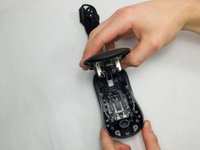
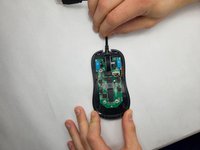
Loosen the top and bottom half of the mouse with the opening tool, and slowly pull up the bottom half of the mouse.
-
-
-
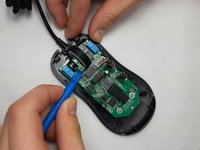
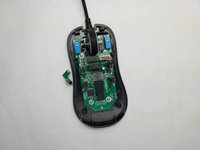
Use the opening tool to push the scroll wheel RGB board up and to the right until it disconnects.
-




To reassemble your device, follow these instructions in reverse order.

Team

UMass Dartmouth, Team 7-2, Ryckebusch Spring 2023 Member of UMass Dartmouth, Team 7-2, Ryckebusch Spring 2023
UMASSD-RYCKEBUSCH-S23S7G2
3 Members
7 Guides authored
