
Rosewill NEON M62 Cable Replacement

Julian Abraham and 3 other contributors
Last updated on May 7, 2024
Views: 369
View statistics:
- Past 24 Hours:
- 1
- Past 7 Days:
- 9
- Past 30 Days:
- 55
- All Time:
- 369
Comments: 0
No one has left comments on this guide. Will you be first?
Go to guide commentsCompleted: 1 2
1 person has marked this guide "completed." Will you be next?
2 people have marked this guide "completed." Including you — great job!
Favorites: 0 1
No one has favorited (and subscribed to) this guide. Will you be the first?
1 person has favorited (and subscribed to) this guide — and that's you!
Introduction
Go to step 1 ↓This guide explains how to replace the USB cable on the Rosewill NEON M62 mouse. This repair should be done if the cable is visually broken or your computer does not recognize the mouse when plugged into it.
What you need
Tools


-
-
-
Place the mouse so the bottom is facing upwards.
-
Remove the plastic skates.
-
Remove the two 5 mm screws with a Phillips #00 screwdriver.
 Ask FixBot
-
-
-
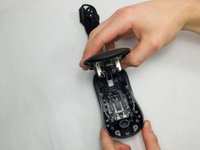
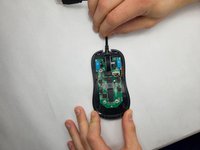
Loosen the top and bottom half of the mouse with the opening tool, and slowly pull up the bottom half of the mouse.
-
-
-
-
-
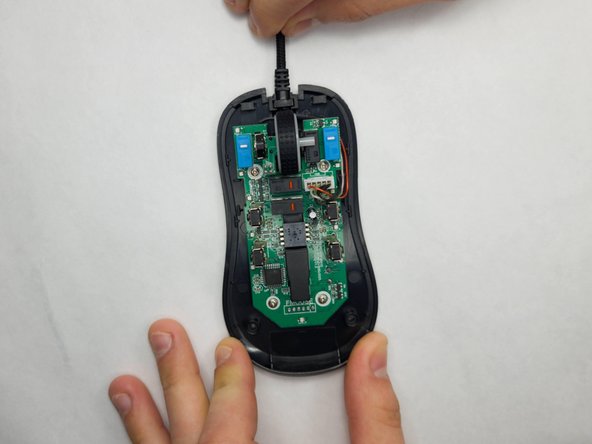
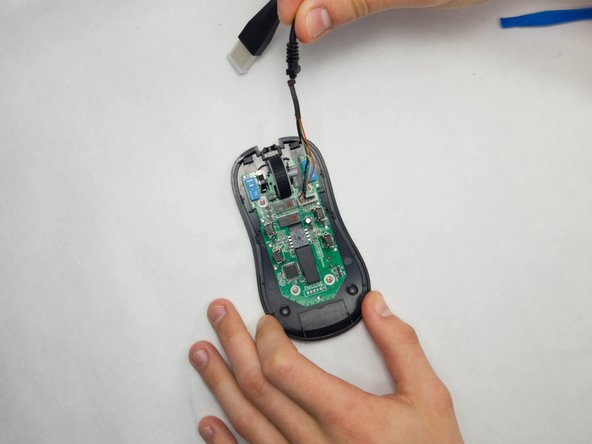
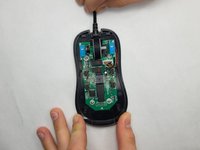
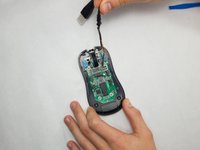
Gently pull the cable toward yourself and around the right side, being careful not to damage the wires.
-
-
-
Tool used on this step:Tweezers$4.99
-
Carefully, using your fingers or tweezers, pull the white connecter up.
-
-




To reassemble your device, follow these instructions in reverse order.
Cancel: I did not complete this guide.
One other person completed this guide.

Team

UMass Dartmouth, Team 7-2, Ryckebusch Spring 2023 Member of UMass Dartmouth, Team 7-2, Ryckebusch Spring 2023
UMASSD-RYCKEBUSCH-S23S7G2
3 Members
84 Guides authored
