
Roku 3 Motherboard Replacement

Samantha Miller and 2 other contributors
Last updated on Nov 30, 2016
Views: 6.4K
View statistics:
- Past 24 Hours:
- 1
- Past 7 Days:
- 17
- Past 30 Days:
- 93
- All Time:
- 6,427
Comments: 4
1 comment on steps, 3 guide comments.
Go to guide commentsCompleted: 6 7
6 people have marked this guide "completed." Will you be next?
7 people have marked this guide "completed." Including you — great job!
Favorites: 2 3
2 people have favorited (and subscribed to) this guide. Will you be next?
3 people have favorited (and subscribed to) this guide — including you!
Introduction
Go to step 1 ↓All individual parts can be replaced on the motherboard as well. Please see additional guides if needed.
What you need
Tools
-
-
-
Place the Roku 3 on the table face down and orient it so you can correctly read the writing.
 Ask FixBot
-
-
-
Pull back the rubber protection in the top right corner to locate the screw.
-
Repeat with the bottom right corner and bottom left corner.
-
-
-
Open the device by gently lifting the bottom half away from the top half of the device.
-
-
-
-
Use your fingers to carefully lift the motherboard from the top half of the device.
-
-


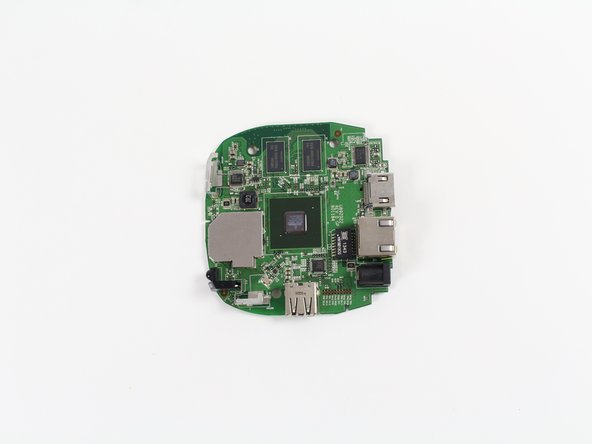


To reassemble your device, follow these instructions in reverse order.
Cancel: I did not complete this guide.
6 other people completed this guide.

Team

Cal Poly, Team 15-2, Livingston Fall 2016 Member of Cal Poly, Team 15-2, Livingston Fall 2016
CPSU-LIVINGSTON-F16S15G2
3 Members
72 Guides authored
3 Guide Comments
Great where to you get the motherboard?
