
Rocketfish RF-WHTIB-A Receiver Wireless Audio Module Chip Replacement

Caitlin Charlton and 3 other contributors
Last updated on Jan 20, 2025
Views: 2.7K
View statistics:
- Past 24 Hours:
- 2
- Past 7 Days:
- 17
- Past 30 Days:
- 104
- All Time:
- 2,745
Comments: 2
1 comment on steps, 1 guide comment.
Go to guide commentsCompleted: 2 3
2 people have marked this guide "completed." Will you be next?
3 people have marked this guide "completed." Including you — great job!
Favorites: 1 2
1 person has favorited (and subscribed to) this guide. Will you be next?
2 people have favorited (and subscribed to) this guide — including you!
Grammar Police
Embrace your inner English teacher and help improve this guide's grammar!
Introduction
Go to step 1 ↓A sender that is unresponsive in connection mode may indicate a problem with the wireless connection chip within the device. Replacing a faulty chip can help restore the device's function. This guide will help users replace a faulty wireless module chip indicated by an unresponsive connection between the sender and receiver devices.
What you need
Tools


-
-
-
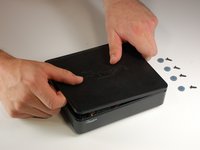
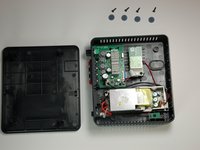
Remove the 4 rubber tabs on the bottom side of the receiver.
 Ask FixBot
-
-
-
-
-
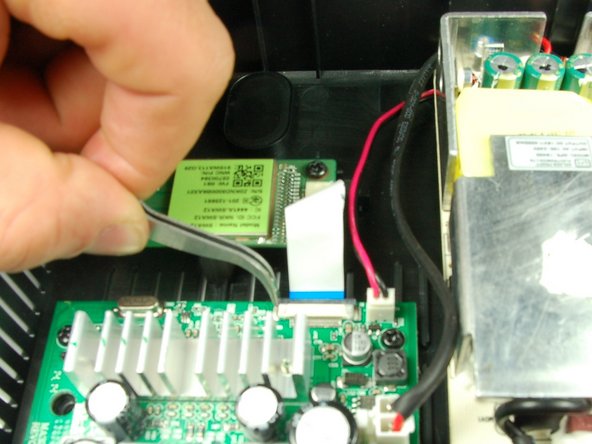
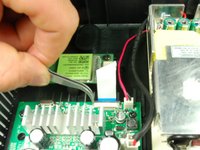
Unscrew the 10 mm screw holding the wireless audio module.
-
-
-
Tool used on this step:Tweezers$4.99
-
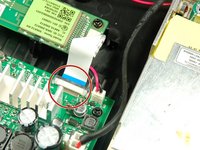
Slide the black retaining flap securing the ribbon cable away from the white bar.
-
-
-
Using your fingers, slide the ribbon cable out from the under the black retaining flap to completely disconnect it from the device.
-
-





To install the new wireless audio module chip, follow these instructions in reverse order.
Cancel: I did not complete this guide.
2 other people completed this guide.

Team

Baylor, Team 4-2, Williams Spring 2015 Member of Baylor, Team 4-2, Williams Spring 2015
BU-WILLIAMS-S15S4G2
3 Members
72 Guides authored
1 Guide Comment
This is a very long time later, but where do you get the receiver chip??? Rocket fish doesn't support the product anymore
