Free Shipping on Domestic Orders $75+

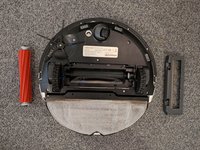
Roborock S7 Max Ultra Main Brush Replacement

What you need

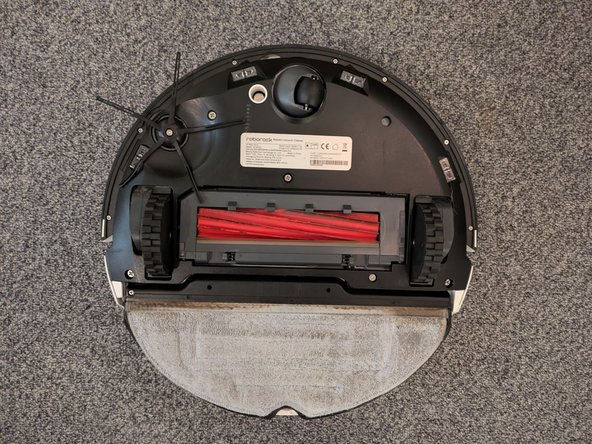
  1. Roborock S7 Max Ultra Main Brush Replacement, Lay the Device on its Back: step 1, image 1 of 2 Roborock S7 Max Ultra Main Brush Replacement, Lay the Device on its Back: step 1, image 2 of 2
    • Lay the device on its back to access the underside.

    Ask FixBot

    Add Comment

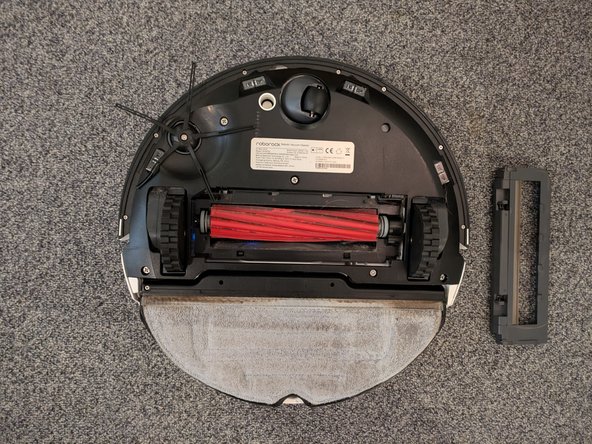
  2. Roborock S7 Max Ultra Main Brush Replacement, Remove the Brush Cover: step 2, image 1 of 2 Roborock S7 Max Ultra Main Brush Replacement, Remove the Brush Cover: step 2, image 2 of 2
    • Remove the main brush cover by pressing the two small latches and pulling the cover off.

    • When reassembling, ensure the notches on the top side of the frame are properly aligned and seated.

    Ask FixBot

    Add Comment

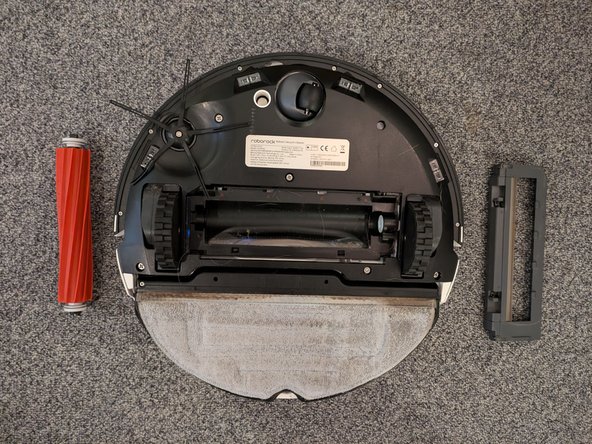
  3. Roborock S7 Max Ultra Main Brush Replacement, Remove the Brush: step 3, image 1 of 2 Roborock S7 Max Ultra Main Brush Replacement, Remove the Brush: step 3, image 2 of 2
    • Take out the main brush.

    • The main brush is directionally keyed, meaning it only fits one way. The rectangular side must be inserted into the motor side.

    Ask FixBot

    Add Comment

Conclusion

To reassemble your device, follow these instructions in reverse order.

Cancel: I did not complete this guide.

Sebastian

Member since: 08/19/18

33,213 Reputation

72 Guides authored

Team

German Translators Member of German Translators

Community

51 Members

1,706 Guides authored

0 Guide Comments

Add Comment

View Statistics:

Past 24 Hours: 4

Past 7 Days: 31

Past 30 Days: 115

All Time: 1,368