Introduction
The side brush is designed to remove dust and debris from your floors. It tends to get dirty quite often, so it is recommended that you clean it once per week and replace it every 6 months to a year. This guide will show you how to remove the side brush for cleaning or replacement.
What you need
-
-
-
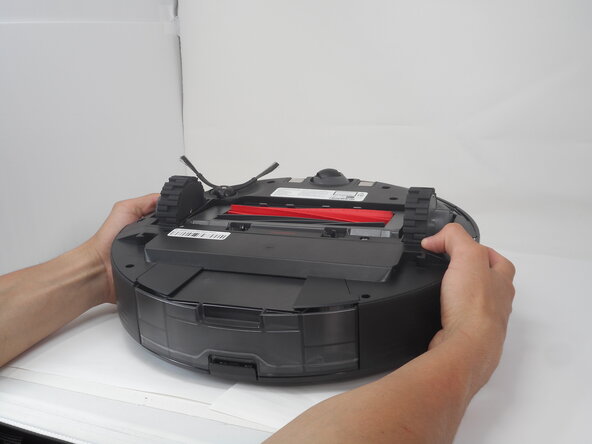
Carefully flip the Roborock upside down on a soft surface (e.g., towel) to avoid scratches.
-
Turn off the vacuum using the main switch underneath.
 Ask FixBot
-
-
-
-
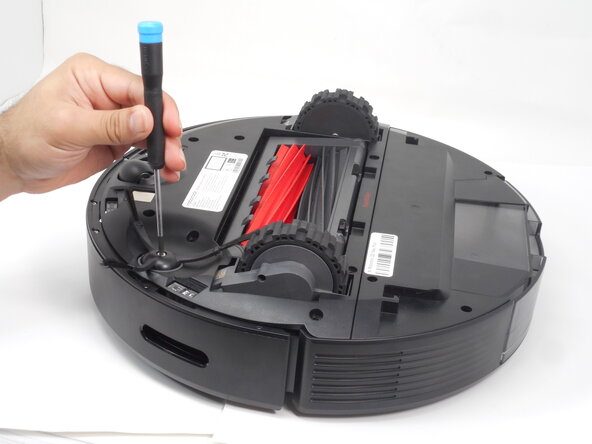
Hold down the side brush with one hand to prevent it from moving.
-
Use a Phillips #1 screwdriver to remove the single screw securing the side brush.
-
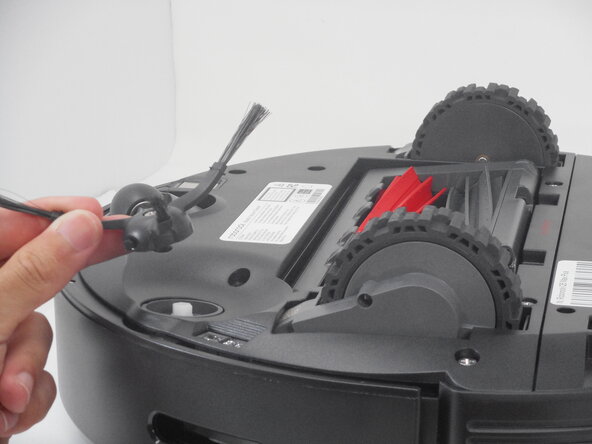
Remove it from the base.
-
-





To reassemble your device, follow these instructions in reverse order.

Team

University of Memphis, Team 3-1, Sneed Spring 2025 Member of University of Memphis, Team 3-1, Sneed Spring 2025
UM-SNEED-S25S3G1
4 Members
60 Guides authored
