Introduction
It’s important to regularly clean and inspect the main brush on your Roborock Q5 Max Plus. Hair, debris, and dust can easily build up around the brush, reducing its effectiveness, especially in homes with pets or heavy foot traffic. While routine cleaning (ideally once a week) can extend its life, the main brush is a consumable part and typically needs to be replaced every 6 to 12 months, depending on usage.
What you need
-
-
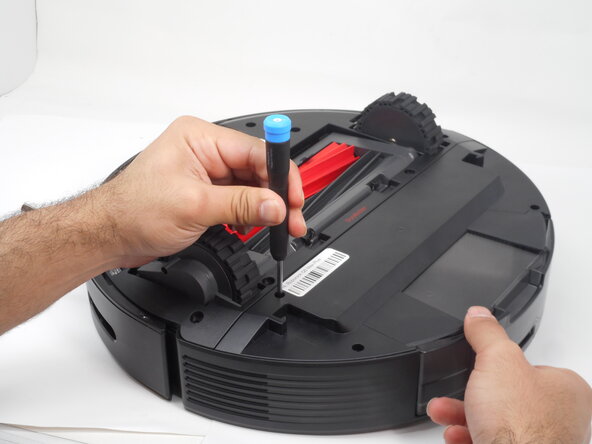
Use a Phillips #1 screwdriver to remove the eight 14 mm screws that secure the bottom shell.
-
-



To reassemble your device, follow these instructions in reverse order.

Team

University of Memphis, Team 3-1, Sneed Spring 2025 Member of University of Memphis, Team 3-1, Sneed Spring 2025
UM-SNEED-S25S3G1
4 Members
5 Guides authored
