Introduction
The Ring Doorbell 3 has a rechargeable battery, making the device highly efficient and simple. However, it may be difficult to locate the battery or to locate the battery, which is where this guide may come in handy.
-
-
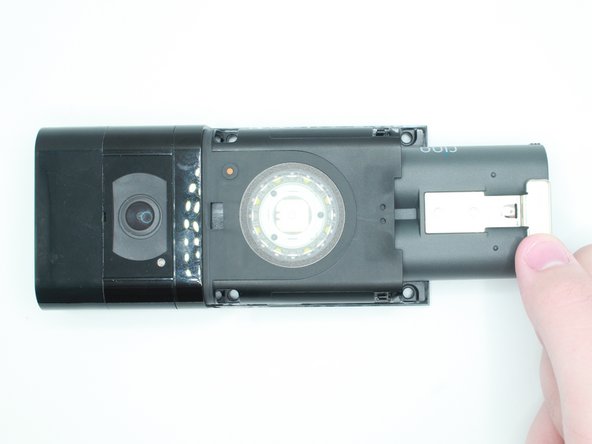
Look at the bottom of the device and locate the arrow.
-
Use your fingers to push the silver faceplate in the direction of the arrow.
 Ask FixBot
-
-


Conclusion
To reassemble your device, follow these instructions in reverse order.

Team

University of North Texas, Team 1-5, Kilpatrick Fall 2023 Member of University of North Texas, Team 1-5, Kilpatrick Fall 2023
UNT-KILPATRICK-F23S1G5
3 Members
5 Guides authored
