Free Shipping on Domestic Orders $75+

Ridgid R82005 Motor Replacement

What you need

    1. Ridgid R82005  Motor Replacement, Housing Assembly: step 1, image 1 of 1
      • Eject the battery from the drill.

      • Unscrew the seven M3x15.3mm screws, with the 2mm hex screwdriver bit, that secures the Housing Assembly.

      Ask FixBot

      Add Comment

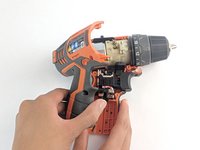
    2. Ridgid R82005  Motor Replacement: step 2, image 1 of 1
      • Push the metallic Housing Connecting clip out with flat side of the plastic opening tool.

      • Eject battery before attempting this step.

      Ask FixBot

      Add Comment

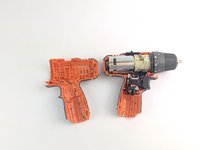
    3. Ridgid R82005  Motor Replacement: step 3, image 1 of 2 Ridgid R82005  Motor Replacement: step 3, image 2 of 2
      • Remove the top half of the Housing Assembly.

      Ask FixBot

      Add Comment

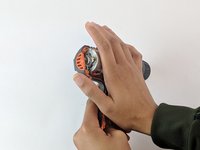
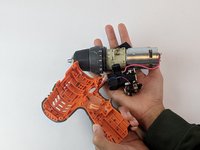
    4. Ridgid R82005  Motor Replacement: step 4, image 1 of 2 Ridgid R82005  Motor Replacement: step 4, image 2 of 2
      • Grasp carefully the top and bottom of drill components.

      • LED light needs to be manually removed.

      • Lift and transfer, as a whole, the drill components from the old housing assembly to the new housing.

      • Make sure all drill components fit properly in the grooves of new Housing Assembly.

      Ask FixBot

      Add Comment

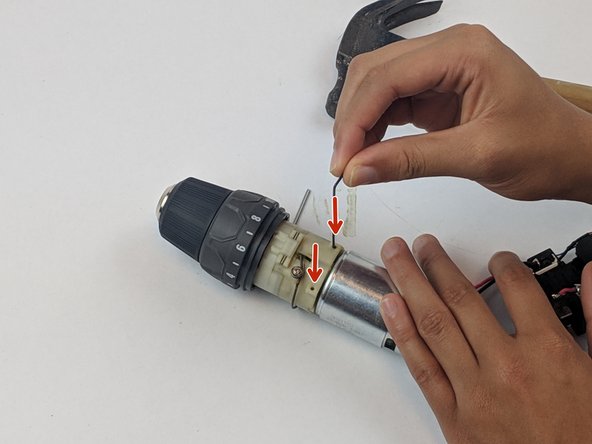
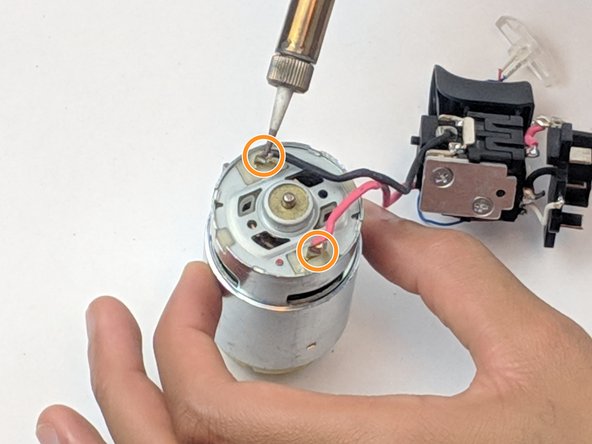
    1. Ridgid R82005  Motor Replacement, Motor: step 5, image 1 of 3 Ridgid R82005  Motor Replacement, Motor: step 5, image 2 of 3 Ridgid R82005  Motor Replacement, Motor: step 5, image 3 of 3
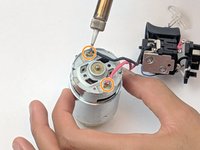
      • Push the two pins through the motor assembly.

      • We used an Alan wrench to push the pins through, but any small tool will do.

      • Unsolder the wires from the back of the motor to free the motor from the trigger assembly.

      • To learn how to solder, check out the How to Solder and Desolder Connections guide.

      • Make sure all drill components fit properly in the grooves of the Housing Assembly.

      Ask FixBot

      Add Comment

Conclusion

To reassemble your device, follow these instructions in reverse order.

Cancel: I did not complete this guide.

3 other people completed this guide.

Andrew McPherson

Member since: 02/14/19

479 Reputation

3 Guides authored

Team

USF Tampa, Team S1-G2, Leahy Spring 2019 Member of USF Tampa, Team S1-G2, Leahy Spring 2019

USFT-LEAHY-S19S1G2

4 Members

60 Guides authored

0 Guide Comments

Add Comment

View Statistics:

Past 24 Hours: 2

Past 7 Days: 7

Past 30 Days: 30

All Time: 1,434