Introduction
If your Retroid Pocket Flip speakers sound extremely tinny, quiet, or are producing no audio at all, use this guide to replace them after ruling out software issues.
What you need
-
-
-
Remove the four 5.9 mm screws from the backplate of the device with a 1.3mm hex screwdriver.
-
Use a plastic opening pick to carefully separate the back cover from the device.
 Ask FixBot
-
-
-
-
Use a plastic spudger to carefully lift and disconnect the battery connector.
-
Use tweezers to disconnect the connector from its socket.
-
-
-
-
-
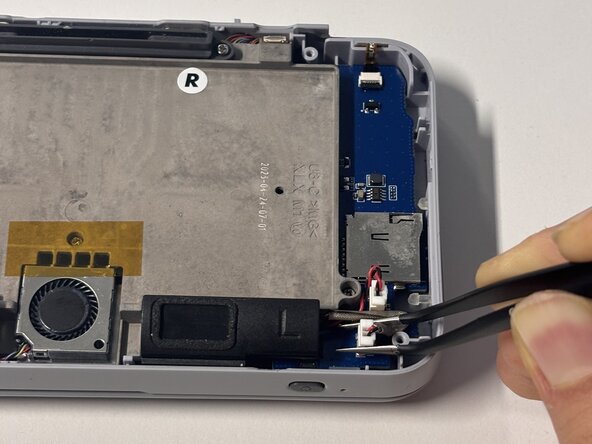
Use tweezers or a spudger to disconnect the two speaker cables at the bottom of the board and remove them.
-
-


Conclusion
To reassemble your device, follow these instructions in reverse order.

