Free Shipping on Domestic Orders $75+

Replacing an LED Light Fixture

Views: 3.7K

View statistics:

Past 24 Hours:
16
Past 7 Days:
110
Past 30 Days:
452
All Time:
3,742
Comments: 1

1 comment on steps.

Completed: 0

No one has marked this guide "completed." Will you be the first?

Favorites: 1

1 person has favorited (and subscribed to) this guide. Will you be next?

Time Required: 30 - 45 minutes
Difficulty: Moderate
Featured Student Guide

This guide has been the hard work of our awesome students and is found to be exceptionally cool by the iFixit staff.

Replacing an LED Light Fixture

Introduction

Go to step 1 ↓

This guide will walk you through the replacement of an LE 12-Inch 18 Watt Dimmable LED Flush Mount Ceiling Light.

We will start by safely showing you how to turn off the electricity provided to the light fixture. As this replacement involves minor electrical work, turning off the electricity and checking to see if the electrical box for the light fixture is not receiving power are crucial steps. After the proper safety precautions are taken, this guide will show you how to unwire the broken light fixture from the electrical box and how to wire the new light fixture into the same electrical box.

    1. Replacing an LED Light Fixture, LED Light Fixture: step 1, image 1 of 3 Replacing an LED Light Fixture, LED Light Fixture: step 1, image 2 of 3 Replacing an LED Light Fixture, LED Light Fixture: step 1, image 3 of 3
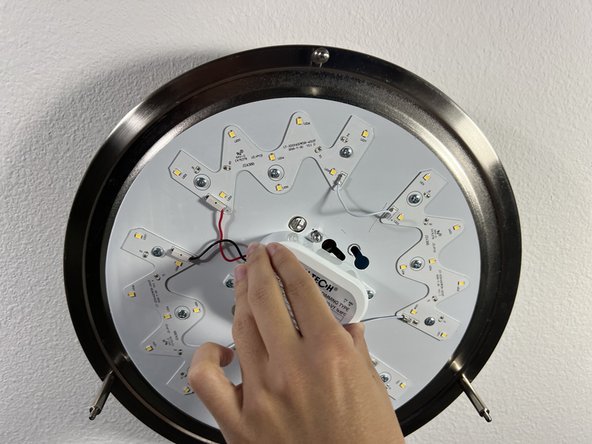
      • Set up a ladder under the light fixture, and remove the three thumb screws holding up the fixture's cover.

      • Hold the light cover with your free hand while you unscrew the last two screws.

      Ask FixBot

      Add Comment

    2. Replacing an LED Light Fixture: step 2, image 1 of 2 Replacing an LED Light Fixture: step 2, image 2 of 2
      • Do not remove the base of the light fixture.

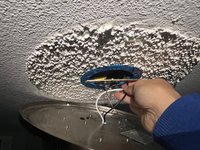
      • Check that the light fixture is receiving power with a voltage detector pen.

      • If the light of the voltage detector turns from green to red and makes a loud noise, that means that voltage is still present. Do not proceed with repair until there is no current running.

      Ask FixBot

      Add Comment

    3. Replacing an LED Light Fixture: step 3, image 1 of 3 Replacing an LED Light Fixture: step 3, image 2 of 3 Replacing an LED Light Fixture: step 3, image 3 of 3
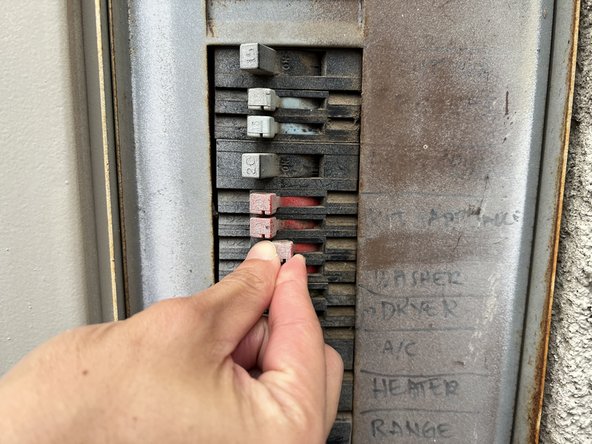
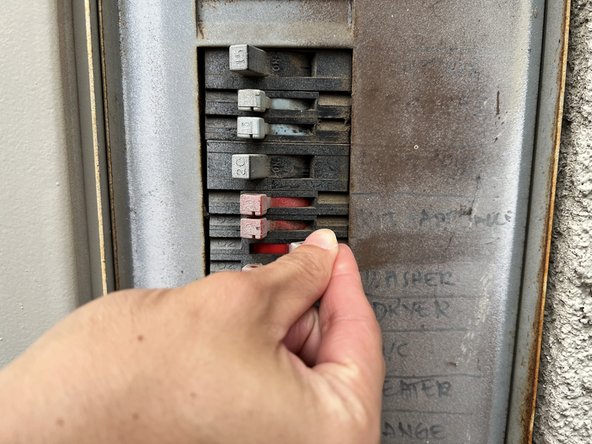
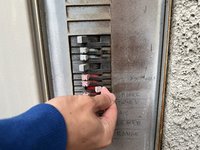
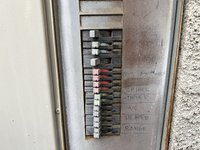
      • Locate the breaker to your house/unit and identify the switch which provides power to the light fixture.

      • Flip the switch on the breaker to the right to turn off the power to the light fixture.

      • Go back to the light fixture, and check if it is still receiving power with the voltage detector.

      • The voltage detector should remain green when placed near the electrical line connected to the light fixture.

      Ask FixBot

      Add Comment

    4. Replacing an LED Light Fixture: step 4, image 1 of 3 Replacing an LED Light Fixture: step 4, image 2 of 3 Replacing an LED Light Fixture: step 4, image 3 of 3
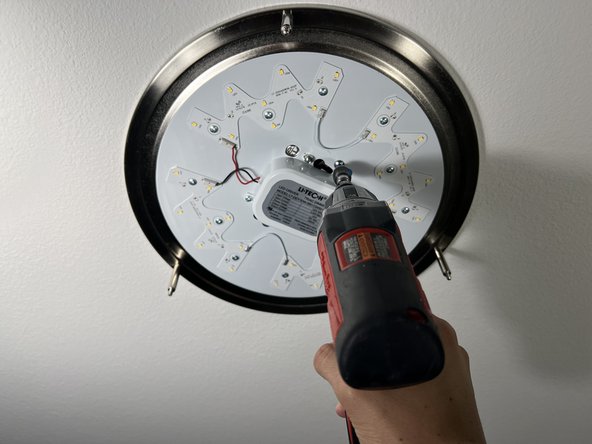
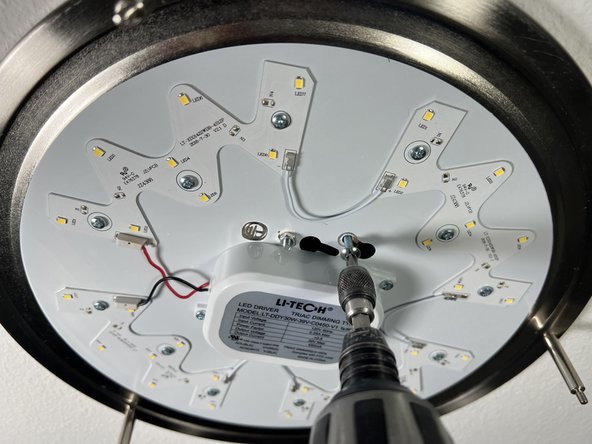
      • Begin unscrewing the base of the light fixture from the ceiling.

      Ask FixBot

      Add Comment

    5. Replacing an LED Light Fixture: step 5, image 1 of 3 Replacing an LED Light Fixture: step 5, image 2 of 3 Replacing an LED Light Fixture: step 5, image 3 of 3
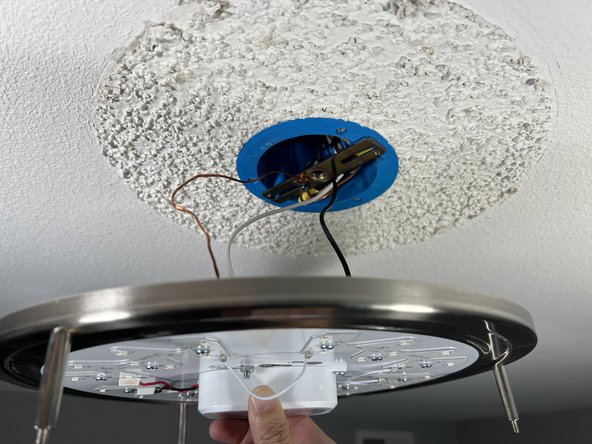
      • Once enough screws are removed from the base of the light fixture, hold the center of the base with your free hand so it doesn't fall down on its own.

      Ask FixBot

      Add Comment

    6. Replacing an LED Light Fixture: step 6, image 1 of 2 Replacing an LED Light Fixture: step 6, image 2 of 2
      • While still holding the base of the light fixture, check if the exposed wires are still unpowered with the voltage detector.

      • The voltage detector should remain green when placed near these exposed wires.

      Ask FixBot

      Add Comment

    7. Replacing an LED Light Fixture: step 7, image 1 of 2 Replacing an LED Light Fixture: step 7, image 2 of 2
      • Unscrew the screw attached to the metal bracket by twisting the manual Phillips screwdriver until the screw falls off.

      Ask FixBot

      Add Comment

    8. Replacing an LED Light Fixture: step 8, image 1 of 3 Replacing an LED Light Fixture: step 8, image 2 of 3 Replacing an LED Light Fixture: step 8, image 3 of 3
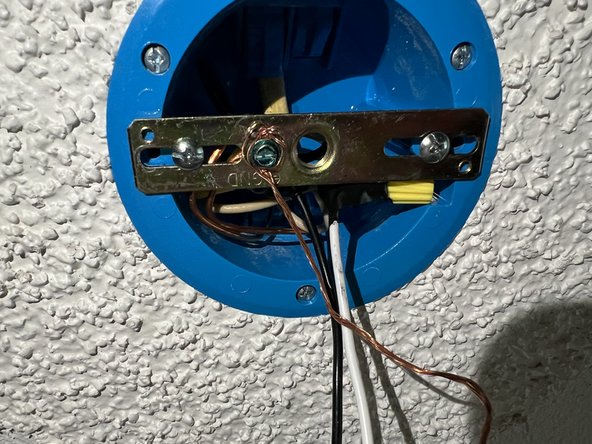
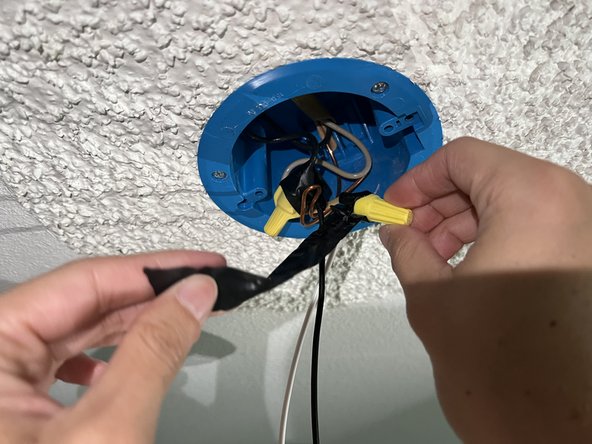
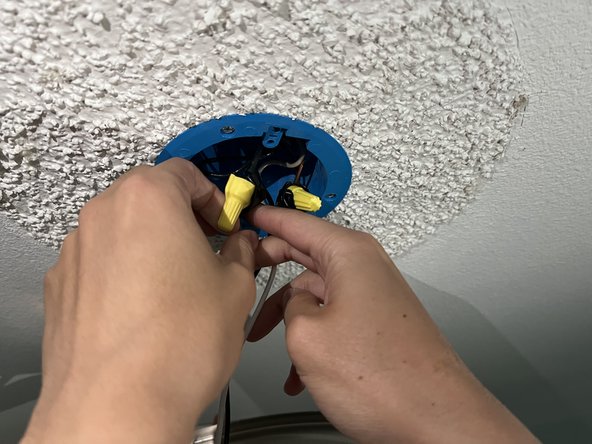
      • Unwrap the electrical tape from around both the black and white wires. These wires will be connected to the base of the light fixture with wire caps (which are yellow in this case).

      • You may want to rest the base of the light fixture on the top of your ladder, or have someone else hold it so that you can use both hands to unwrap the electrical tape.

      Ask FixBot

      Add Comment

    9. Replacing an LED Light Fixture: step 9, image 1 of 3 Replacing an LED Light Fixture: step 9, image 2 of 3 Replacing an LED Light Fixture: step 9, image 3 of 3
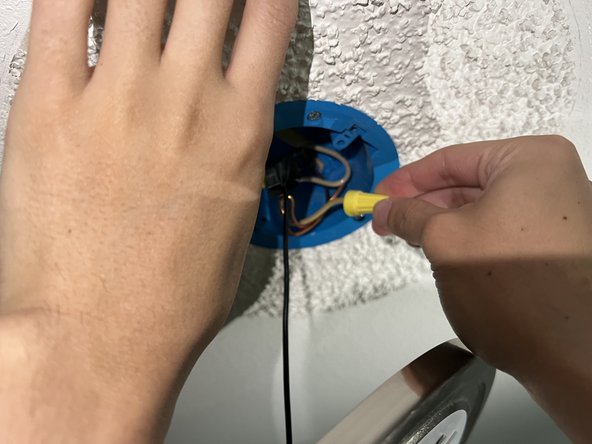
      • Remove the wire caps from the black and white wires and place them aside.

      Ask FixBot

      Add Comment

    10. Replacing an LED Light Fixture: step 10, image 1 of 3 Replacing an LED Light Fixture: step 10, image 2 of 3 Replacing an LED Light Fixture: step 10, image 3 of 3
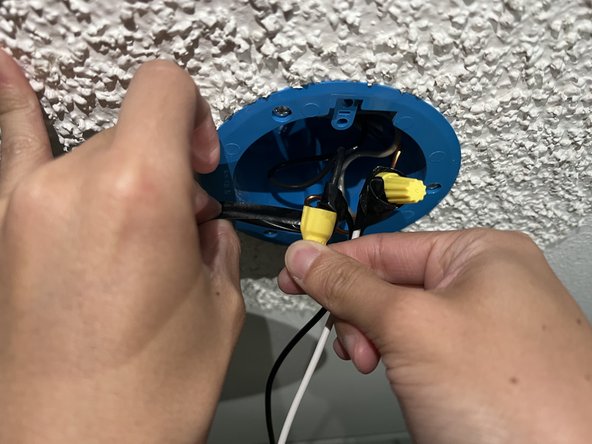
      • Place a piece of electrical tape on the two black wires joined together by the yellow wire connector.

      • Wrap the electrical tape a few times around the wire until both wires are securely wrapped together.

      • Follow the same steps for the white wires.

      Ask FixBot

      Add Comment

    11. Replacing an LED Light Fixture: step 11, image 1 of 3 Replacing an LED Light Fixture: step 11, image 2 of 3 Replacing an LED Light Fixture: step 11, image 3 of 3
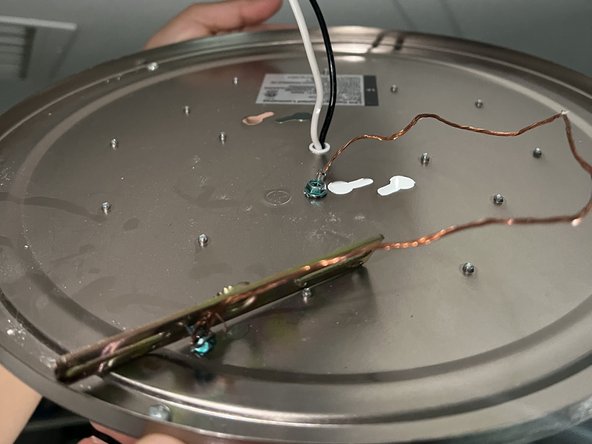
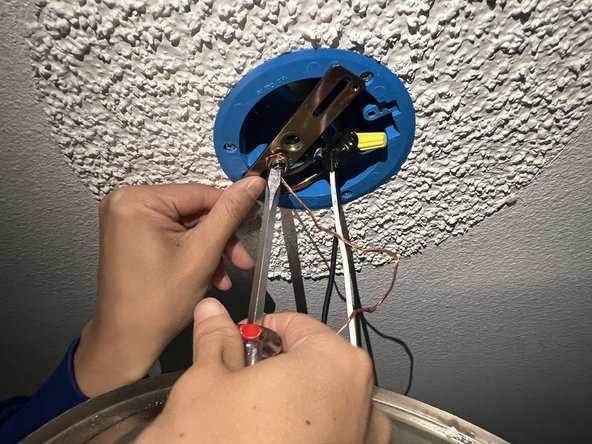
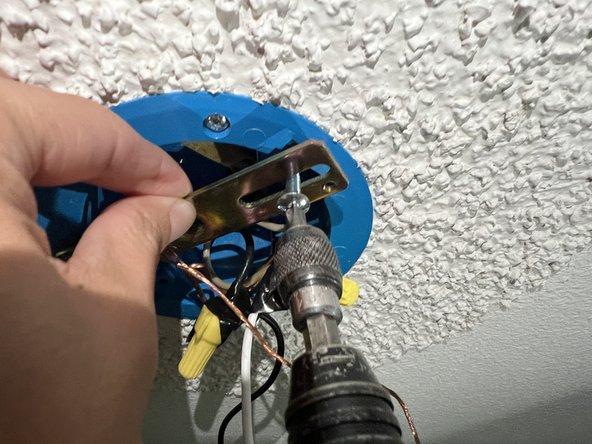
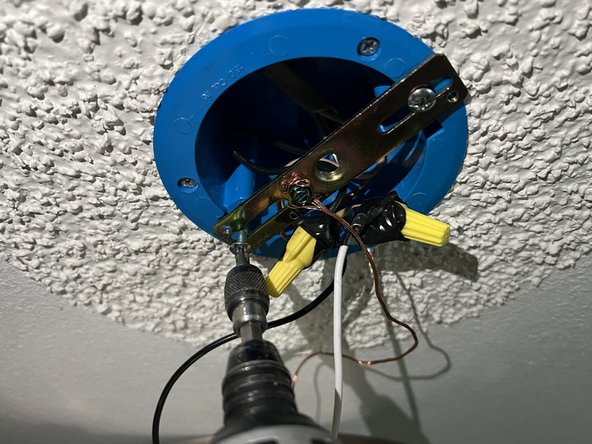
      • Screw on the new metal bracket from the replacement light fixture by twisting the manual Phillips screwdriver until the screw is snuggly holding the bracket.

      • This bracket will be placed in the same location that the original bracket was in, so the screw will screw into the same place as the original screw.

      Ask FixBot

      Add Comment

    12. Replacing an LED Light Fixture: step 12, image 1 of 3 Replacing an LED Light Fixture: step 12, image 2 of 3 Replacing an LED Light Fixture: step 12, image 3 of 3
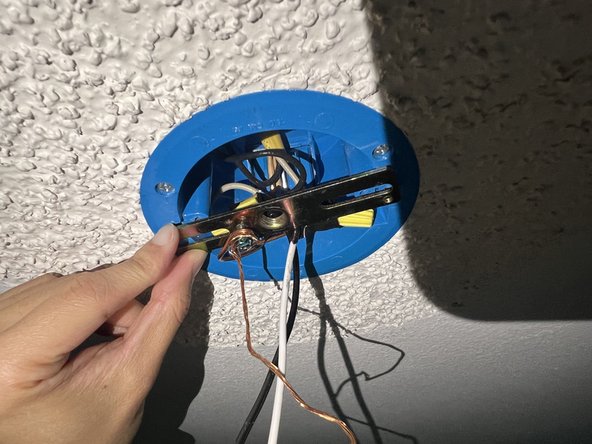
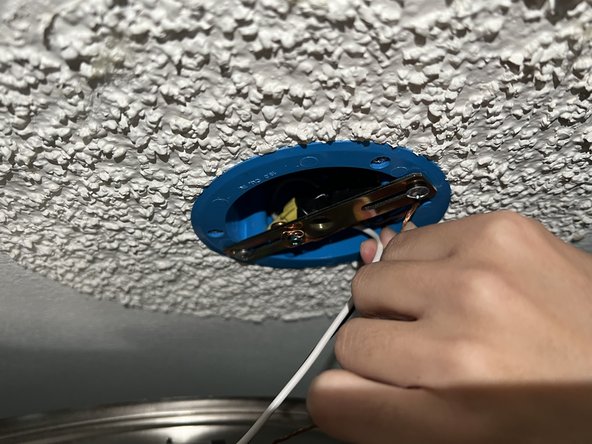
      • Screw on the remaining screws into the metal bracket so that it is firmly attached to the ceiling.

      Ask FixBot

      Add Comment

    13. Replacing an LED Light Fixture: step 13, image 1 of 3 Replacing an LED Light Fixture: step 13, image 2 of 3 Replacing an LED Light Fixture: step 13, image 3 of 3
      • While holding the base of the new light fixture, tuck the black and white wires into the electrical box so that there is very little slack in the wires.

      Ask FixBot

      Add Comment

    14. Replacing an LED Light Fixture: step 14, image 1 of 2 Replacing an LED Light Fixture: step 14, image 2 of 2
      • Screw the base of the new light fixture into place.

      Ask FixBot

      Add Comment

    15. Replacing an LED Light Fixture: step 15, image 1 of 3 Replacing an LED Light Fixture: step 15, image 2 of 3 Replacing an LED Light Fixture: step 15, image 3 of 3
      • Position the light cover of the new light fixture onto the base.

      • Tighten the thumb screws which hold the light cover so that the cover is tightly secured to to the base.

      Ask FixBot

      Add Comment

    16. Replacing an LED Light Fixture: step 16, image 1 of 3 Replacing an LED Light Fixture: step 16, image 2 of 3 Replacing an LED Light Fixture: step 16, image 3 of 3
      • Flip the switch on the breaker back to the left to turn on the power to the light fixture.

      Ask FixBot

      Add Comment

    17. Replacing an LED Light Fixture: step 17, image 1 of 1
      • Test to ensure that the light fixture is working properly.

      Ask FixBot

      Add Comment

Conclusion

To reassemble your device, follow these instructions in reverse order.

Cancel: I did not complete this guide.

Elijah Esmeralda

Member since: 04/15/24

273 Reputation

1 Guide authored

Team

UC Davis, Team 1-3, Morris Spring 2024 Member of UC Davis, Team 1-3, Morris Spring 2024

UCD-MORRIS-S24S1G3

3 Members

12 Guides authored

0 Guide Comments

Add Comment

View Statistics:

Past 24 Hours: 16

Past 7 Days: 110

Past 30 Days: 452

All Time: 3,742