Free Shipping on Domestic Orders $75+

Replacing Samsung Galaxy S4 SIM Card

What you need

  1. Replacing Samsung Galaxy S4 SIM Card, Rear Case: step 1, image 1 of 2 Replacing Samsung Galaxy S4 SIM Card, Rear Case: step 1, image 2 of 2
    • Pry with a plastic opening tool, or your fingernail, in the divot to the left of the rear-facing camera, near the power button.

    Ask FixBot

    Add Comment

  2. Replacing Samsung Galaxy S4 SIM Card: step 2, image 1 of 3 Replacing Samsung Galaxy S4 SIM Card: step 2, image 2 of 3 Replacing Samsung Galaxy S4 SIM Card: step 2, image 3 of 3
    • Lift the rear case by the corner nearest the divot and remove it from the phone.

    Ask FixBot

    Add Comment

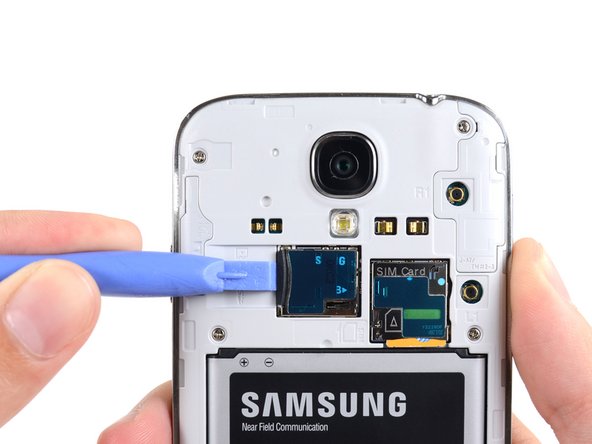
  3. Replacing Samsung Galaxy S4 SIM Card, MicroSD Card: step 3, image 1 of 3 Replacing Samsung Galaxy S4 SIM Card, MicroSD Card: step 3, image 2 of 3 Replacing Samsung Galaxy S4 SIM Card, MicroSD Card: step 3, image 3 of 3
    • Use the flat end of a spudger, or your fingernail, to press the microSD card slightly deeper into its slot until you hear a click.

    • After the click, release the card and it will pop out of its slot.

    • Remove the microSD card.

    • For reassembly, push the microSD card into the slot until it clicks in place.

    Ask FixBot

    Add Comment

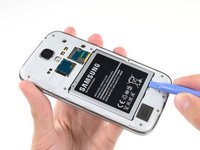
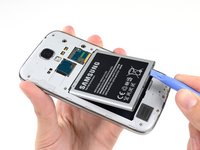
  4. Replacing Samsung Galaxy S4 SIM Card, Battery: step 4, image 1 of 3 Replacing Samsung Galaxy S4 SIM Card, Battery: step 4, image 2 of 3 Replacing Samsung Galaxy S4 SIM Card, Battery: step 4, image 3 of 3
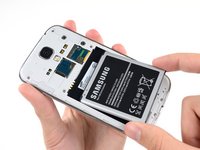
    • Insert a plastic opening tool, or your finger, into the notch of the battery compartment and lift the battery upward.

    • Remove the battery from your phone.

    Ask FixBot

    Add Comment

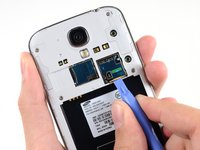
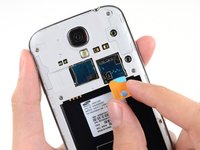
  5. Replacing Samsung Galaxy S4 SIM Card, SIM Card: step 5, image 1 of 3 Replacing Samsung Galaxy S4 SIM Card, SIM Card: step 5, image 2 of 3 Replacing Samsung Galaxy S4 SIM Card, SIM Card: step 5, image 3 of 3
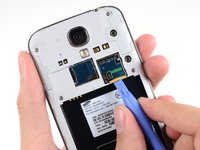
    • Use a plastic opening tool, or your fingernail, to press the SIM card slightly deeper into its slot until you hear a click.

    • After the click, release the card and it will pop out of its slot.

    • Remove the SIM card.

    • During reassembly, push the SIM card into the slot until it clicks in place.

    Ask FixBot

    Add Comment

Conclusion

To reassemble your device, follow these instructions in reverse order.

Cancel: I did not complete this guide.

81 other people completed this guide.

Sam Goldheart

Member since: 10/18/12

477,591 Reputation

538 Guides authored

Team

iFixit Member of iFixit

Staff

122 Members

26,591 Guides authored

3 Guide Comments

Can you take one sim card slot out one galaxy s4 and put it in another or do u have to buy a new one

marius williams - Reply Share

Somethings wrong with sim card start shut out since July 5 evening and today July 6 three times

humeston23 - Reply Share

Removing sim card tray?

G M Chadwick - Reply Share

Add Comment

View Statistics:

Past 24 Hours: 4

Past 7 Days: 57

Past 30 Days: 190

All Time: 252,179