Introduction
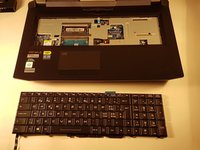
Ce tutoriel montre comment retirer et remplacer le clavier d’un ordinateur portable why! P775DM3. Après avoir libéré le clavier, déverrouillez soigneusement ses trois connecteurs avant de l’enlever.
What you need
-
-
-
-
-
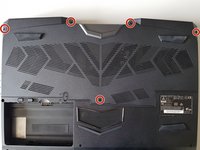
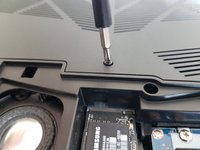
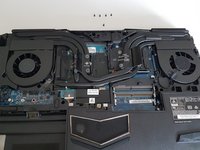
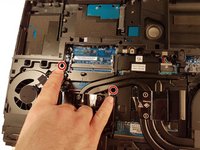
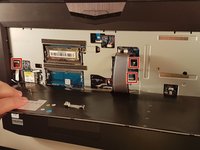
Enfoncez un trombone dans les trois endroits indiqués en rouge
-
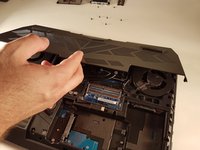
Soulevez le clavier et n'hésitez pas à mettre un peu de force
-
-
-
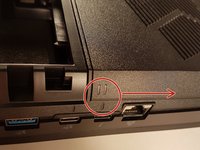
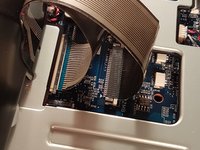
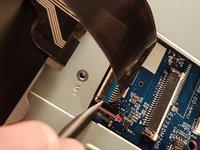
Tirez le tiroir blanc dans la direction de la flèche pour déverrouiller le connecteur
-
Déconnectez le connecteur entouré en rouge
-
-
-
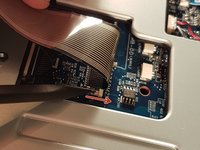
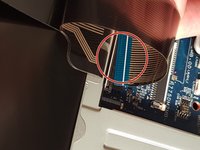
Tirez le tiroir noir dans la direction de la flèche pour déverrouiller le connecteur
-
Déconnectez le connecteur entouré en rouge
-
-
-
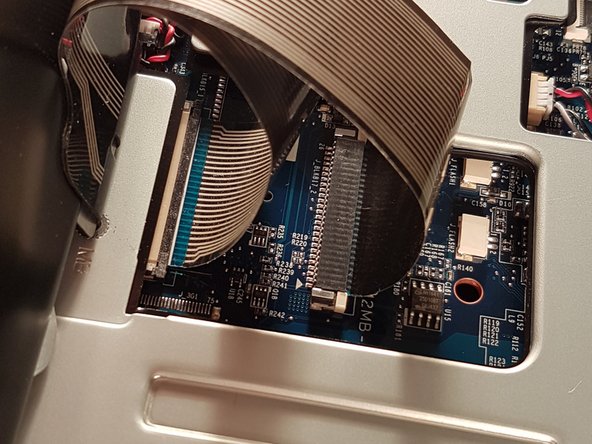
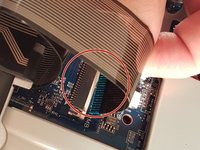
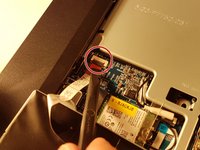
Soulevez le clapet qui retient le connecteur entouré en rouge
-
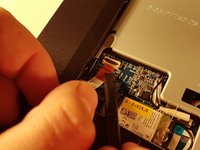
Déconnectez le connecteur entouré en rouge
-
Enlevez le clavier
-


 Ask FixBot
















Pour réassembler votre appareil, suivez les instructions dans l'ordre inverse.
Cancel: I did not complete this guide.
6 other people completed this guide.

3 Guide Comments
I wish to know whether it’s possible to pry off the key to clean off the contacts. (I spilled coffee on the keyboard).
Fortunately for me, the key was on the edge of the board (the down arrow key). It was stuck on.
I lifted the key up as much as I could and I cleaned it with Deoxit. That did the trick. My keyboard is now working.
Thanks for the steps!
Great instructions, but for my laptop, step 7 only indicated three of seven places (the other four are the top centre of the keyboard, and the three points symmetrical to the 3 you’ve indacted, on the right hand side of the keyboard).
