
Repairing the Intermediate Transfer Belt (ITB)

David42 and one other contributor
Last updated on Aug 16, 2026
Views: 1.9K
View statistics:
- Past 24 Hours:
- 14
- Past 7 Days:
- 46
- Past 30 Days:
- 213
- All Time:
- 1,856
Comments: 2
2 guide comments.
Go to guide commentsCompleted: 1 2
1 person has marked this guide "completed." Will you be next?
2 people have marked this guide "completed." Including you — great job!
Favorites: 1 2
1 person has favorited (and subscribed to) this guide. Will you be next?
2 people have favorited (and subscribed to) this guide — including you!
Community-Contributed Guide
An awesome member of our community made this guide. It was not created by iFixit staff.
Introduction
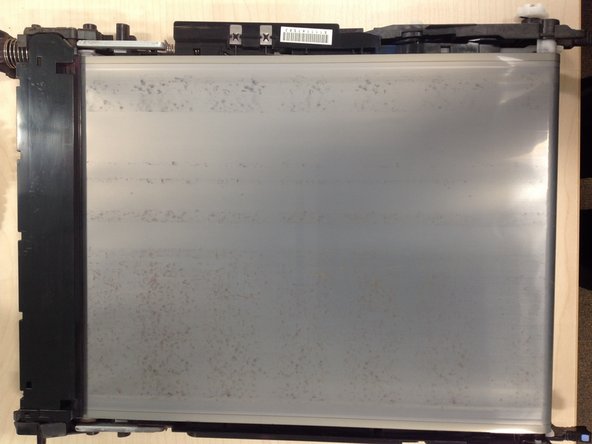
Go to step 1 ↓Intermittent dirty vertical marks on the printout that repeat every 3rd page indicate that the intermediate transfer belt is not being properly cleaned. This guide explains how to dismantle the intermediate transfer belt to resolve cleaning problems.
What you need
Tools


-
-
-
The distance between repetitions of a print quality problem provides the best clue to identify the source. Intermediate transfer belt problems repeat every 70cm which corresponds to 2.3 A4 pages. Intermittent dark vertical strips indicate that the Intermediate Transfer belt is not being effectively cleaned.
-
Experience from a school that prints 200,000 pages a year on these printers shows the majority of print quality problems are caused by the toner cartridges rather than the ITB. The cause of these faults is readily proved by swapping cartridges. Typically 5% to 20% of compatible toner cartridges cause print quality problems.
-
For the small minority of quality problems that persist across multiple toner cartridges, the cause of dirty printouts has usually been the ITB.
-
Other guides describe manually cleaning the belt which, although easy to do, provides only a short term benefit if the underlying cause is that the wiper blade is not cleaning the belt.
-
A roughness as the belt passes over the roller might be caused by disintegrating foam rollers that support the belt from inside the ITB unit. Replacing the entire ITB unit may be the only solution in this case.
 Ask FixBot
-
-
-
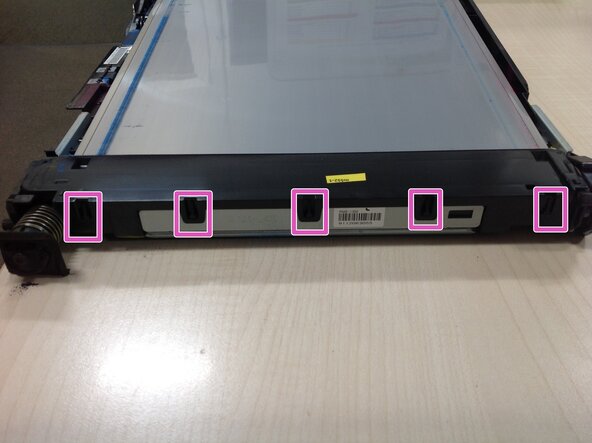
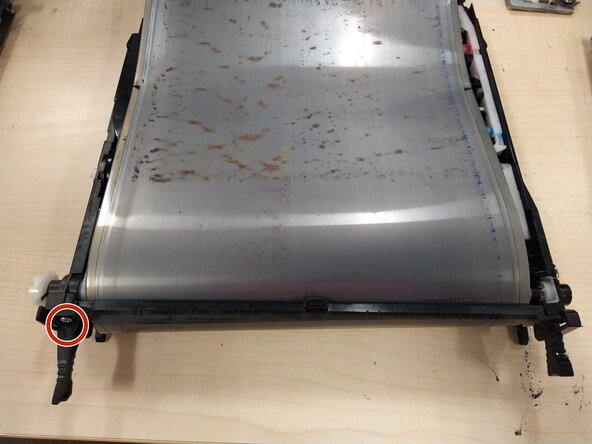
Gently pull back the five plastic clips holding down the lid on the toner collector attached to the end of the Intermediate Transfer Belt.
-
The plastic lid can now be lifted off the toner collector. After a little gentle wiggling it will come away.
-
The waste toner can now be emptied out
-
-
-
Sometimes the wiper blade can be cleaned adequately without further dismantling.
-
This brief video clip shows how a thin plastic sheet can be inserted between the wiper blade and the belt then dragged along. The labels supermarkets attach to their fruit nets are a suitable cleaning tool.
-
-
-
Cleaning the foam strip on the underside of the ITB may improve the quality.
-
The foam strip can be lifted slightly when cleaning to creat a gap for the waste toner to escape
-
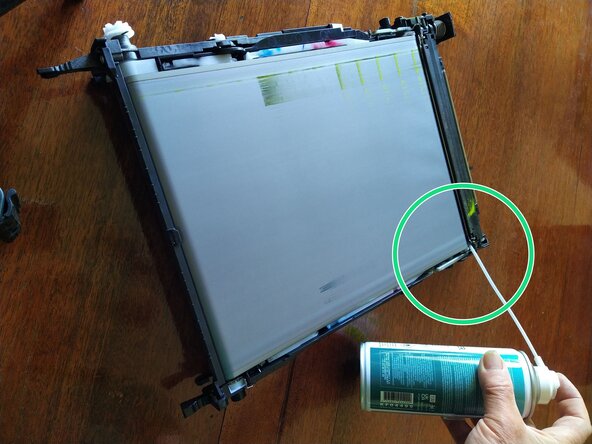
Compressed air can remove the waste toner from behind the foam strip.
-
A thin plastic sheet can be inserted between the foam and the belt, then dragged along. The lumps shown in the picture were extracted in this way.
-
-
-
Put the cleaned belt back into service and observe the performance. If the ITB continues to cause intermittent print quality it may be time to replace the ITB.
-
For the more determined or adventurous repairer the ITB repair guide provides a comprehensive tour through the more risky and difficult repair steps.
-
-
-
-
-
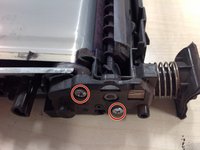
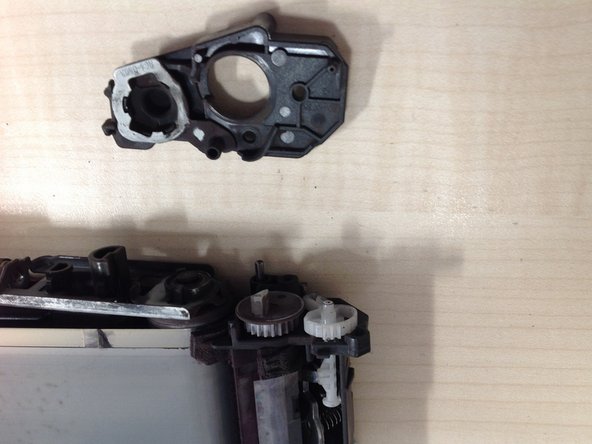
Remove the two 10mm screws that retain this cover then carefully remove the cover. Try to remove only the cover, leaving the cog wheels behind so that you can remove them individually and note the order.
-
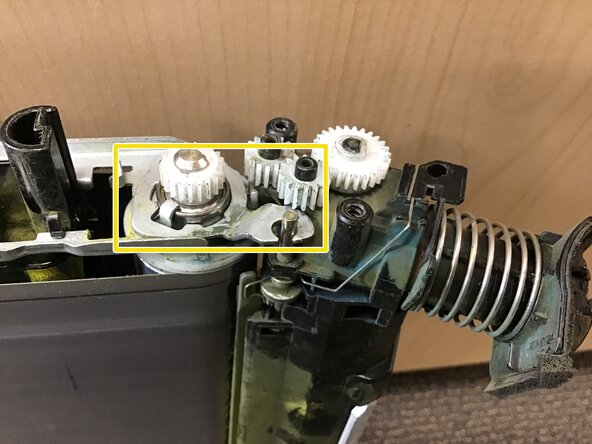
Remove the 4 cog wheels.
-
Remove the metal frame that hooks the belt roller to the toner collector.
-
-
-
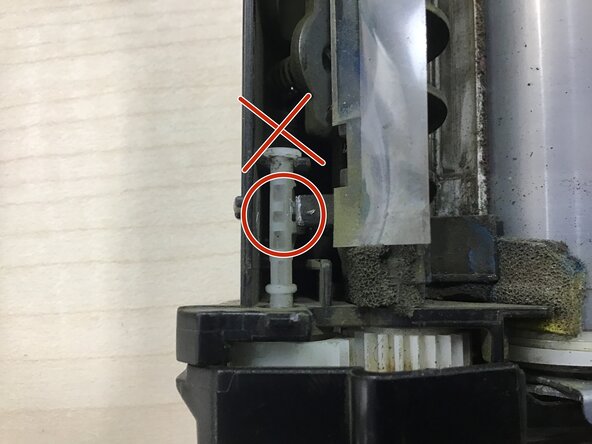
Before removing the cover on the second side, notice the position of the white plastic peg.
-
It is easy for this peg to rotate to the wrong place on re-assembly, then you will see the white peg protrude outside the black plastic framework, and the belt will make a loud clicking noise when it is re-installed in the printer.
-
-
-
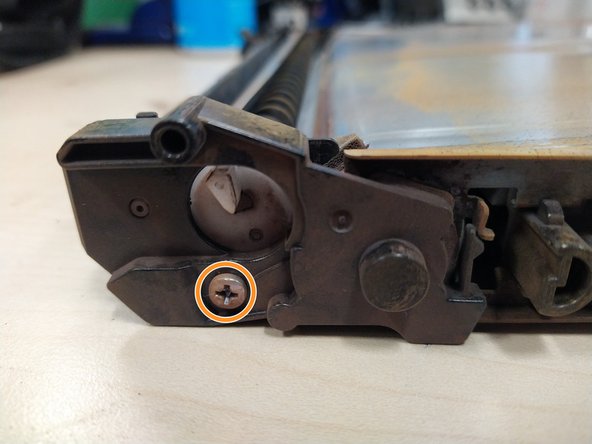
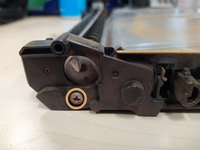
Remove the single 10mm screw then remove the cover.
-
-
-
This is a picture from underneath to give a clearer view of how the metal hook will be re-inserted on reassembly.
-
-
-
The waste toner collector is now separate from the rest of the belt and its rollers.
-
A closer inspection is now possible to identify the cause of the quality problems. Two different faults have been observed on the units repaired so far.
-
In one case, the plastic wiper blade in the toner collection unit had a very visible kink. Replacement blades are available from Aliexpress (search for "B5L24-67901 blade"). the next two slides explain how to separate the wiper blade from the toner collection unit.
-
In three other cases, the belt shows a roughness as it passes over the roller that was pressing against the wiper blade. This explains the uneven cleaning. The remainder of this guide covers the repair of that fault. The remainder of this guide is work in progress as the author has yet to establish the longer term effectiveness of this repair.
-
-
-
The belt is stretched tight by a strong spring on each side of the unit. A flat bladed screwdriver can squash this spring sufficiently to lever it out.
-
The second picture shows the loose belt after releasing the two springs.
-
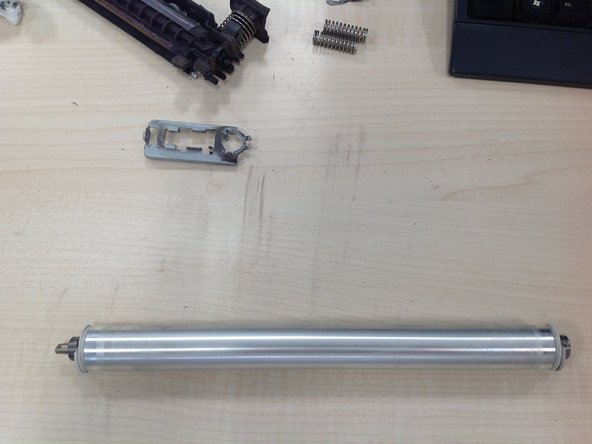
This metal frame can now be disconnected from the roller allowing the roller to be removed.
-
-
-
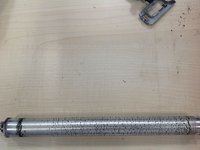
The cause of the dirty printouts is now clearly revealed. The dark marks visible in the picture create the rough surface that prevents the wiper blade from cleaning the belt.
-
Isopropyl alcohol softens and removes most of this plastic, aided by a little scraping of the most resistant parts. Liquid detergent with water is equally effective.
-
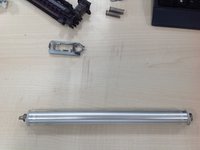
The second picture shows the cleaned roller with a smooth surface that enables the wiper blade to work correctly.
-
-
-
unhook this small spring using needle nosed pliers.
-
Remove this 10mm PH2 screw
-
Remove these two 10mm PH2 screws
-
-
-
-
Use a small flat bladed screwdriver to remove the circlip in the centre of this cogwheel
-
Pull the cogwheel off the metal shaft
-
The side support can now be pulled away.
-
-
-
Remove the two rear rollers
-
The transfer belt can finally be removed enabling inspection and repair of the internal parts.
-
-
-
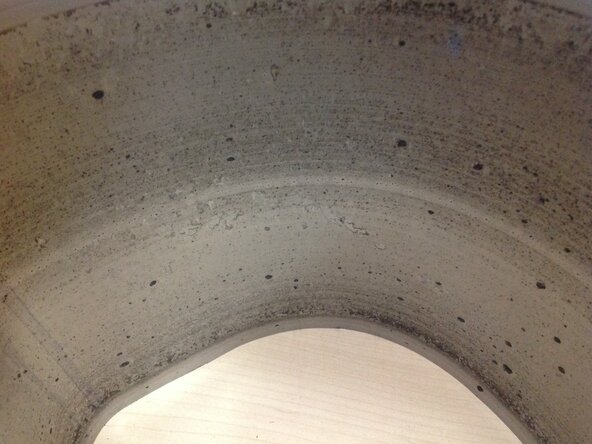
Remove the lumps from the inside of the belt. Again Isopropyl alcohol or detergent and water can be used to soften the lumps, followed by scraping.
-
The second picture shows the inside of a more badly worn belt. The inside of the belt was starting to delaminate when these lumps were removed.
-
-
-
This foam roller appears to be disintegrating. Maybe this is the source of the black lumps that make the rollers bumpy. A set of four rollers can be located on Aliexpresss by searching for "B5L24-67901 rollers".
-
These are the four foam rollers
-
-
-
The end of each foam roller sits in a white plastic bearing. A hidden peg keeps that bearing in the side support.
-
Push a flat bladed screwdriver between the white plastic bearing and the side support to release the peg and lift the bearing clear of the side support.
-
After releasing the bearing on both sides, the foam roller can be removed and replaced with a new roller.
-
-
-
Release the two retaining springs.
-
Slide the archimedes screw firmly towards the white cog. It will push out a rubber washer. The right hand end of the archimedes screw can then be lifted and the plastic archimedes screw can be pulled out.
-
The metal frame that supports the wiper blade is retained by a pin at each end. Slide each pin in the direction of the arrow until the wiper blade support is free.
-
-
-
To remove the curved black plastic from the wiper blade framwork, depress this black locking peg and ...
-
... slide the plastic framework to release the three plastic hooks joining these parts.
-
the wiper blade glued to its metal support is now separate from the rest of the cleaning unit. Replacement wiper blades are sold in this form.
-
-


















To reassemble your device, follow these instructions in reverse order.
Cancel: I did not complete this guide.
One other person completed this guide.

2 Guide Comments
Just did this on a printer at my school district and it worked, thank you for posting!
can't believe how tricky the belt is to put back together
