Introduction
DIY replacement of iPhone dust mesh.
Replacing a iPhone speaker dust mesh on the front of an iPhone would require disassembling the whole phone. There is an easier and much cheaper workaround for this...
What you need
-
-
-
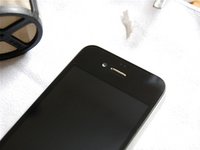
Left image shows iPhone with missing front dust mesh
-
Right image shows dust meshes on bottom
 Ask FixBot
-
-
-
-
Cut out a piece of stainless steel mesh of the tea filter using a pocket knife
-
Trim the piece of mesh using a pair of scissors to a size of approx. 3x9 mm
-
-
Tool used on this step:Tweezers$4.99
-
Fold the piece of mesh longways using the plastic tip
-
Use a pair of tweezers to insert the folded piece of mesh into the hole above the speaker
-
Put piece of mesh into place using plastic tip
-
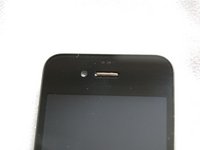
That's it - see the result on the images
-
-


Cancel: I did not complete this guide.
28 other people completed this guide.

1 Guide Comment
This may work fine for most dirt, but with the original design there is also a cloth mesh behind the metal mesh that helps to keep finer particles out of the speaker.
This is definitely a much much much easier way to get some sort of protection in there at least. :)
