
Repairing Vizio Television Cable Connection

Ricky and 7 other contributors
Last updated on Sep 15, 2020
Views: 19K
View statistics:
- Past 24 Hours:
- 3
- Past 7 Days:
- 27
- Past 30 Days:
- 131
- All Time:
- 19,136
Comments: 8
1 comment on steps, 7 guide comments.
Go to guide commentsCompleted: 14 15
14 people have marked this guide "completed." Will you be next?
15 people have marked this guide "completed." Including you — great job!
Favorites: 14 15
14 people have favorited (and subscribed to) this guide. Will you be next?
15 people have favorited (and subscribed to) this guide — including you!
Action Shots
Be an action hero! This guide needs images that better demonstrate how to perform specific actions.
Needs More Images
A few more images would make this guide's procedures crystal clear.
Community-Contributed Guide
An awesome member of our community made this guide. It was not created by iFixit staff.
Better Introduction
Improve this guide by completing or revising its introduction.
Introduction
Go to step 1 ↓Having problems with your cable connection? Has replacing the cable failed to fix the problem? You may have a broken connection in your motherboard. This guide will help you repair a broken connection from the cable to the motherboard.
What you need
Parts
Tools


-
-
-
First, remove the (20) Phillips screws from the back plate. If your television is mounted against a wall, you'll have to remove it from your wall mounting bracket as well.
 Ask FixBot
-
-
-
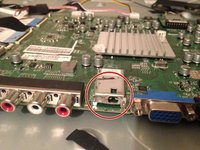
After removing the back plate, you'll see some circuit boards. We'll be focusing on the motherboard to the right.
-
(2) Phillips screws hold down covers over your inputs.
-
Note this screw holds down both covers where they overlap.
-
The bottom cover will not move until the 2 small Phillips screws are removed.
-
-
-
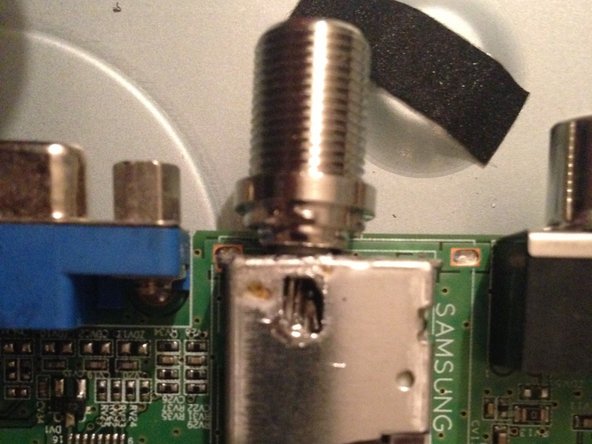
Once the covers are all removed, you'll see a big hole where the cable connection is supposed to be.
-
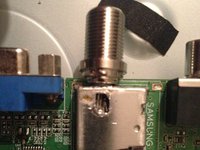
Proceed to solder your new connection in like I did here. If you decide to replace the entire part you'll need to remove the motherboard... We'll save that for a different thread.
-
-
-
-
You can then put it all back together once again in reverse order and enjoy some cable TV!
-
-



To reassemble your device, follow these instructions in reverse order.
Cancel: I did not complete this guide.
14 other people completed this guide.

Team

7 Guide Comments
Are there pics of what needs to be done in order to solder the cable connector correctly?
how can I order the part to repair the coax connector for the Vizio 32 inch tv
how can I order the coax connector part to repair my 32 inch. Vizio TV.
WHAT part is the actual connector? Ive searched for days with NO LUCK! Its a rear mount cam twist thing;I can NOT find this part!!!!
My vizio tv is not functioning properly. When i switch it on. The dispaly say. The tuner is not set up. Click Menu so set it up. Then, when i click the “Menu” may lumalabas na “HDTV setting”. When i click it. It will just go back to its normal form.
