Introduction
This guide will show you how to remove the keyboard
What you need
-
-
-
Flip laptop over and locate the battery release button
-
Push release button to the left to release battery and gently pull battery from the laptop
 Ask FixBot
-
-
-
-
-
Loosen the three Phillips 2.5×9.0 captive screws that secure the keyboard to the laptop
-
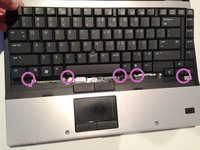
Turn the laptop so the keyboard is facing up and locate the 4 retention tabs along the back edge of the keyboard
-
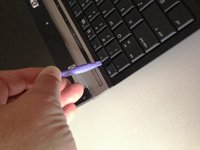
Slide the retention clips toward the keyboard to release the keyboard
-
-
-
-
Use a plastic pry tool to lift the rear edge of the keyboard.
-
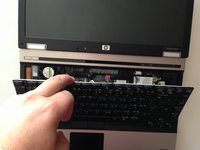
Pull the keyboard slightly towards the display to disengage the tabs along the front of the keyboard from the laptop palm rest.
-
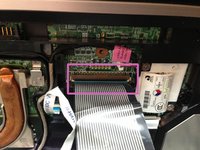
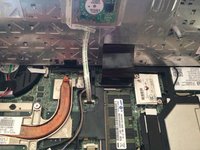
Lift the keyboard up to reveal the ribbon connectors
-
-
-
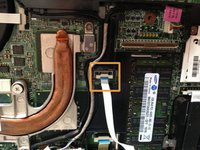
Release the larger ribbon cable by flipping the brown retainer up so it is parallel with the ribbon cable
-
Release the smaller ribbon cable by lifting up the white retainer
-
-




To reassemble your device, follow these instructions in reverse order.
Cancel: I did not complete this guide.
9 other people completed this guide.

Team

2 Guide Comments
Look easy to remove !! I have a hp elitebook 6930p it need a new keyboard but it hard for me to find one for my elitebook 6930p online they look the same but none of them have the part number i need ! Could i use any hp elitebook 6930p replacement keyboard or were can i find the right keyboard number on the elitebook 6930 i just might be looking at the wrote number ! Need help !!
