
Removing Creative Zen Vision W Back Cover

Gabriele Pregadio and 7 other contributors
Last updated on Aug 2, 2024
Views: 1.2K
View statistics:
- Past 24 Hours:
- 3
- Past 7 Days:
- 10
- Past 30 Days:
- 44
- All Time:
- 1,180
Comments: 0
No one has left comments on this guide. Will you be first?
Go to guide commentsCompleted: 0 1
No one has marked this guide "completed." Will you be the first?
1 person has marked this guide "completed." It's you — great job!
Favorites: 1 2
1 person has favorited (and subscribed to) this guide. Will you be next?
2 people have favorited (and subscribed to) this guide — including you!
Needs Better Images
Better photos will improve this guide. Help out by taking, editing, or uploading new ones!
Markup Mishap
This guide needs better markups. Help out by correcting or making some markup annotations.
Introduction
Go to step 1 ↓This guide will show you how to remove the back cover of your Removing Creative Zen Vision W.
What you need
Tools


-
-
-
Push the black button and slide the battery casing to the left simultaneously, until the battery is completely separated from the device.
 Ask FixBot
-
-
-
-
-
Remove the 2 screws (3.5 mm) on the Compact Flash insert, located on the left hand side, with a Phillips #000 screwdriver.
-
-
-
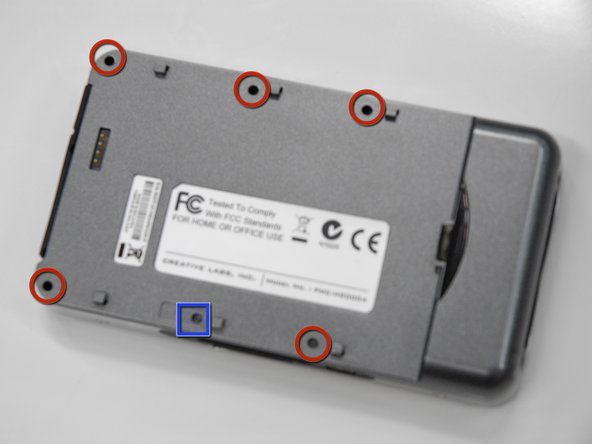
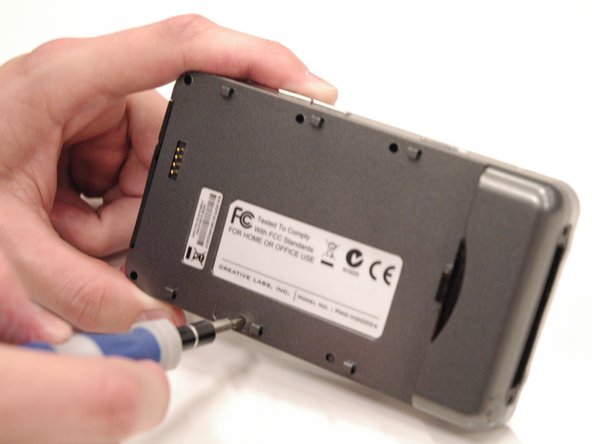
Remove the 5 screws (5.5 mm), circled in red, using a Phillips #0. Use a flashlight if necessary.
-
Peel off the sticker that says "Creative warranty void if broken" and remove the screw (5.5 mm) underneath with a Phillips #0.
-
-
-
-
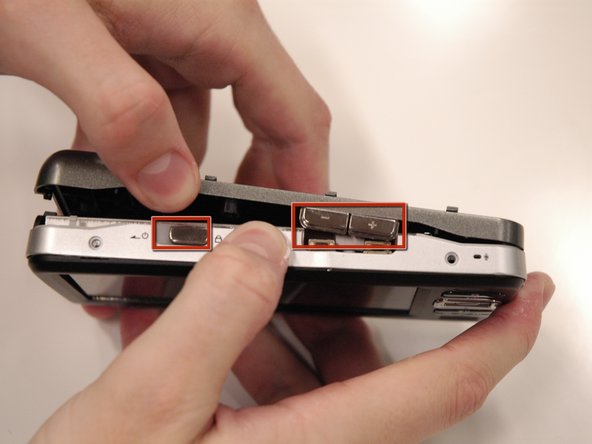
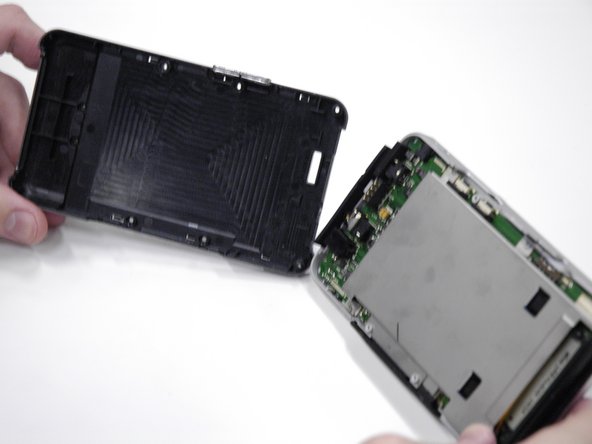
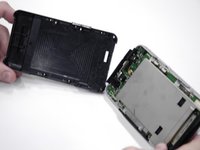
Carefully pull the back cover off of the rest of the device.
-
The volume control buttons and power slider may fall off when removing the cover, do not lose these small pieces.
-
The USB input cover on the bottom of the device may also fall off.
-
-



To reassemble your device, follow these instructions in reverse order.

Team

Cal Poly, Team 17-2, Regan Spring 2013 Member of Cal Poly, Team 17-2, Regan Spring 2013
CPSU-REGAN-S13S17G2
4 Members
96 Guides authored
