
Realigning 12-Inch Bionaire Fan Metal Coil

Hemish Patel and 2 other contributors
Last updated on Feb 19, 2016
Views: 4.7K
View statistics:
- Past 24 Hours:
- 5
- Past 7 Days:
- 25
- Past 30 Days:
- 120
- All Time:
- 4,741
Comments: 1
1 guide comment.
Go to guide commentsCompleted: 3 4
3 people have marked this guide "completed." Will you be next?
4 people have marked this guide "completed." Including you — great job!
Favorites: 4 5
4 people have favorited (and subscribed to) this guide. Will you be next?
5 people have favorited (and subscribed to) this guide — including you!
Introduction
Go to step 1 ↓Annoyed by the fact that your fan won't stay in a desired, fixed position? This fast fix guide will help correct that problem in no time!
What you need
Tools

-
-
-
Unlock all of the tabs holding the fan cage together.
-
Carefully pull off the cage.
 Ask FixBot
-
-
-
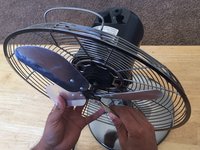
Using a Phillips #2 screwdriver, untighten the 1/4'' screw that is located underneath the fan blade.
-
Cautiously remove the blade from the hinge.
-
-
-
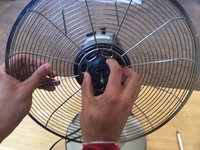
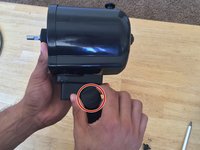
Rotate the black cap counter-clockwise to disconnect it from the back fan cage.
-
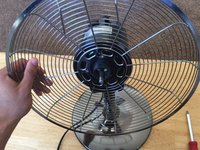
Pull off the back cage from the engine holder.
-
-
-
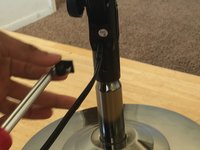
Working with the Phillips #2 screwdriver, loosen the 1/4'' center hinge screw from the metal base.
-
-
-
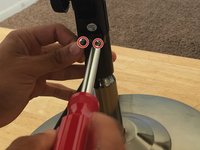
Using the Phillips #2 screwdriver, separate the wire holder from the back of black cover by removing the two 1/8'' screws.
-
-
-
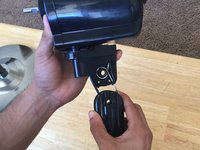
Pull of the black knob by rotating the knob counter-clockwise.
-
Pull down the black cover all the way.
-
-
-
-
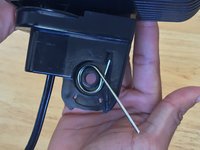
Take out the gold metal spring.
-
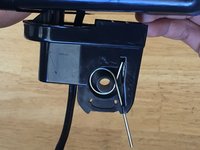
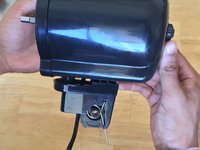
Realign the metal coil into designated space.
-
Push the coil in with some force so it rests perfectly in the space.
-
-
-
Align the end of the metal coil into the same hole the black wire comes out of in the black cover from step 6.
-
-












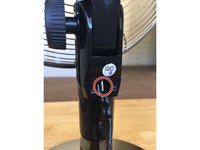
To reassemble your device, follow these instructions in reverse order.
Cancel: I did not complete this guide.
3 other people completed this guide.

Team

Cal Poly, Team 10-3, Green Fall 2015 Member of Cal Poly, Team 10-3, Green Fall 2015
CPSU-GREEN-F15S10G3
4 Members
48 Guides authored
