Introduction
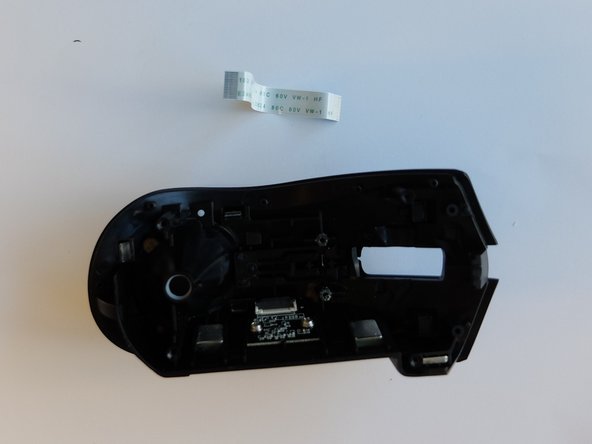
If the LED on the mouse will not illuminate, the LED light ribbon cable might be disconnected or might need to be replaced. Reasons that the LED light ribbon may be non-functional is that the mouse drive could be out of date, there could be a physical issue with the ribbon cable, or there could be a connection issue. This guide will list all required steps to properly replace the LED light ribbon cable from the Razer Naga Trinity.
What you need
-
-
-
-
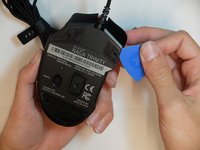
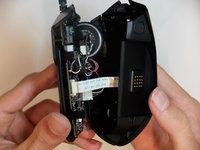
Separate the top mouse housing from the bottom mouse housing using the opening pick.
-
-
-
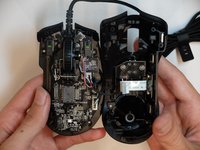
Unlock the ribbon connector that is held down by the main board clips using the spudger's pointed end.
-
-
-
-
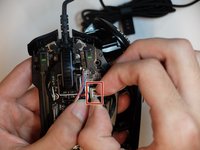
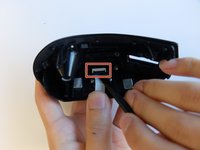
Using the flat end of a spudger, unlock the ribbon cable holding the clips.
-
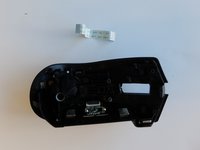
Remove the ribbon cable.
-
-


 Ask FixBot





To reassemble your device, follow these instructions in reverse order.

Team

Embry-Riddle Aeronautical University, Team S6-G2, Salas Fall 2019 Member of Embry-Riddle Aeronautical University, Team S6-G2, Salas Fall 2019
ERAU-SALAS-F19S6G2
4 Members
60 Guides authored
1 Guide Comment
Hi, I am having an issue where my mouse works completely fine except for led / tracking...
Every button works left click right click, scroll & DPI / Profile buttons are completely fine... But tacking and moving my cursor doesn't work... or at least not well enough to be used !
When I change surface or when I open my computer it sometimes works for about 5 seconds but as soon as I lift it even the slightest bit it just stops working no movement anymore... ! And sometimes spaming my Dpi button works or opening Razer Synapse but it never lasts more than 5-10 secondes maybe pushing 15 then it just stops.
My question is, is there any way to fix this issue / does replacing the Led Light Ribbon fix this :) ?
Thank you so much in advance,
Francis.
