Free Shipping on Domestic Orders $75+

Razer Blade RZ09-0130 2015 Fan Replacement

What you need

    1. Razer Blade RZ09-0130 2015 Fan Replacement, Back Panel: step 1, image 1 of 2 Razer Blade RZ09-0130 2015 Fan Replacement, Back Panel: step 1, image 2 of 2
      • Be sure to power off the device before beginning.

      • Use a Torx T5 screwdriver to remove the ten 3 mm screws along the edge of the back panel.

      Ask FixBot

      Add Comment

    2. Razer Blade RZ09-0130 2015 Fan Replacement: step 2, image 1 of 2 Razer Blade RZ09-0130 2015 Fan Replacement: step 2, image 2 of 2
      • Remove the back panel from the laptop by sliding it away from the hinge.

      • This device is missing the battery. Make sure to detach the battery connector before proceeding with laptop repairs.

      Ask FixBot

      Add Comment

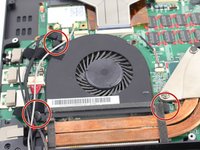
    1. Razer Blade RZ09-0130 2015 Fan Replacement, Fan: step 3, image 1 of 2 Razer Blade RZ09-0130 2015 Fan Replacement, Fan: step 3, image 2 of 2
      • Remove the three screw caps by pulling them upward with your fingers.

      Ask FixBot

      Add Comment

    2. Razer Blade RZ09-0130 2015 Fan Replacement: step 4, image 1 of 1
      • Remove the three 3mm Phillips #0 screws.

      Ask FixBot

      Add Comment

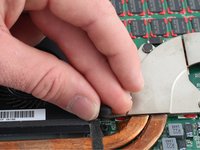
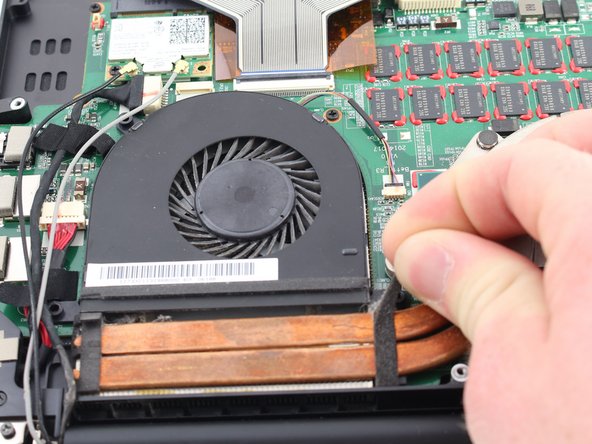
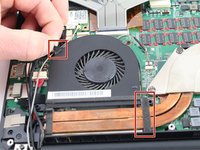
    3. Razer Blade RZ09-0130 2015 Fan Replacement: step 5, image 1 of 2 Razer Blade RZ09-0130 2015 Fan Replacement: step 5, image 2 of 2
      • Peel back the two adhesive strips from the fan until they are removed.

      Ask FixBot

      Add Comment

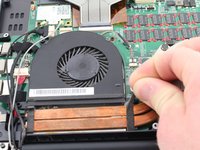
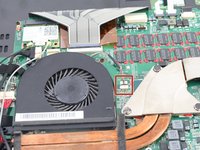
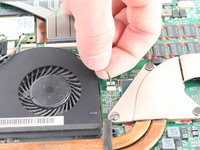
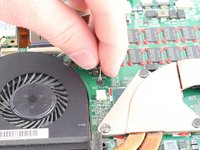
    4. Razer Blade RZ09-0130 2015 Fan Replacement: step 6, image 1 of 3 Razer Blade RZ09-0130 2015 Fan Replacement: step 6, image 2 of 3 Razer Blade RZ09-0130 2015 Fan Replacement: step 6, image 3 of 3
      • Remove the connector by pulling it away from the motherboard with your fingers.

      Ask FixBot

      Add Comment

    5. Razer Blade RZ09-0130 2015 Fan Replacement: step 7, image 1 of 1
      • Holding the rounded edge of the fan, slowly lift upwards until it is removed.

      Ask FixBot

      Add Comment

    6. Razer Blade RZ09-0130 2015 Fan Replacement: step 8, image 1 of 1
      • Repeat the preceding steps to remove the second fan.

      Ask FixBot

      Add Comment

Conclusion

To reassemble your device, follow these instructions in reverse order.

Cancel: I did not complete this guide.

Tyler Clayton

Member since: 01/22/20

189 Reputation

1 Guide authored

Team

Cal Poly, Team S18-G1, White Winter 2020 Member of Cal Poly, Team S18-G1, White Winter 2020

CPSU-WHITE-W20S18G1

4 Members

72 Guides authored

0 Guide Comments

Add Comment

View Statistics:

Past 24 Hours: 1

Past 7 Days: 6

Past 30 Days: 28

All Time: 1,054