
Razer Blade RZ09-0102 Fan Replacement

Kristopher Yoder and 4 other contributors
Last updated on Jan 3, 2019
Views: 7.2K
View statistics:
- Past 24 Hours:
- 2
- Past 7 Days:
- 18
- Past 30 Days:
- 65
- All Time:
- 7,180
Comments: 1
1 comment on steps.
Completed: 1 2
1 person has marked this guide "completed." Will you be next?
2 people have marked this guide "completed." Including you — great job!
Favorites: 0 1
No one has favorited (and subscribed to) this guide. Will you be the first?
1 person has favorited (and subscribed to) this guide — and that's you!
Introduction
Go to step 1 ↓The fans in your laptop are important for keeping the internal components from overheating. So it's important to preform maintenance on them to keep your laptop working properly. Whether to replace the fans or just removing them to clean is up to you. The fans are also required to be removed if working on some other components in this device. The fans in this device are 7 x 7 CM.
What you need
Tools


-
-
-
Using a Torx T5 screwdriver, remove the ten 1/8 inch screws securing the back cover.
-
Remove the back cover.
 Ask FixBot
-
-
-
-
-
Remove the three black rubber pads that cover the screws holding the fan.
-
-
-
Disconnect the wire that goes from the fan into the white connector, but leave the wire attached to the fan.
-
-
-


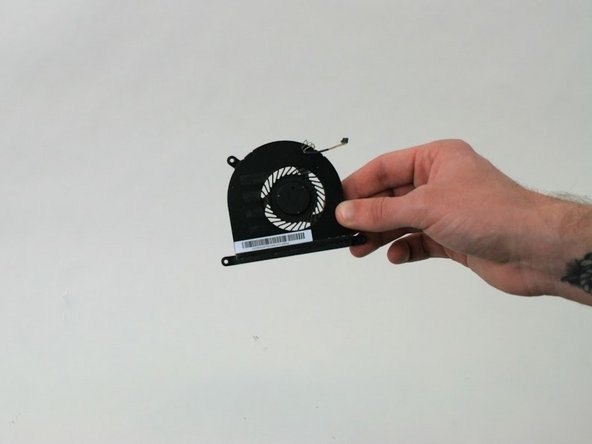
To reassemble your device, follow these instructions in reverse order.
Cancel: I did not complete this guide.
One other person completed this guide.

Team

Linn Benton Community College, Team S2-G6, Karnes Fall 2018 Member of Linn Benton Community College, Team S2-G6, Karnes Fall 2018
LBCC-KARNES-F18S2G6
4 Members
84 Guides authored
