Introduction
If your Razer BlackShark V2 is producing choppy, interrupted, or no audio, your headset’s cable may be damaged (to confirm diagnoses & solutions, see Razer Blackshark V2 Troubleshooting Page, "Audio Cutting Out" or “No Audio at All”). This guide will assist you in the replacement of this component. Be mindful of which layers of the headset assembly you're taking apart and that you don't adversely damage the holds, small wires, ear cushions, ear cushions’ rubber linings or plastic ridges, or headset itself when applying pressure.
What you need
-
-
-
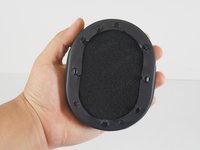
Scoop your middle and ring finger underneath the top or bottom inner portion of the ear cushion.
-
Pull from the hard plastic ridge, being sure not to pull from the soft cushion.
-
-
-
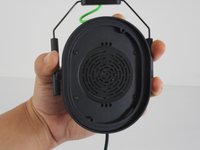
Pull from the hard plastic ridge, being sure not to pull from the soft cushion.
-
-
-
-
-
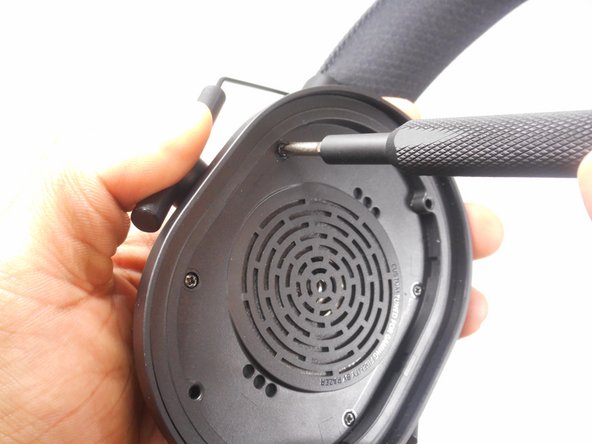
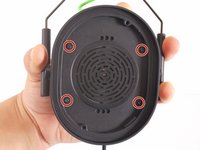
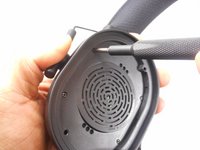
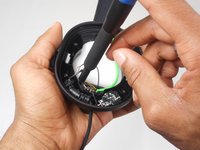
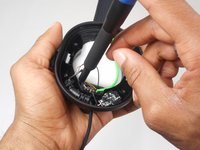
Remove the four screws holding the speaker in the headset using a Phillips #1 screwdriver.
-
-
-
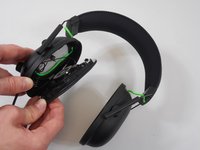
Gently grab the headset and slowly apply pressure to the speaker cover; it will come off.
-
-
-
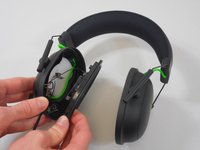
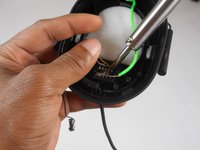
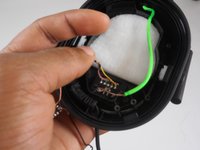
With heat or with a sharp tool, remove the glue around the wires that connect the speaker to the headset.
-
-
-
-
-
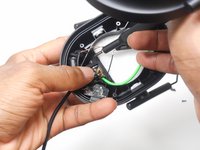
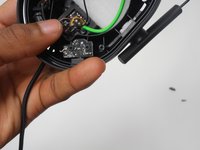
Locate the main cable after it protrudes through the opening in the headset and where the cable is attached to the motherboard.
-
-
-
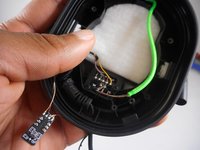
Remove the connecting glue attaching the wires to the motherboard with a sharp object or heat.
-
-

 Ask FixBot











To reassemble your device, follow these instructions in reverse order.
Cancel: I did not complete this guide.
5 other people completed this guide.

Team

University of New Orleans, Team 4-3, McDonald Spring 2023 Member of University of New Orleans, Team 4-3, McDonald Spring 2023
UNO-MCDONALD-S23S4G3
4 Members
72 Guides authored
3 Guide Comments
any chance you have a guide to replacing the battery?
Never mind figured it out, battery is on the right earpiece... Love all your guides though!!
Cuál es el orden del cableado en el plug 3.5 porfavoor! No lo encuentro por ningún lado :(
