Introduction
This page is for the Razer Barracuda X. The guide is for the Volume Control Knob.
Make sure the device is fully off, and the device is not being charged.
What you need
-
-
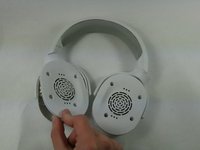
Remove the cushion by pulling it off from the edge and out from the grooves.
-
Continue to pull the cushion away from the speaker until the cushion is fully separated.
 Ask FixBot
-
-
-
Remove the four 6 mm Phillips #1 screws from the left side of the speaker casing.
-
-
-
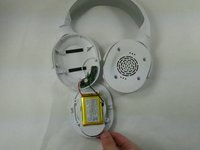
Gently pull the speaker casing away from the shell.
-
Place it face down to access the battery.
-
-
-
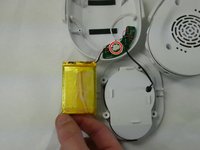
Unplug the battery from the socket.
-
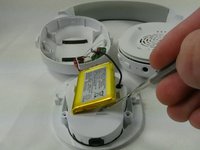
Use a spudger to gently lift the battery up.
-
Remove the battery.
-
-
-
-
Remove the old cushion by pulling it off from the edge and out from the grooves.
-
-
-
Continue to pull the cushion away from the speaker until the cushion is fully separated.
-
-
-
Remove four 6 mm Phillips #1 screws that secure the cover.
-
Lift off the cover.
-






To reassemble your device, follow these instructions in reverse order.
Cancel: I did not complete this guide.
One other person completed this guide.

Team

University of North Texas, Team 3-1, Coppersmith Fall 2024 Member of University of North Texas, Team 3-1, Coppersmith Fall 2024
UNT-COPPERSMITH-F24S3G1
4 Members
4 Guides authored
4 Guide Comments
Right ear stops playing when I set volume to max, and crusting noises when I change the volume. I suppose it's because of dirty potentiometer, just going through these steps and cleaning it with alcohol should work right?
I've the exactly the same issue with you, I just removed the knob and sprey with first high pressure air then isopropyl alcohol, it's not completely fixed crusting noises they are still here but much more less that before also mine cuts the sound from the right side it's also fixed and for more better than before, I don't know how much holds but right now I'm happy :) Thanks for writer also.
Could you tell me where I can get a potentiometer for these headphones? 102b that they don’t fit on aliexpress because the sound from the parav is lost
could you tell me the measurements for the knob? Mine broke from being o tightened too much and use, so I wanted to 3d print a replacement
