Introduction
This guide is designed to walk you through step-by-step procedures on how to replace the motherboard on a RIDGID Belt Sander R2740. A damaged motherboard can result in abnormal function of the device or device failure. Motherboard failure can occur due to dust, overheating, and a buildup in debris.
Before working on the RIDGID Belt Sander make sure the power tool is unplugged or disconnected from any power source. Failure to do so may result in electrocution or personal injury while removing the sandbelt. Make sure to read through this guide for additional information before beginning the replacement of the RIDGID Belt Sander R2740 motherboard.
What you need
-
-
Orient the sander so the Air Guard logo is facing you.
-
Remove the single Torx TR20 screw.
-
-
-
-
Orient the device with the left side face up.
-
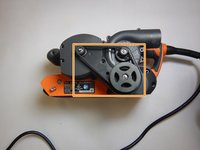
Using a Phillips #1 bit, unscrew the 3 screws which hold the internal casing in place.
-
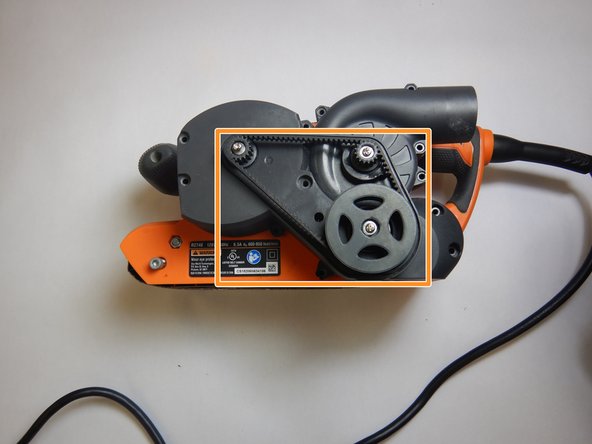
Gently remove the belt.
-
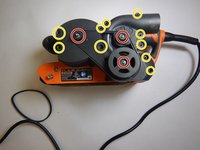
Using the Torx TR10 bit, unscrew the 10 screws which hold the external casing in place.
-
-
-
Gently pull up on the motherboard chip set, pulling it directly from the device.
-

 Ask FixBot



To reassemble your device, follow these instructions in reverse order.
Cancel: I did not complete this guide.
One other person completed this guide.

Team

The Citadel Military College of South Carolina, Team S2-G2, Eggleston Fall 2019 Member of The Citadel Military College of South Carolina, Team S2-G2, Eggleston Fall 2019
CMCSC-EGGLESTON-F19S2G2
3 Members
3 Guides authored
