
REL T5 Clean backplate

Jasper van Zuijlen and one other contributor
Last updated on Aug 19, 2026
Views: 108
View statistics:
- Past 24 Hours:
- 1
- Past 7 Days:
- 10
- Past 30 Days:
- 58
- All Time:
- 108
Comments: 0
No one has left comments on this guide. Will you be first?
Go to guide commentsCompleted: 1 2
1 person has marked this guide "completed." Will you be next?
2 people have marked this guide "completed." Including you — great job!
Favorites: 0 1
No one has favorited (and subscribed to) this guide. Will you be the first?
1 person has favorited (and subscribed to) this guide — and that's you!
Community-Contributed Guide
An awesome member of our community made this guide. It was not created by iFixit staff.
Introduction
Go to step 1 ↓When doing replacement work on the amplifier, it is a good time to also replace the thermal paste.
What you need
Tools

-
-
-
Carefully remove silica pads, take note: they are very fragile!
-
Remove excessive black putty where needed.
-
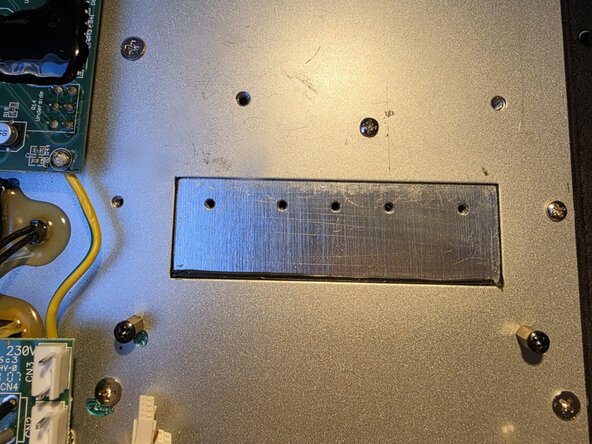
Thoroughly clean back plate with Isopropyl Alcohol (IPA).
-
Clean silica pads as well and store them.
 Ask FixBot
-
-
-


To reassemble your device, follow these instructions in reverse order.
Cancel: I did not complete this guide.
One other person completed this guide.

