Free Shipping on Domestic Orders $75+

RCA RCT6773W22 Battery Replacement

What you need

    1. RCA RCT6773W22 Battery Replacement, Battery: step 1, image 1 of 2 RCA RCT6773W22 Battery Replacement, Battery: step 1, image 2 of 2
      • Remove the two 5mm screws from the bottom of the device using a Phillips #000 screwdriver.

      Ask FixBot

      Add Comment

    2. RCA RCT6773W22 Battery Replacement: step 2, image 1 of 3 RCA RCT6773W22 Battery Replacement: step 2, image 2 of 3 RCA RCT6773W22 Battery Replacement: step 2, image 3 of 3
      • Place the plastic opening tool between the case and the screen.

      • Slide the tool clockwise around the case until all the clips are removed.

      • Do not completely separate the case from the screen because there is a wire connecting the motherboard to the speaker.

      Ask FixBot

      Add Comment

    3. RCA RCT6773W22 Battery Replacement: step 3, image 1 of 3 RCA RCT6773W22 Battery Replacement: step 3, image 2 of 3 RCA RCT6773W22 Battery Replacement: step 3, image 3 of 3
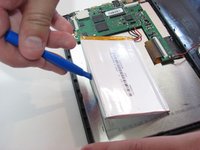
      • Desolder the two wires that connect the battery to the motherboard.

      • Learn more about soldering with this soldering technique guide.

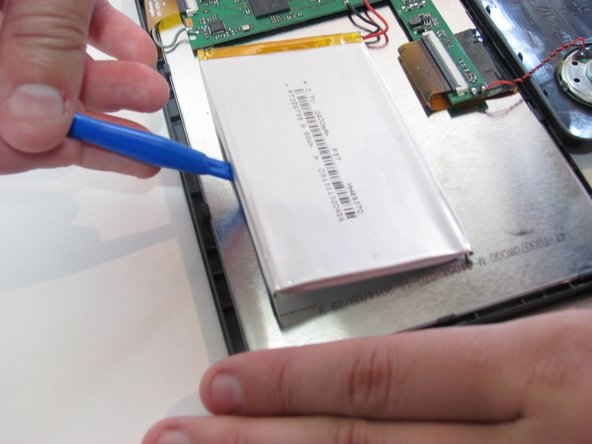
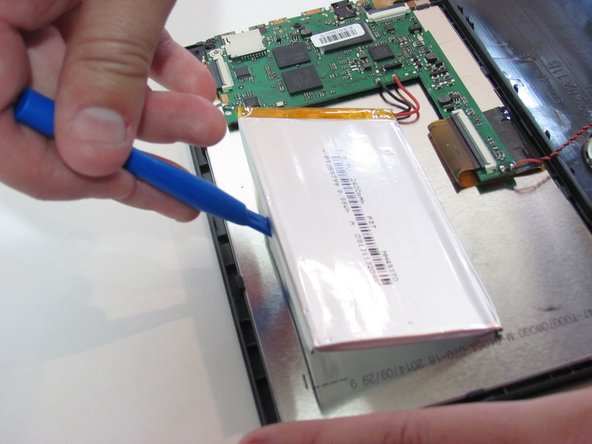
      • Using the blue plastic opening tool, lift the battery away from the device.

      Ask FixBot

      Add Comment

Conclusion

To reassemble your device, follow these instructions in reverse order.

Cancel: I did not complete this guide.

2 other people completed this guide.

Kelsea Weber

Member since: 11/12/15

21,491 Reputation

32 Guides authored

1 Guide Comment

Umm, which battery do you need for it? Seems that’s a part that is kind of important.

Cathy Hajo - Reply Share

Add Comment

View Statistics:

Past 24 Hours: 0

Past 7 Days: 5

Past 30 Days: 28

All Time: 4,468