
Quantum Axis A23 Motherboard Replacement

Nicole and 6 other contributors
Last updated on Dec 14, 2018
Views: 968
View statistics:
- Past 24 Hours:
- 1
- Past 7 Days:
- 17
- Past 30 Days:
- 101
- All Time:
- 968
Comments: 0
No one has left comments on this guide. Will you be first?
Go to guide commentsCompleted: 0 1
No one has marked this guide "completed." Will you be the first?
1 person has marked this guide "completed." It's you — great job!
Favorites: 0 1
No one has favorited (and subscribed to) this guide. Will you be the first?
1 person has favorited (and subscribed to) this guide — and that's you!
Missing Steps
Oops! This guide is currently missing one or more important steps.
Step Trimmer
This guide has unnecessary steps. Trim them to be more concise!
Missing Details
Some of this guide's details are missing. Help users by adding tools, difficulty, or time.
Introduction
Go to step 1 ↓Need to know how to replace the motherboard of your Quantum Axis A23? This guide will help you accomplish that.
What you need
Tools
-
Spudger4.9
-
-
-


-
-
-
Use plastic opening tools to pry open the rear casing of the your Quantum Axis A23. Slide the tool along the edges to release the plastic tabs.
 Ask FixBot
-
-
-
-
-
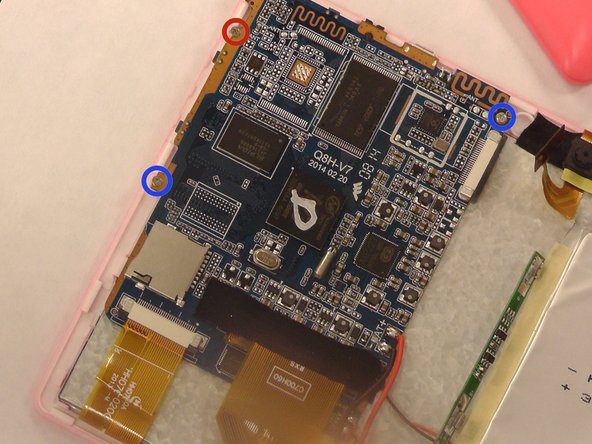
Remove all three screws holding down the motherboard, using the Phillips #00 Precision Screwdriver and slot in the Phillips Head PH #0.
-
-
-
Using the small needle nose pliers, carefully remove the small yellow ribbons that are attached to the motherboard.
-
-
-
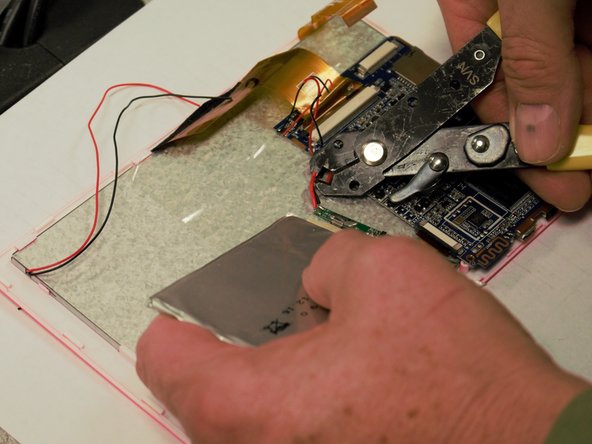
Cut the red and black wires that connect the battery, screen, camera, and speakers to the motherboard.
-
-
-
Take the the new motherboard and screw it in with the screws used on the previous motherboard, starting with the top right and bottom left corners.
-
Screw on the top left corner last
-
-
-
-
Strip both the red and black wires in the middle with a wire stripper/cutter tool. Do this for all wires that were cut, as well as for the wires on your new motherboard.
-
-
-
Take the red wire from the specified part and attach to the red wire on the motherboard, then twist the two ends together and wrap in electrical tape. Repeat this step for the black wires.
-
Do this for every part that was attached to the motherboard.
-
-



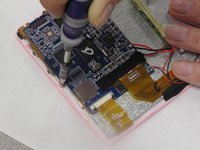
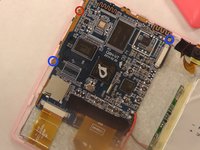


Snap the rear case back on to finish this repair.

Team

USF Tampa, Team 1-5, Tanski Winter 2015 Member of USF Tampa, Team 1-5, Tanski Winter 2015
USFT-TANSKI-W15S1G5
3 Members
60 Guides authored
