Free Shipping on Domestic Orders $75+

Qualcomm Snapdragon 800 Mobile Development Speakers Replacement

What you need

    1. Qualcomm Snapdragon 800 Mobile Development Speakers Replacement, Battery: step 1, image 1 of 2 Qualcomm Snapdragon 800 Mobile Development Speakers Replacement, Battery: step 1, image 2 of 2
      • Locate your device.

      • Flip device onto its back.

      Ask FixBot

      Add Comment

    2. Qualcomm Snapdragon 800 Mobile Development Speakers Replacement: step 2, image 1 of 1
      • Remove the tablet's back cover.

      Ask FixBot

      Add Comment

    3. Qualcomm Snapdragon 800 Mobile Development Speakers Replacement: step 3, image 1 of 1
      • Locate the battery and remove it.

      • If you wish to replace the battery you can do so here.

      Ask FixBot

      Add Comment

    1. Qualcomm Snapdragon 800 Mobile Development Speakers Replacement, Back Panel: step 4, image 1 of 2 Qualcomm Snapdragon 800 Mobile Development Speakers Replacement, Back Panel: step 4, image 2 of 2
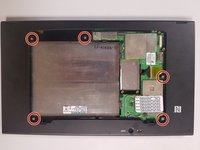
      • Use the Phillips PH1 screwdriver to unscrew the five 4x2.5mm screws that hold the back cover.

      Ask FixBot

      Add Comment

    2. Qualcomm Snapdragon 800 Mobile Development Speakers Replacement: step 5, image 1 of 1
      • Pop out the back cover.

      Ask FixBot

      Add Comment

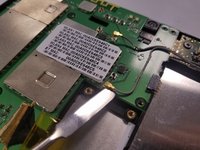
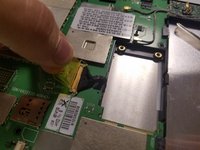
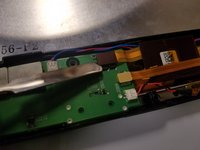
    1. Qualcomm Snapdragon 800 Mobile Development Speakers Replacement, Motherboard: step 6, image 1 of 3 Qualcomm Snapdragon 800 Mobile Development Speakers Replacement, Motherboard: step 6, image 2 of 3 Qualcomm Snapdragon 800 Mobile Development Speakers Replacement, Motherboard: step 6, image 3 of 3
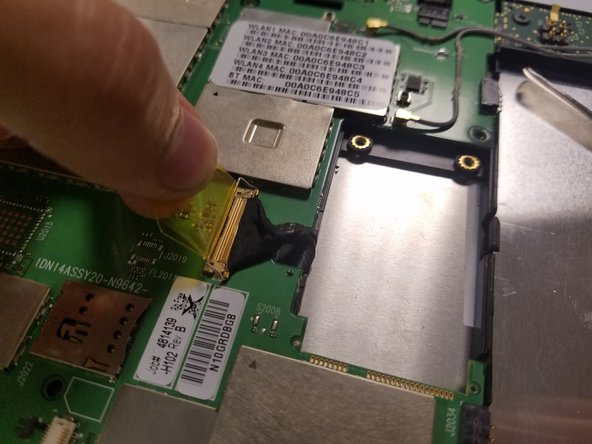
      • Start by disconnecting the cables attached to the motherboard

      • use the spudger to lift the connectors vertically off. They should pop off with relative ease

      • The last connector has a yellow tab. Pull up on the tab until the small metal catch lifts up. Then pull straight back to remove the connector from its socket.

      Ask FixBot

      Add Comment

    2. Qualcomm Snapdragon 800 Mobile Development Speakers Replacement: step 7, image 1 of 1
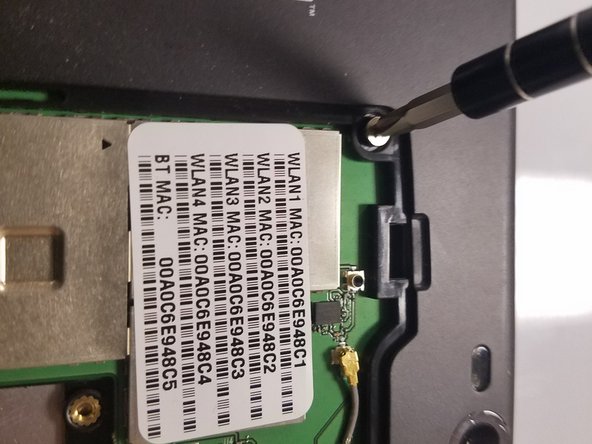
      • Using the Phillips PH1, remove all 6 of the 3x2.5mm screws (circled in red) holding the motherboard in place.

      Ask FixBot

      Add Comment

    3. Qualcomm Snapdragon 800 Mobile Development Speakers Replacement: step 8, image 1 of 1
      • Using the spudger lift the motherboard out of the tablet frame.

      Ask FixBot

      Add Comment

    1. Qualcomm Snapdragon 800 Mobile Development Speakers Replacement, Speakers: step 9, image 1 of 1
      • Locate the two speakers in each of the bottom corners (left and right).

      Ask FixBot

      Add Comment

    2. Qualcomm Snapdragon 800 Mobile Development Speakers Replacement: step 10, image 1 of 1
      • Use the Phillips PH1 screwdriver to remove the 3x2.5mm screw on the right speaker.

      Ask FixBot

      Add Comment

    3. Qualcomm Snapdragon 800 Mobile Development Speakers Replacement: step 11, image 1 of 1
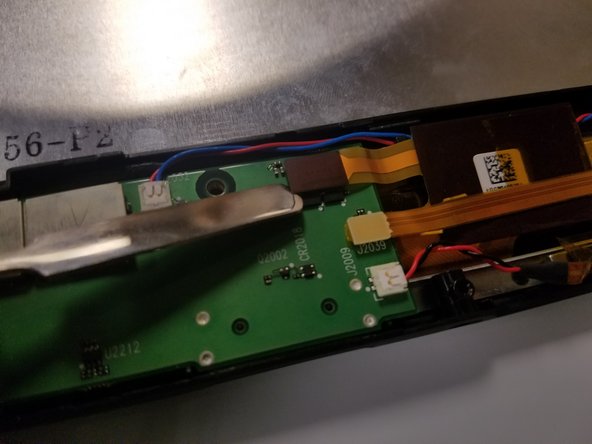
      • Use the spudger to disconnect the speakers.

      Ask FixBot

      Add Comment

    4. Qualcomm Snapdragon 800 Mobile Development Speakers Replacement: step 12, image 1 of 1
      • Lift the speakers out.

      Ask FixBot

      Add Comment

Conclusion

To reassemble your device, follow these instructions in reverse order.

Cancel: I did not complete this guide.

0 Guide Comments

Add Comment

View Statistics:

Past 24 Hours: 1

Past 7 Days: 8

Past 30 Days: 50

All Time: 615