
Qualcomm QCP-2760 Screen Replacement

Xavier and 7 other contributors
Last updated on Aug 8, 2019
Views: 882
View statistics:
- Past 24 Hours:
- 5
- Past 7 Days:
- 16
- Past 30 Days:
- 95
- All Time:
- 882
Comments: 0
No one has left comments on this guide. Will you be first?
Go to guide commentsCompleted: 1 2
1 person has marked this guide "completed." Will you be next?
2 people have marked this guide "completed." Including you — great job!
Favorites: 0 1
No one has favorited (and subscribed to) this guide. Will you be the first?
1 person has favorited (and subscribed to) this guide — and that's you!
Needs Better Images
Better photos will improve this guide. Help out by taking, editing, or uploading new ones!
Introduction
Go to step 1 ↓Screen will remove with motherboard. Follow prerequisites to motherboard removal.
What you need
Tools


-
-
-
Unscrew the back battery plate from the phone using a T6 Torx screwdriver.
 Ask FixBot
-
-
-
-
-
Using the T6 Torx screwdriver, remove the two screws located at the bottom of the back of the phone.
-
Find the seam between the front and back of the phone
-
Pry the seam open using a plastic opening tool, or your fingers.
-
-
-
-
-
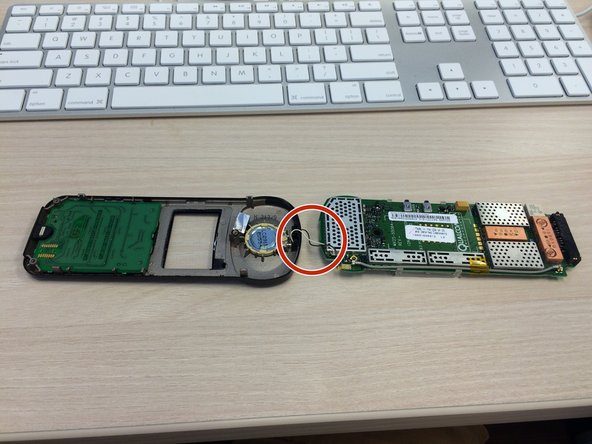
Locate the four metal clips holding the motherboard onto the phone.
-
Pull the clips away from the motherboard while lifting the motherboard out of the case.
-
-
Tool used on this step:Tweezers$4.99
-
Place the motherboard down so that the screen is facing up.
-
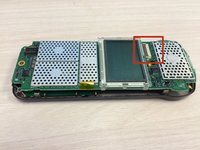
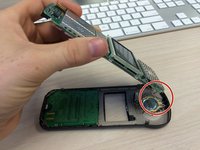
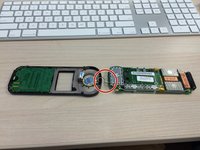
Grab the small brown connector plug at the sides with a fingernail or tweezers and flip it up.
-
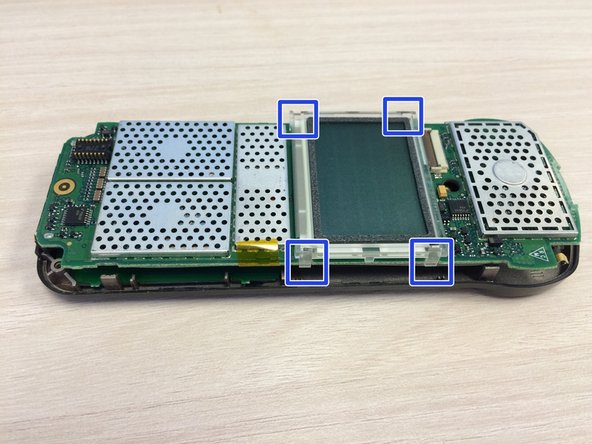
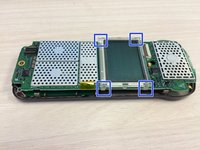
Locate, but do not disconnect, the four screen clips.
-
-
-
-




To reassemble your device, follow these instructions in reverse order.
Cancel: I did not complete this guide.
One other person completed this guide.

Team

Ohio State, Team 1-4, Buehl Fall 2014 Member of Ohio State, Team 1-4, Buehl Fall 2014
OSU-BUEHL-F14S1G4
4 Members
60 Guides authored
