
Purple SmartVP Camera Replacement

Brian Maulucci and 3 other contributors
Last updated on Jan 2, 2019
Views: 650
View statistics:
- Past 24 Hours:
- 2
- Past 7 Days:
- 17
- Past 30 Days:
- 66
- All Time:
- 650
Comments: 0
No one has left comments on this guide. Will you be first?
Go to guide commentsCompleted: 0 1
No one has marked this guide "completed." Will you be the first?
1 person has marked this guide "completed." It's you — great job!
Favorites: 0 1
No one has favorited (and subscribed to) this guide. Will you be the first?
1 person has favorited (and subscribed to) this guide — and that's you!
Incorrect Tools
Help make this guide better by using the correct tools in images and/or text.
Better Introduction
Improve this guide by completing or revising its introduction.
What you need
Tools
-
Spudger4.9
-


-
-
-
Remove the top bar by removing the 5cm hex T10 screws on the back of the device as shown. Then gently pull off the top bar from the main component.
 Ask FixBot
-
-
-
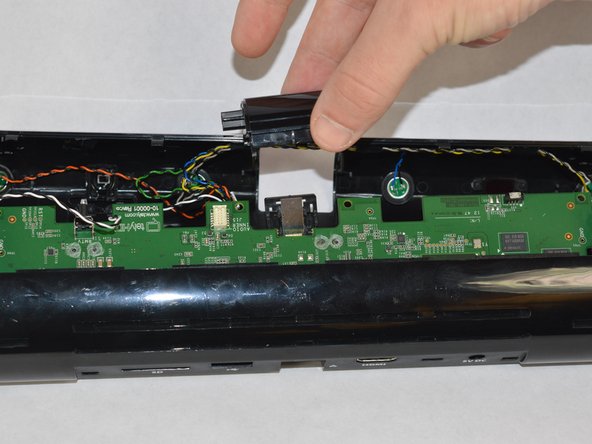
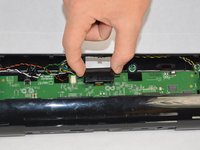
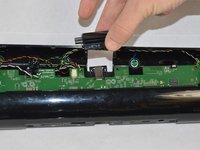
Detach the camera cover from the motherboard. Be very careful to not damage any of the components on the motherboard.
-
-
-
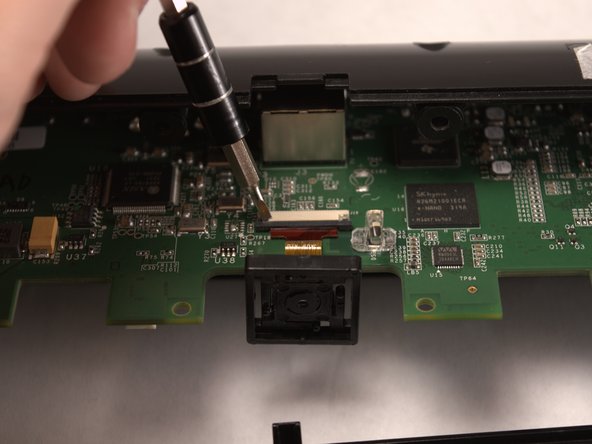
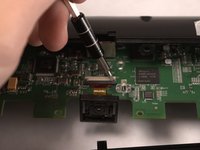
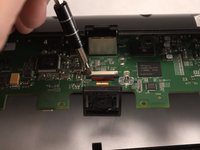
Use a plastic spudger to push the black sliding cable connector away from the white bracket.
-
-
-




To reassemble your device, follow these instructions in reverse order.

Team

Appalachian State University, Team S2-G6, Menagarishvili Fall 2018 Member of Appalachian State University, Team S2-G6, Menagarishvili Fall 2018
APSU-MENAGARISHVILI-F18S2G6
3 Members
48 Guides authored
