
PowerMac G4 M5183 RAM

Justin Petrilli and 6 other contributors
Last updated on Jan 28, 2014
Views: 7.6K
View statistics:
- Past 24 Hours:
- 2
- Past 7 Days:
- 23
- Past 30 Days:
- 106
- All Time:
- 7,622
Comments: 1
1 comment on steps.
Completed: 13 14
13 people have marked this guide "completed." Will you be next?
14 people have marked this guide "completed." Including you — great job!
Favorites: 7 8
7 people have favorited (and subscribed to) this guide. Will you be next?
8 people have favorited (and subscribed to) this guide — including you!
Introduction
Go to step 1 ↓This guide will show you how to remove the RAM Modules.
-
-
-
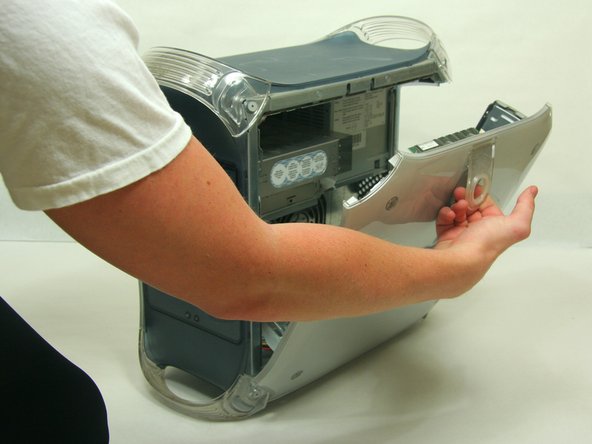
Pull on outer latch.
-
Lower door until it is level with your work surface.
 Ask FixBot
-
-
-
-
-
Locate the RAM modules.
-
Pull side tabs outward. The RAM will pop out of the housing.
-
-
-



Cancel: I did not complete this guide.
13 other people completed this guide.

Team

Cal Poly, Team 13-24, Maness Winter 2010 Member of Cal Poly, Team 13-24, Maness Winter 2010
CPSU-MANESS-W10S13G24
4 Members
156 Guides authored
