
Power Mac G4 M5183 Main Fan Replacement

Stephen Scruggs and 4 other contributors
Last updated on Jan 28, 2014
Views: 9K
View statistics:
- Past 24 Hours:
- 4
- Past 7 Days:
- 20
- Past 30 Days:
- 100
- All Time:
- 8,981
Comments: 1
1 comment on steps.
Completed: 3 4
3 people have marked this guide "completed." Will you be next?
4 people have marked this guide "completed." Including you — great job!
Favorites: 6 7
6 people have favorited (and subscribed to) this guide. Will you be next?
7 people have favorited (and subscribed to) this guide — including you!
Introduction
Go to step 1 ↓This guide details the removal of the main fan from the fan housing.
What you need
Tools
-
-
Spudger4.9


-
-
-
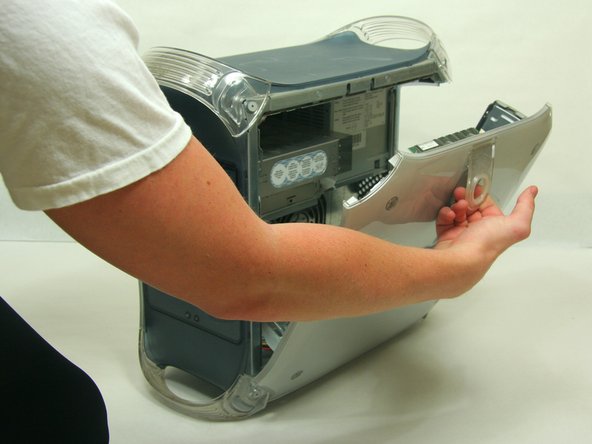
Pull on outer latch.
-
Lower door until it is level with your work surface.
 Ask FixBot
-
-
-
-
-
Remove the screw from each of the two niches on lower part of fan using the Phillips #1 screwdriver.
-
-
-
-
-
-
To fully remove the fan, unfasten the 4 screws on the front of the bracing using the Phillips #2 screwdriver.
-
-



To reassemble your device, follow these instructions in reverse order.
Cancel: I did not complete this guide.
3 other people completed this guide.

Team

Cal Poly, Team 13-24, Maness Winter 2010 Member of Cal Poly, Team 13-24, Maness Winter 2010
CPSU-MANESS-W10S13G24
4 Members
156 Guides authored
