Free Shipping on Domestic Orders $75+

Porter-Cable PCE211 Brush Replacement

What you need

  1. Porter-Cable PCE211 Brush Replacement, Rear Housing: step 1, image 1 of 2 Porter-Cable PCE211 Brush Replacement, Rear Housing: step 1, image 2 of 2
    • Remove the four 6 mm screws using a Phillips #2 screwdriver.

    • The screws are tight so you will need to use a bit of arm strength.

    Ask FixBot

    Add Comment

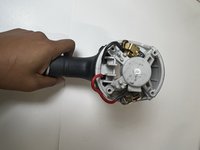
  2. Porter-Cable PCE211 Brush Replacement: step 2, image 1 of 2 Porter-Cable PCE211 Brush Replacement: step 2, image 2 of 2
    • Pull the rear housing off the back of the impact wrench.

    • Be careful when removing the rear case that loose parts don't get damaged.

    Ask FixBot

    Add Comment

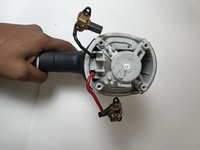
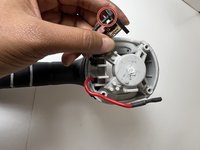
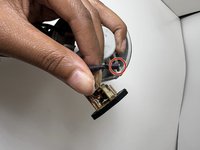
  3. Porter-Cable PCE211 Brush Replacement, Brush: step 3, image 1 of 2 Porter-Cable PCE211 Brush Replacement, Brush: step 3, image 2 of 2
    • Remove the brushes connected to the red and black cords.

    • They are not secured so they made drop out naturally.

    Ask FixBot

    Add Comment

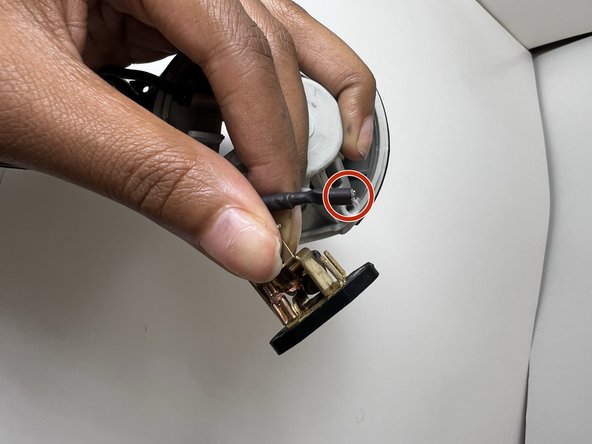
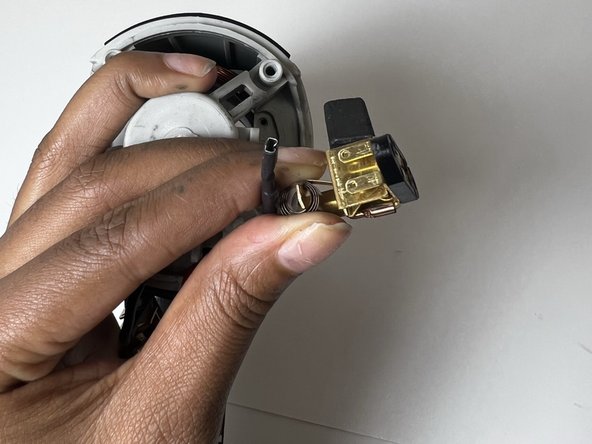
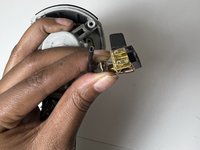
  4. Porter-Cable PCE211 Brush Replacement: step 4, image 1 of 3 Porter-Cable PCE211 Brush Replacement: step 4, image 2 of 3 Porter-Cable PCE211 Brush Replacement: step 4, image 3 of 3
    • Gently pull each brush off the corresponding cable to avoid damaging the cables.

    Ask FixBot

    Add Comment

Conclusion

To reassemble your device, follow these instructions in reverse order.

Cancel: I did not complete this guide.

Layla Berry

Member since: 09/19/22

678 Reputation

7 Guides authored

0 Guide Comments

Add Comment

View Statistics:

Past 24 Hours: 2

Past 7 Days: 5

Past 30 Days: 31

All Time: 672