Free Shipping on Domestic Orders $75+

Polyconcept 900-MHz Retro Cordless Telephone Device Battery Replacement

  1. Polyconcept 900-MHz Retro Cordless Telephone Device Battery Replacement, Removing the Battery Cover: step 1, image 1 of 3 Polyconcept 900-MHz Retro Cordless Telephone Device Battery Replacement, Removing the Battery Cover: step 1, image 2 of 3 Polyconcept 900-MHz Retro Cordless Telephone Device Battery Replacement, Removing the Battery Cover: step 1, image 3 of 3
    • Hold the mouthpiece of the handset and locate the lock-unlock text.

    • Twist the battery cover counterclockwise from the "lock" to the "unlock" position.

    Ask FixBot
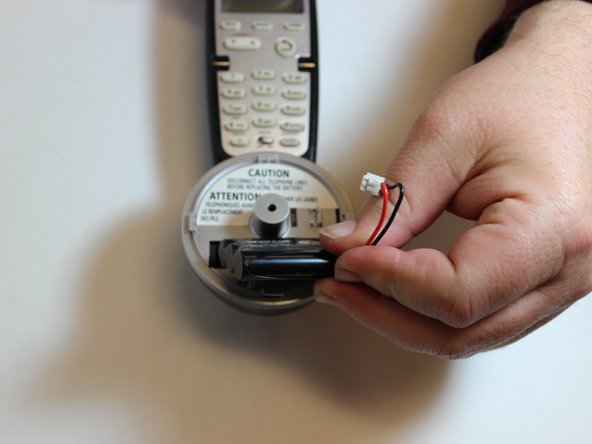
  2. Polyconcept 900-MHz Retro Cordless Telephone Device Battery Replacement, Disconnecting the Battery Wire: step 2, image 1 of 3 Polyconcept 900-MHz Retro Cordless Telephone Device Battery Replacement, Disconnecting the Battery Wire: step 2, image 2 of 3 Polyconcept 900-MHz Retro Cordless Telephone Device Battery Replacement, Disconnecting the Battery Wire: step 2, image 3 of 3
    • To disconnect the battery pack wire from the phone, squeeze the tab against the connector and pull connector straight up from the socket.

    Ask FixBot
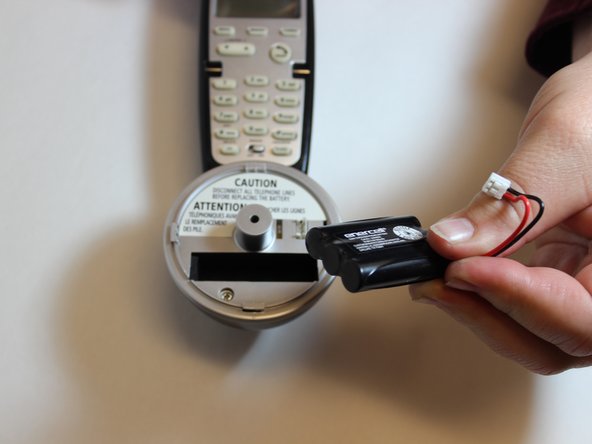
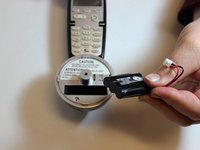
  3. Polyconcept 900-MHz Retro Cordless Telephone Device Battery Replacement, Removing the Battery Pack: step 3, image 1 of 3 Polyconcept 900-MHz Retro Cordless Telephone Device Battery Replacement, Removing the Battery Pack: step 3, image 2 of 3 Polyconcept 900-MHz Retro Cordless Telephone Device Battery Replacement, Removing the Battery Pack: step 3, image 3 of 3
    • Pull the battery from the battery compartment.

    • You may need to gently wiggle the battery back and forth in its compartment to help loosen it.

    Ask FixBot
Conclusion

To reassemble your device, follow these instructions in reverse order.

2 other people completed this guide.

0 Guide Comments

Add Comment

View Statistics:

Past 24 Hours: 1

Past 7 Days: 10

Past 30 Days: 42

All Time: 1,227