Free Shipping on Domestic Orders $75+

Polaroid Onestep Close Up Forward Viewfinder Replacement

What you need

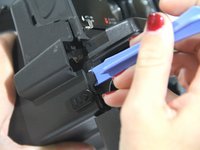
  1. Polaroid Onestep Close Up Forward Viewfinder Replacement, Flash Assembly Removal: step 1, image 1 of 3 Polaroid Onestep Close Up Forward Viewfinder Replacement, Flash Assembly Removal: step 1, image 2 of 3 Polaroid Onestep Close Up Forward Viewfinder Replacement, Flash Assembly Removal: step 1, image 3 of 3
    • Begin by opening the top of the camera (flash assembly) to a slight angle.

    • Next, angle the flash assembly slightly upward and pry off the connections carefully.

    • Be careful not to damage the ribbon cable. This is essential to the operation of the flash.

    Ask FixBot
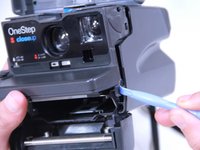
  2. Polaroid Onestep Close Up Forward Viewfinder Replacement, Opening Film Tray: step 2, image 1 of 2 Polaroid Onestep Close Up Forward Viewfinder Replacement, Opening Film Tray: step 2, image 2 of 2
    • Slide the action button, on the bottom of the camera, to open the bottom.

    Ask FixBot
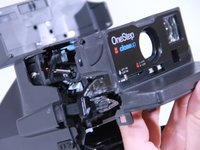
  3. Polaroid Onestep Close Up Forward Viewfinder Replacement, Removing Face Plate: step 3, image 1 of 3 Polaroid Onestep Close Up Forward Viewfinder Replacement, Removing Face Plate: step 3, image 2 of 3 Polaroid Onestep Close Up Forward Viewfinder Replacement, Removing Face Plate: step 3, image 3 of 3
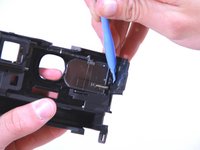
    • Insert the blue plastic opening tool between the rear case and the plastic tabs directly under the shelf, and pry it loose.

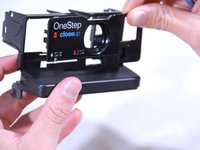
    • Pull off the face plate.

    Ask FixBot
  4. Polaroid Onestep Close Up Forward Viewfinder Replacement, Removing the Slider: step 4, image 1 of 1
    Tool used on this step:
    Tweezers
    $4.99
    Buy
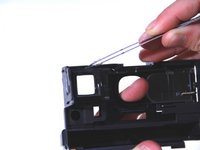
    • Once you have the face plate removed the first thing to do is pry off the slider (the light grey bar near the bottom). The easiest way to accomplish this is to place the tweezers where the red circles are to pop the piece out.

    Ask FixBot
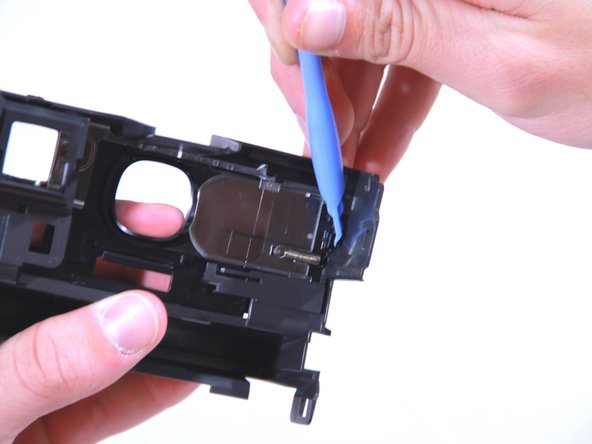
  5. Polaroid Onestep Close Up Forward Viewfinder Replacement, Removing the Face Plate: step 5, image 1 of 3 Polaroid Onestep Close Up Forward Viewfinder Replacement, Removing the Face Plate: step 5, image 2 of 3 Polaroid Onestep Close Up Forward Viewfinder Replacement, Removing the Face Plate: step 5, image 3 of 3
    • Use the tweezers at the locations shown in the first two pictures to remove the face plate shown in the third picture.

    • This is a pretty secure fit in most cases so it might take a bit of tinkering to get the plate to pop off.

    Ask FixBot
  6. Polaroid Onestep Close Up Forward Viewfinder Replacement, Removing the Forward Viewfinder: step 6, image 1 of 1
    • With the plate removed the lens should be easy enough to pop out.

    • If you don't want to dirty the lens it would be best to put on gloves or handle the lens with a rag of some kind.

    Ask FixBot
Conclusion

To reassemble your device, follow these instructions in reverse order.

One other person completed this guide.

Jordan

Member since: 09/22/14

471 Reputation

2 Guides authored

Team

USF Tampa, Team 3-5, Brown Fall 2014 Member of USF Tampa, Team 3-5, Brown Fall 2014

USFT-BROWN-F14S3G5

3 Members

6 Guides authored

0 Guide Comments

Add Comment

View Statistics:

Past 24 Hours: 1

Past 7 Days: 10

Past 30 Days: 70

All Time: 1,983