
Polaroid OneStep 2 Shutter Switch Replacement

Abby Boucher and 4 other contributors
Last updated on Jan 4, 2019
Views: 2.6K
View statistics:
- Past 24 Hours:
- 1
- Past 7 Days:
- 11
- Past 30 Days:
- 88
- All Time:
- 2,602
Comments: 1
1 comment on steps.
Completed: 4 5
4 people have marked this guide "completed." Will you be next?
5 people have marked this guide "completed." Including you — great job!
Favorites: 0 1
No one has favorited (and subscribed to) this guide. Will you be the first?
1 person has favorited (and subscribed to) this guide — and that's you!
Introduction
Go to step 1 ↓If you need to replace the shutter switch, use this guide to access the inside of the camera. You may need to replace the shutter switch if your shutter is not firing and your camera is not taking photos.
What you need
Tools

-
-
-
Remove the four 5mm screws on the base of the camera using a Phillips #0 screwdriver.
-
Remove the two pieces of the base.
 Ask FixBot
-
-
-
Remove the four 5mm screws on the top of the inside base piece using a Phillips #0 screwdriver.
-
Remove the two 5mm screws on the bottom of the inside base piece which is near the strap with the same screwdriver.
-
-
-
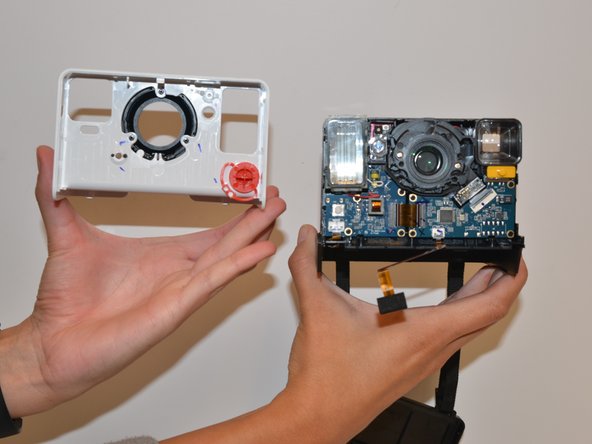
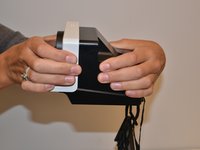
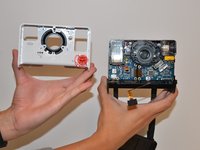
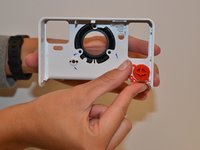
With force separate the white front piece from the back of the camera. You will use your hands and pull it apart.
-
-
-




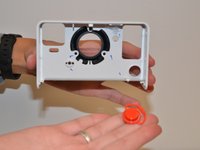
To reassemble your device, follow these instructions in reverse order.
Cancel: I did not complete this guide.
4 other people completed this guide.

Team

University of Alabama, Team S1-G1, Bedsole Fall 2018 Member of University of Alabama, Team S1-G1, Bedsole Fall 2018
UA-BEDSOLE-F18S1G1
4 Members
60 Guides authored
