Introduction
Your Polar M400 won’t charge anymore? The micro-USB connector has corroded? You don’t want to pay a whopping 20€ (+ shipping) for a new connector from Polar? Not afraid of soldering and heat guns? If so, you have come to the right place!
What you need
-
-
-
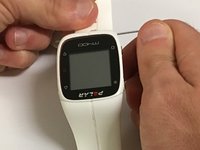
Insert a standard paper clip into the holes on both sides of the watch that connect the watch's face with the wrist strap.
 Ask FixBot
-
-
Tool used on this step:Tweezers$4.99
-
Apply an upward pressure to the holes until the locking pins release.
-
Use precision tweezers to remove the pins that connect the face with the strap.
-
-
-
-
-
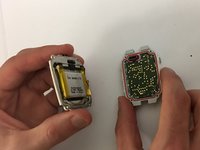
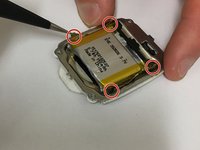
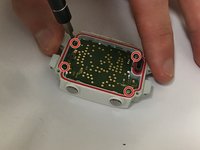
Use the T5 head on the iFixit screwdriver to unscrew the four screws on the back of the watch’s face.
-
-
-
Tool used on this step:Tweezers$4.99
-
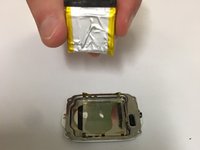
Use tweezers to gently pry the golden sensor away from the battery.
-
Remove battery using the plastic opening tools.
-
-
-
-
-
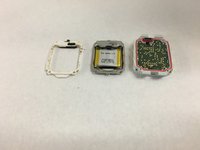
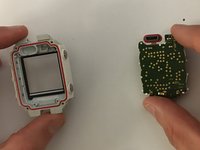
Detach the screen from the screen protector using a PH000 screwdriver.
-
-
-
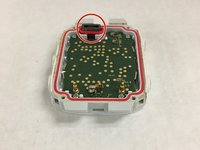
Make sure that the charging port remains accessible, as it can easily become detached during the replacement.
-
-
-
-
-
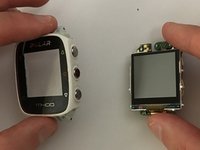
Follow the screen replacement tutorial to dismantle the watch.
-
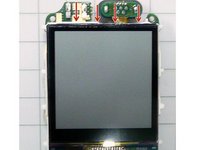
Carefully lift the screen from the board.
-
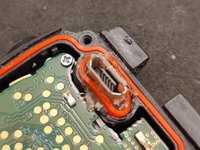
Disconnect the USB's flex PCB from the main board. Save the red rubber seal of the USB connector for later.
-
-
-
Use a tool like a helping hand to hold the USB connector part.
-
Using a heat gun, blow hot air underneath the PCB.
-
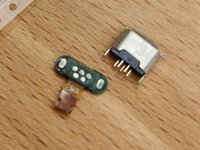
Once the solder is melting give the connector a good tap in order to make the PCB fall loose.
-
-
-
Place the new USB connector on a flat surface with its pins pointing upwards.
-
Place the PCB on top on the pins, the exposed copper traces on the flex PCB facing the flat surface.
-
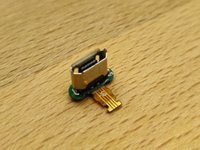
Using an iron, solder the PCB by heating all the pads at the same time (as much as possible) and apply pressure so that the pins of the USB connector come through.
-
-
-
Connect the flex PCB back to the main board.
-
Reassemble the watch stopping before screwing the lid back.
-
Add hot glue to the base of the USB connector filling the watch case's cavity. Be careful not to put hot glue inside the connector.
-
While the glue is still hot, put the red rubber seal back on top.
-
Screw the lid back.
-
-
















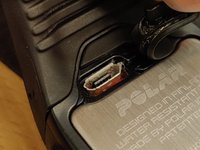
To reassemble your device, follow these instructions in reverse order.
Cancel: I did not complete this guide.
6 other people completed this guide.

11 Guide Comments
Sehr gute Beschreibung,
aber ich finde keine USB-Buchse für die M400 zu kaufen
Wo gibt's die Teile?
Danke schön. Für den Konnektor allein habe ich auf Aliexpress gekauft : https://www.aliexpress.com/item/32960430...
From where do I order usb connector?
