Free Shipping on Domestic Orders $75+

Playstation Classic Motherboard Replacement

Views: 6.6K

View statistics:

Past 24 Hours:
3
Past 7 Days:
25
Past 30 Days:
128
All Time:
6,642
Comments: 5

3 comments on steps, 2 guide comments.

Go to guide comments
Completed: 6

6 people have marked this guide "completed." Will you be next?

Favorites: 0

No one has favorited (and subscribed to) this guide. Will you be the first?

Time Required: 5 - 10 minutes
Difficulty: Easy
Featured Student Guide

This guide has been the hard work of our awesome students and is found to be exceptionally cool by the iFixit staff.

Playstation Classic Motherboard Replacement

Introduction

Go to step 1 ↓

This guide will walk you through how to replace a faulty motherboard in the Sony Playstation Classic. Make sure to be gentle when handling your motherboard.

What you need

Tools

    1. Playstation Classic Motherboard Replacement, Motherboard: step 1, image 1 of 1
      • Flip the console so its back is facing up.

      Ask FixBot

      Add Comment

    2. Playstation Classic Motherboard Replacement: step 2, image 1 of 1
      • Remove the five 8mm screws using the Phillips #00 screwdriver.

      • Make sure to keep your screws together in a secure location to avoid misplacement.

      Ask FixBot

      Add Comment

    3. Playstation Classic Motherboard Replacement: step 3, image 1 of 3 Playstation Classic Motherboard Replacement: step 3, image 2 of 3 Playstation Classic Motherboard Replacement: step 3, image 3 of 3
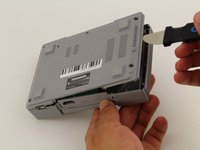
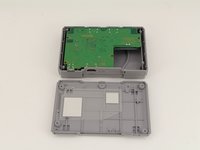
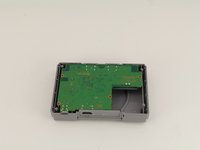
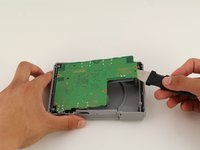
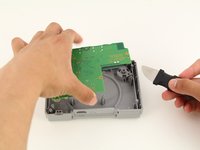
      • Remove the back plate from the rest of the console using your hands or the Jimmy tool.

      Ask FixBot

      Add Comment

    4. Playstation Classic Motherboard Replacement: step 4, image 1 of 1
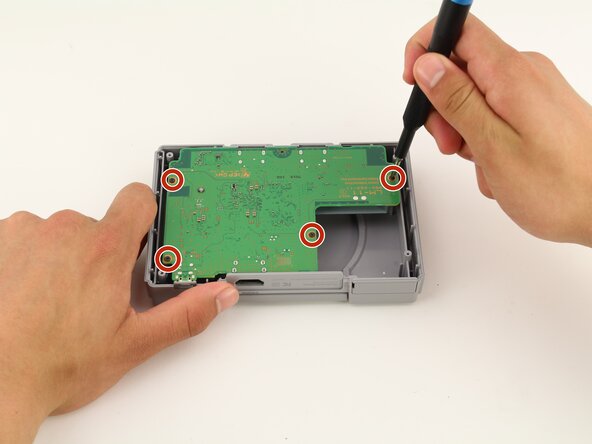
      • Unscrew the motherboard's four 6mm screws with the Phillips #00 screwdriver.

      • Be careful not to apply too much force. The motherboard is flimsy and easy to break.

      • Keep track of your screws once they are removed.

      Ask FixBot

      Add Comment

    5. Playstation Classic Motherboard Replacement: step 5, image 1 of 3 Playstation Classic Motherboard Replacement: step 5, image 2 of 3 Playstation Classic Motherboard Replacement: step 5, image 3 of 3
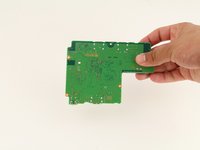
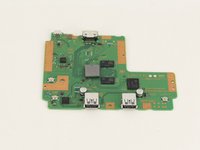
      • Carefully remove the motherboard from the the rest of the console using your hands or the Jimmy tool.

      Ask FixBot

      Add Comment

    6. Playstation Classic Motherboard Replacement: step 6, image 1 of 3 Playstation Classic Motherboard Replacement: step 6, image 2 of 3 Playstation Classic Motherboard Replacement: step 6, image 3 of 3
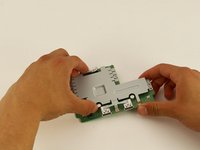
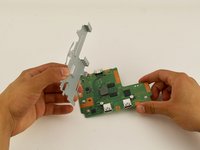
      • The motherboard is connected to its metal protective casing with sticky pads. No tools are required to remove it.

      • Pull the metal casing off the motherboard.

      • Remember to be gentle when handling the motherboard.

      Ask FixBot

      Add Comment

Conclusion

To reassemble your device, follow these instructions in reverse order.

Cancel: I did not complete this guide.

6 other people completed this guide.

Maxwell Webb

Member since: 04/22/19

709 Reputation

5 Guides authored

Team

Cal Poly, Team S2-G8, Maness Spring 2019 Member of Cal Poly, Team S2-G8, Maness Spring 2019

CPSU-MANESS-S19S2G8

2 Members

60 Guides authored

2 Guide Comments

where do you get a ps1 classic mini motherboard ?

blaqdemon69 - Reply Share

You would probably be cannibalizing a broken PS1 Classic for its motherboard. Perhaps "Parts Only."

Matt Latsha - Reply Share

Add Comment

View Statistics:

Past 24 Hours: 3

Past 7 Days: 25

Past 30 Days: 128

All Time: 6,642