Free Shipping on Domestic Orders $75+

PlayStation scph-1001 Eye replacement

What you need

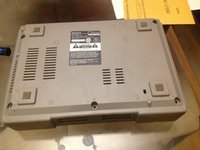
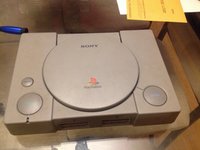
  1. PlayStation scph-1001 Eye replacement, Eye: step 1, image 1 of 2 PlayStation scph-1001 Eye replacement, Eye: step 1, image 2 of 2
    • This is your PlayStation before you do this teardown.

  2. PlayStation scph-1001 Eye replacement: step 2, image 1 of 1
    • Now take the 5 black screws out of the case.

  3. PlayStation scph-1001 Eye replacement: step 3, image 1 of 2 PlayStation scph-1001 Eye replacement: step 3, image 2 of 2
    • Now flip the system back over to its top. 'Be sure not to drop the top when you pick it up.

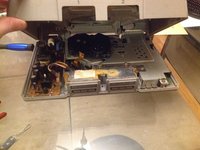
  4. PlayStation scph-1001 Eye replacement: step 4, image 1 of 2 PlayStation scph-1001 Eye replacement: step 4, image 2 of 2
    • Pick up on the top case after you have flipped it over. This will have a little resistance but this should not break anything if you have all of the five screws out of the under case.

  5. PlayStation scph-1001 Eye replacement: step 5, image 1 of 1
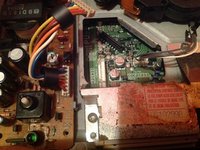
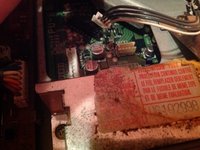
    • Then undo the piece holding in the ribbon cable. When you do this grab the side of the black piece holding it in place and pick it up slowly

  6. PlayStation scph-1001 Eye replacement: step 6, image 1 of 2 PlayStation scph-1001 Eye replacement: step 6, image 2 of 2
    • Then undo the power cable and the eye Cable these should just lift right off.

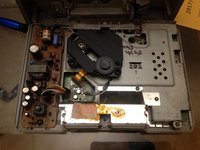
  7. PlayStation scph-1001 Eye replacement: step 7, image 1 of 2 PlayStation scph-1001 Eye replacement: step 7, image 2 of 2
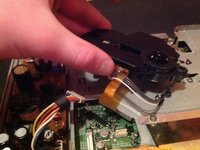
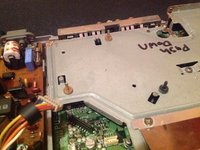
    • Now just pick up on the eye and set it off to the side the reassembly

Conclusion

To reassemble your device, follow these instructions in reverse order.

4 other people completed this guide.

Walker wallace

Member since: 11/01/16

975 Reputation

3 Guides authored

1 Guide Comment

Is this guide compatible with scph-1002 as well?

Markus Norstrøm - Reply Share

Add Comment

View Statistics:

Past 24 Hours: 9

Past 7 Days: 39

Past 30 Days: 202

All Time: 4,640