Introduction
This guide takes you through replacing the battery on the PlayStation Vita.
What you need
-
-
-
Using a Phillips #00 screwdriver, remove the four 6.4mm screws on the back casing.
 Ask FixBot
-
-
-
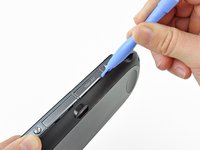
Using your fingernail or a spudger, pry open the accessory port cover on the top of the device.
-
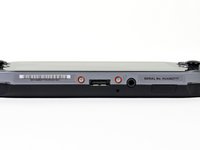
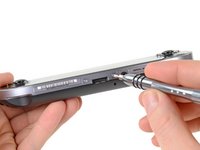
Using a Phillips #00 screwdriver, remove the two 5.4mm screws hidden beneath the accessory port cover.
-
-
-
Remove the two 5.4mm Phillips #00 screws on the bottom of the device near the charging port.
-
-
-
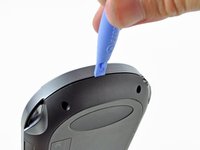
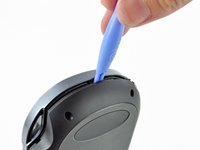
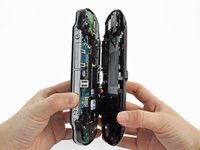
Beginning at the sides of the device, use a plastic opening tool to separate the front and rear cases.
-
Continue working your way around the device gently prying it open.
-
-
-
-
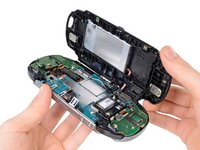
Gently separate the two cases, minding the battery and the touch screen controller connectors holding the two cases together.
-
-
-
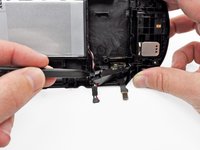
Using a spudger, free the touch screen controller flex cable by gently prying up the connection.
-
-
-
-
-
With the help of a spudger, gently pry off and remove the battery cable retainer on the back casing assembly.
-
-
-
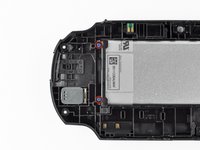
Using a Phillips #00 screwdriver, remove the two 5.0mm blue battery case screws.
-
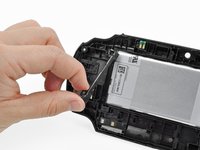
Remove the plastic battery retaining bar.
-
-
-
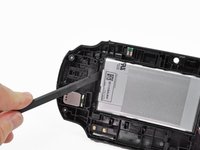
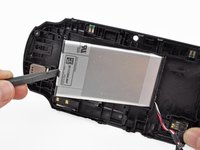
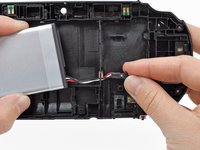
Using your finger or a spudger, lift the battery out and remove it.
-
Guide the battery wires through the hole in the back casing as you remove the battery.
-
-












To reassemble your device, follow these instructions in reverse order.
Cancel: I did not complete this guide.
165 other people completed this guide.


33 Guide Comments
Great guide. Only problem is this takes very steady hands (something i do not have)
With your Vita connected to your PC and the Content manager application running, on windows right click on the vita and then properties and the battery percentage will show up.
