
PlayStation Upper Case Replacement

Marjorie and 4 other contributors
Last updated on Jul 18, 2019
Views: 7.1K
View statistics:
- Past 24 Hours:
- 3
- Past 7 Days:
- 24
- Past 30 Days:
- 143
- All Time:
- 7,065
Comments: 1
1 guide comment.
Go to guide commentsCompleted: 10 11
10 people have marked this guide "completed." Will you be next?
11 people have marked this guide "completed." Including you — great job!
Favorites: 6 7
6 people have favorited (and subscribed to) this guide. Will you be next?
7 people have favorited (and subscribed to) this guide — including you!
Community-Contributed Guide
An awesome member of our community made this guide. It was not created by iFixit staff.
What you need
Tools


 Ask FixBot


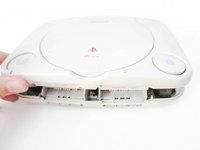
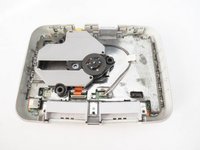
To reassemble your device, follow these instructions in reverse order.
Cancel: I did not complete this guide.
10 other people completed this guide.

1 Guide Comment
Hi,
Thanks for this, useful for me, but I lost the screws! Do you know where i can get replacement screws?
Thanks!
