Free Shipping on Domestic Orders $75+

PlayStation One Mother Board Replacement

What you need

  1. PlayStation One Mother Board Replacement, Upper Case: step 1, image 1 of 1
    • Remove all cables plugged into the PlayStation.

    Ask FixBot

    Add Comment

  2. PlayStation One Mother Board Replacement: step 2, image 1 of 2 PlayStation One Mother Board Replacement: step 2, image 2 of 2
    • Flip over the PlayStation and remove the six screws from the bottom.

    Ask FixBot

    Add Comment

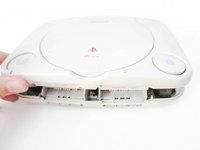
  3. PlayStation One Mother Board Replacement: step 3, image 1 of 1
    • Flip the PlayStation back.

    • There are no screws holding EVERYTHING inside the PlayStation so better hold it like a burger while flipping.

    Ask FixBot

    Add Comment

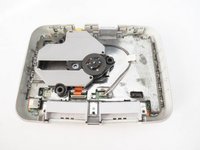
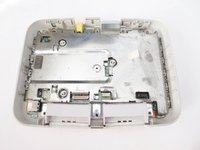
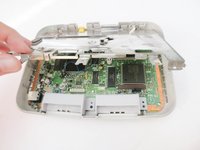
  4. PlayStation One Mother Board Replacement: step 4, image 1 of 2 PlayStation One Mother Board Replacement: step 4, image 2 of 2
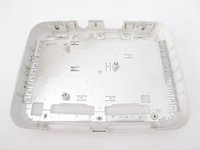
    • Lift up and remove the upper case.

    Ask FixBot

    Add Comment

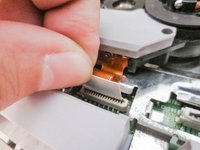
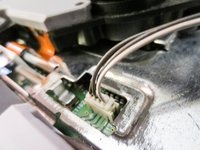
  5. PlayStation One Mother Board Replacement, Laser Assembly: step 5, image 1 of 3 PlayStation One Mother Board Replacement, Laser Assembly: step 5, image 2 of 3 PlayStation One Mother Board Replacement, Laser Assembly: step 5, image 3 of 3
    • Disconnect the cables from the PSone’s board.

    • Take extreme care when disconnecting the ribbon cable from motherboard. You risk damaging the cable if you’re not careful.

    Ask FixBot

    Add Comment

  6. PlayStation One Mother Board Replacement, Mother Board: step 6, image 1 of 2 PlayStation One Mother Board Replacement, Mother Board: step 6, image 2 of 2
    • remove the metal plate

    Ask FixBot

    Add Comment

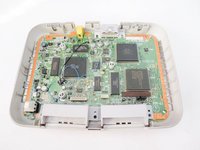
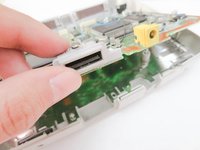
  7. PlayStation One Mother Board Replacement: step 7, image 1 of 3 PlayStation One Mother Board Replacement: step 7, image 2 of 3 PlayStation One Mother Board Replacement: step 7, image 3 of 3
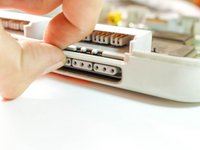
    • remove the mother board by lifting the back.

    • if you're having a hard time removing it, use your nail and lift the second controller port.

    Ask FixBot

    Add Comment

Conclusion

To reassemble your device, follow these instructions in reverse order.

Cancel: I did not complete this guide.

18 other people completed this guide.

Marjorie

Member since: 12/23/13

2,493 Reputation

11 Guides authored

1 Guide Comment

I think that the GPU in my PS One is going bad (screen flickers green and pink on occasion but it is becoming more frequent). Would replacing the motherboard fix this? That is, is the GPU stored on the motherboard?

Eric Rosenberg - Reply Share

Add Comment

View Statistics:

Past 24 Hours: 7

Past 7 Days: 58

Past 30 Days: 246

All Time: 15,918