Free Shipping on Domestic Orders $75+

PlayStation 3 Slim Laser Unit (Laser and Mechanism) Replacement

What you need

Video Overview

  1. PlayStation 3 Slim  Laser Unit (Laser and Mechanism) Replacement, Laser Unit (Laser and Mechanism): step 1, image 1 of 3 PlayStation 3 Slim  Laser Unit (Laser and Mechanism) Replacement, Laser Unit (Laser and Mechanism): step 1, image 2 of 3 PlayStation 3 Slim  Laser Unit (Laser and Mechanism) Replacement, Laser Unit (Laser and Mechanism): step 1, image 3 of 3
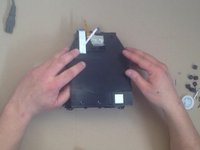
    • Disconnect all cables. You have 4x Torx T8 screws and 7x Phillips screws. Now you can remove outer case.

  2. PlayStation 3 Slim  Laser Unit (Laser and Mechanism) Replacement: step 2, image 1 of 3 PlayStation 3 Slim  Laser Unit (Laser and Mechanism) Replacement: step 2, image 2 of 3 PlayStation 3 Slim  Laser Unit (Laser and Mechanism) Replacement: step 2, image 3 of 3
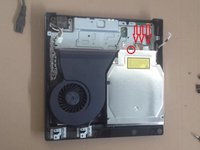
    • To remove the power supply, first disconnect the two cables, then the 2 Phillips screws. Then lift it upwards.

  3. PlayStation 3 Slim  Laser Unit (Laser and Mechanism) Replacement: step 3, image 1 of 3 PlayStation 3 Slim  Laser Unit (Laser and Mechanism) Replacement: step 3, image 2 of 3 PlayStation 3 Slim  Laser Unit (Laser and Mechanism) Replacement: step 3, image 3 of 3
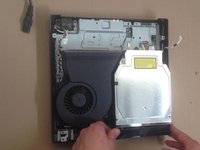
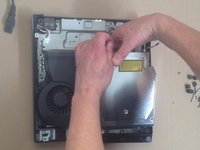
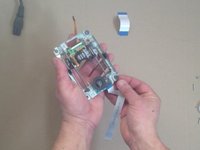
    • Separate cables, unscrew the screw and remove the Blu Ray drive.

    • Depending on the model of your PS3 Slim, the number of cables to be removed may vary between 2 and 4. If your model has more than one ribbon cable, remove the drive very carefully, as a fourth ribbon cable may be hidden underneath.

  4. PlayStation 3 Slim  Laser Unit (Laser and Mechanism) Replacement: step 4, image 1 of 3 PlayStation 3 Slim  Laser Unit (Laser and Mechanism) Replacement: step 4, image 2 of 3 PlayStation 3 Slim  Laser Unit (Laser and Mechanism) Replacement: step 4, image 3 of 3
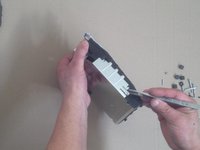
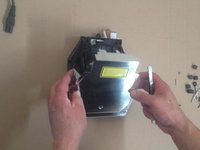
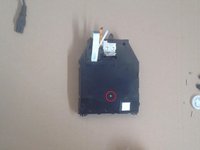
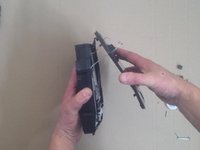
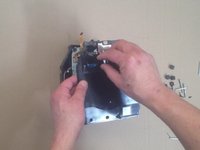
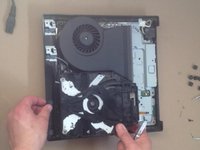
    • Disassemble the upper metal shield by first unscrewing the 3 Phillips screws.

    • On the 2-cables model, you'll need to unscrew an additional 2 small Phillips screws, located on the underside of the drive. While you're at it, unscrew the 2 other Phillips screws at the bottom of the shield. (Their presence does not prevent removal of the upper metal shield, but removing them will be useful later).

  5. PlayStation 3 Slim  Laser Unit (Laser and Mechanism) Replacement: step 5, image 1 of 3 PlayStation 3 Slim  Laser Unit (Laser and Mechanism) Replacement: step 5, image 2 of 3 PlayStation 3 Slim  Laser Unit (Laser and Mechanism) Replacement: step 5, image 3 of 3
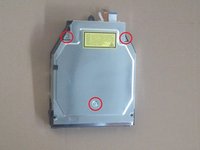
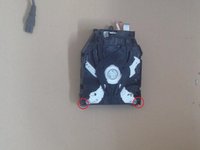
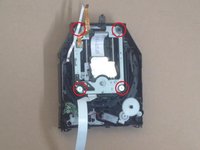
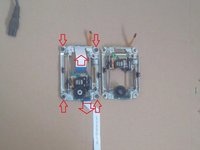
    • For the 2-cables model, remove the two very small phillips screws in each lower corner referenced by the red circles.

    • For the 4-cables model, remove the small Phillips screw in the bottom left corner referenced by the red circle.

  6. PlayStation 3 Slim  Laser Unit (Laser and Mechanism) Replacement: step 6, image 1 of 3 PlayStation 3 Slim  Laser Unit (Laser and Mechanism) Replacement: step 6, image 2 of 3 PlayStation 3 Slim  Laser Unit (Laser and Mechanism) Replacement: step 6, image 3 of 3
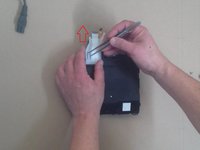
    • Carefully remove the plastic shell, paying attention to the cable that runs through it for the 4-cables model.

  7. PlayStation 3 Slim  Laser Unit (Laser and Mechanism) Replacement: step 7, image 1 of 3 PlayStation 3 Slim  Laser Unit (Laser and Mechanism) Replacement: step 7, image 2 of 3 PlayStation 3 Slim  Laser Unit (Laser and Mechanism) Replacement: step 7, image 3 of 3
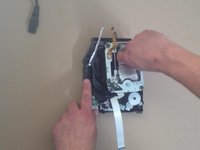
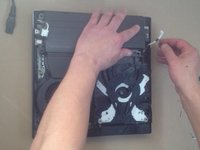
    • Remove the 4 Phillips screws at each corner of the laser mechanism.

    • Then remove the mechanism.

  8. PlayStation 3 Slim  Laser Unit (Laser and Mechanism) Replacement: step 8, image 1 of 3 PlayStation 3 Slim  Laser Unit (Laser and Mechanism) Replacement: step 8, image 2 of 3 PlayStation 3 Slim  Laser Unit (Laser and Mechanism) Replacement: step 8, image 3 of 3
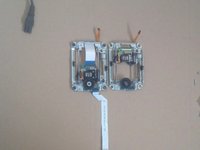
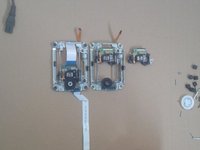
    • If necessary, transfer parts and screws from the old mechanism to the new one.

  9. PlayStation 3 Slim  Laser Unit (Laser and Mechanism) Replacement: step 9, image 1 of 3 PlayStation 3 Slim  Laser Unit (Laser and Mechanism) Replacement: step 9, image 2 of 3 PlayStation 3 Slim  Laser Unit (Laser and Mechanism) Replacement: step 9, image 3 of 3
    • You can test the console before full assembling.

    • To do this, reassemble the blu-ray drive, reconnect its cables, and reconnect the power supply.

Conclusion

To reassemble your device, follow these instructions in reverse order.

18 other people completed this guide.

ZFix

Member since: 12/09/13

197,078 Reputation

330 Guides authored

Team

Master Techs Member of Master Techs

Community

333 Members

1,478 Guides authored

1 Guide Comment

Do you know what the part number is for the deck? I don’t want to buy the wrong one. Thanks.

Edmond Charrette - Reply Share

Add Comment

View Statistics:

Past 24 Hours: 8

Past 7 Days: 95

Past 30 Days: 440

All Time: 37,873