
Philips SBA1060 Capacitor Replacement

April Driscoll and 5 other contributors
Last updated on Jul 21, 2026
Views: 1.3K
View statistics:
- Past 24 Hours:
- 2
- Past 7 Days:
- 22
- Past 30 Days:
- 93
- All Time:
- 1,252
Comments: 0
No one has left comments on this guide. Will you be first?
Go to guide commentsCompleted: 0 1
No one has marked this guide "completed." Will you be the first?
1 person has marked this guide "completed." It's you — great job!
Favorites: 0 1
No one has favorited (and subscribed to) this guide. Will you be the first?
1 person has favorited (and subscribed to) this guide — and that's you!
Better Introduction
Improve this guide by completing or revising its introduction.
Introduction
Go to step 1 ↓The capacitor is the cylindrical shaped protruding object located on the circuit board. This guide will detail the instructions on how to replace the capacitor.
What you need


-
-
-
Remove the back cover by sliding it off.
-
Remove the 3 AAA batteries.
 Ask FixBot
-
-
-
Unscrew the nine exterior screws on the back panel using a PH0-size Philips-head screwdriver.
-
Remove the triangular end piece by pulling it straight off.
-
-
-
Remove the colored grill by sliding it off in the direction of the removed end piece.
-
Pry off the back battery panel with the plastic opening tool.
-
-
-
-
-
Remove the two screws on opposite ends of the circuit board with the PH0 size philips head screw driver.
-
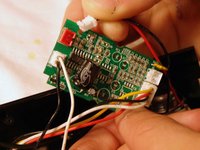
Slowly pull the circuit board out of the device
-
NOTE: Be careful not to damage any of the wires protruding from the back of the circuit board.
-
-
-
-
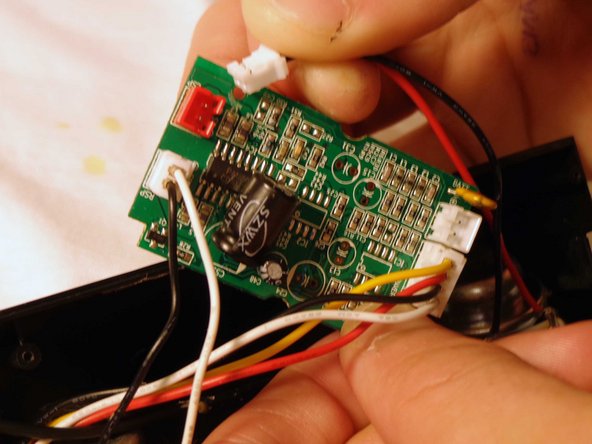
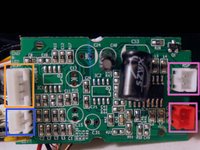
Flip the device and remove the battery plug from the circuit board by pulling out the plugs to fully remove back panel.
-
Remove the speaker plugs from the circuit board by pulling out the plugs. They are located on opposite sides of the circuit board.
-
Remove the light plug from the circuit board.
-
-
-
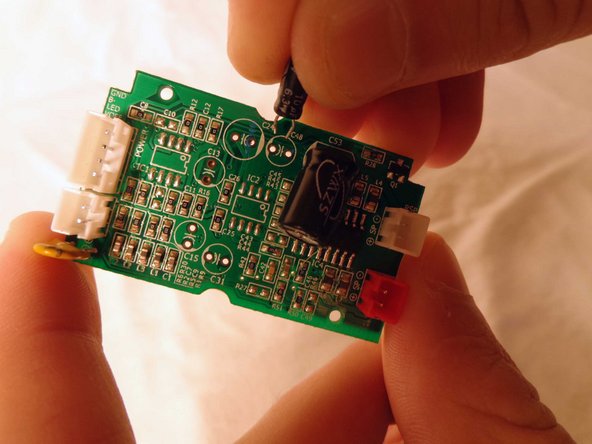
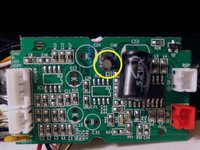
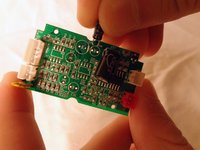
Locate the capacitor and carefully slide it out of the circuit board.
-
NOTE: The capacitor will be a cylindrical object protruding vertically near the center of the circuit board.
-
Slide the prongs of the replacement capacitor into the two holes of the circuit board where the original capacitor was removed from.
-
Reassemble the speaker.
-
-


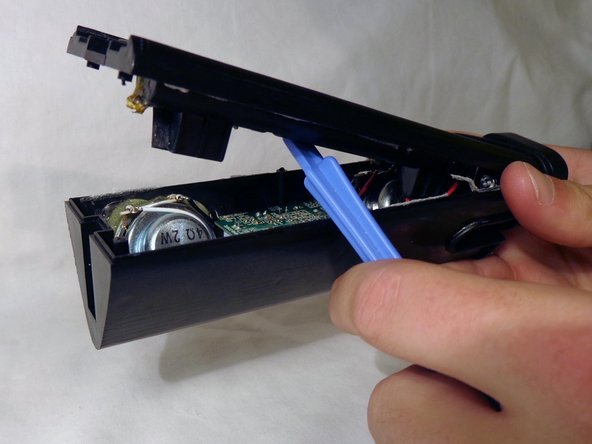
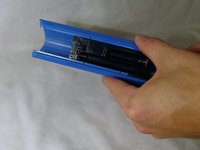
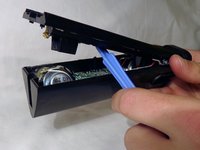



To reassemble your device, follow these instructions in reverse order.

Team

Clemson, Team 14-4, Benson Fall 2013 Member of Clemson, Team 14-4, Benson Fall 2013
CLEM-BENSON-F13S14G4
3 Members
48 Guides authored
