Introduction
If the speaker of your Petcube Play 2 (identified by model number PP2OUS) is malfunctioning, use this guide to replace it.
A defective speaker might lead to distorted sound output or no output at all.
Before using this guide, ensure that there are no connection issues between the Petcube, your Wi-Fi router, and your phone. The Troubleshooting Page covers connection related issues and how to address them.
In step 4 of this guide, you will need to remove the soldering from wires to detach the speaker. Be sure to carefully follow the IFixit soldering instructions to avoid burning yourself or damaging the device. Ensure the Petcube Play 2 is turned off before beginning the replacement process.
What you need
-
-
-
Flip over the Petcube so the rubber bottom faces you.
-
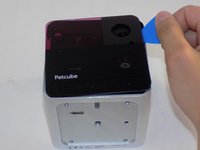
Pull up the rubber layer with an iFixit opening pick to expose the screws underneath.
 Ask FixBot
-
-
-
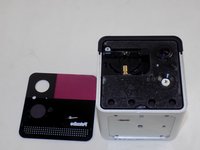
Remove the four 3.5mm screws from under the rubber cover using a Phillips #1 screwdriver.
-
-
-
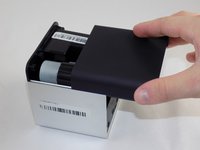
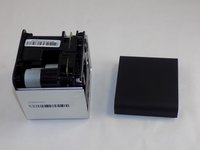
Slide off the two covers, starting with the top plastic cover.
-
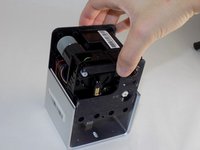
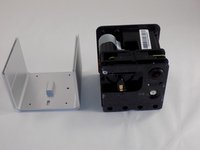
Slide out the internal assembly from the aluminum casing.
-
-
-
-
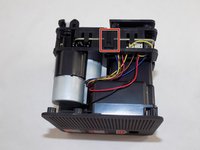
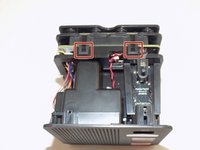
Flip the cube onto its side to locate the pull tabs.
-
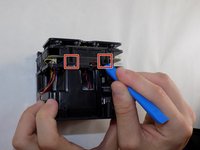
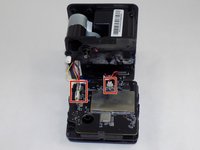
Using an opening tool, lift each of the five tabs to separate the two halves of the Petcube 2.
-
-
-
Gently disconnect the cable connectors to separate the two halves of the device.
-
-
-
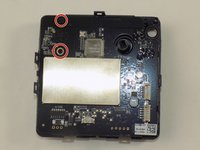
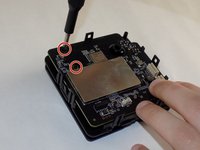
Use a Phillips #1 screwdriver to remove the two 1mm screws.
-
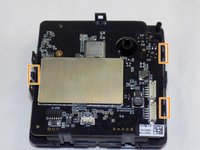
Carefully release each of the tabs on the sides of the cube and remove the motherboard.
-
-
-
-
-
Take the half of the device that doesn't contain the motherboard and place it down so that the top screws are visible.
-
Use a Phillips #1 screwdriver to remove the seven screws.
-
-
-
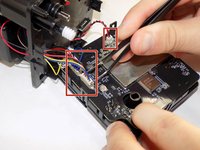
Use tweezers to remove the wire connector attaching the two halves together.
-
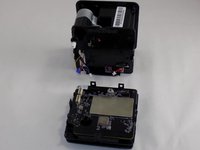
Separate the two halves and isolate the one containing the speaker.
-
-
-
On the other half of the cube, remove the four screws using a Phillips #1 screwdriver.
-
-
-
Grip the flat bottom and the cover of the speaker and gently pull them apart to separate to expose the speaker.
-
-
-
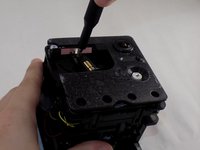
Use a Phillips #1 screwdriver to remove the two screws securing the speaker.
-
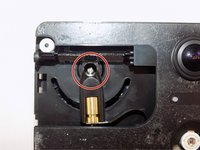
Use a soldering iron to desolder the wires connecting the speaker to the device.
-
-














To reassemble your device, follow these instructions in reverse order. Take your e-waste to an R2 or e-Stewards certified recycler.

Team

UMass Dartmouth, Team 1-5, Konn Spring 2024 Member of UMass Dartmouth, Team 1-5, Konn Spring 2024
UMASSD-KONN-S24S1G5
4 Members
46 Guides authored
