Free Shipping on Domestic Orders $75+

Pentax Super Program Film Advance Mechanism Disassembly

What you need

  1. Pentax Super Program Film Advance Mechanism Disassembly, Remove bottom cover: step 1, image 1 of 1
    • Remove three M1.7 x 3 mm screws.

    • Remove bottom cover.

  2. Pentax Super Program Film Advance Mechanism Disassembly, Remove bottom release lever: step 2, image 1 of 1
    • Remove one screw.

    • Lift the release lever and bias spring from the post. Be careful as the spring positioning it is still under tension.

    • Installation Notes: Pay attention to the location of the bias spring during reassembly.

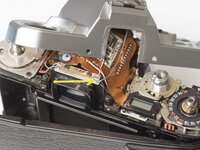
  3. Pentax Super Program Film Advance Mechanism Disassembly, Remove contact pin housing: step 3, image 1 of 2 Pentax Super Program Film Advance Mechanism Disassembly, Remove contact pin housing: step 3, image 2 of 2
    • Work the plastic housing off of the left contact pin. The right contact pin will come off with the housing.

    • If desired, the contact and wire can be fully removed from the camera. Soften the contact adhesive with isopropyl alcohol then gently peel away.

  4. Pentax Super Program Film Advance Mechanism Disassembly, Remove motor drive coupling: step 4, image 1 of 2 Pentax Super Program Film Advance Mechanism Disassembly, Remove motor drive coupling: step 4, image 2 of 2
    • Remove plastic cover.

    • Remove one screw.

    • The screw is usually quite difficult to remove as it is secured with threadlocker. Use heat (e.g. soldering iron) or a penetrating solvent to soften the threadlocker. Be careful not to strip it.

  5. Pentax Super Program Film Advance Mechanism Disassembly, Remove charging linkage: step 5, image 1 of 2 Pentax Super Program Film Advance Mechanism Disassembly, Remove charging linkage: step 5, image 2 of 2
    • Remove one shoulder screw.

    • Remove two screws.

    • Tilt the left side of the linkage up, then lift it away from the chassis.

    • Installation Notes: Make sure that the tab on the advance lock lever sits forward (in camera) of this lever. When the mirror is charged, the lever should move rearward (in camera) allowing the advance lock to engage.

  6. Pentax Super Program Film Advance Mechanism Disassembly, Remove wind completion switch: step 6, image 1 of 1
    • Remove one screw.

    • Lift out wind completion switch. Be careful not to deform the contact legs

    • Installation Notes: The contact should be open when the advance lock is engaged (after winding) and closed when the advance lock is disengaged (before winding).

  7. Pentax Super Program Film Advance Mechanism Disassembly, Remove rewind switch lever: step 7, image 1 of 3 Pentax Super Program Film Advance Mechanism Disassembly, Remove rewind switch lever: step 7, image 2 of 3 Pentax Super Program Film Advance Mechanism Disassembly, Remove rewind switch lever: step 7, image 3 of 3
    • Remove one circlip.

    • Lift the lever off the post.

    • Remove the bias spring.

  8. Pentax Super Program Film Advance Mechanism Disassembly, Remove advance lever lock: step 8, image 1 of 3 Pentax Super Program Film Advance Mechanism Disassembly, Remove advance lever lock: step 8, image 2 of 3 Pentax Super Program Film Advance Mechanism Disassembly, Remove advance lever lock: step 8, image 3 of 3
    • Unhook coil spring from ratchet pawl.

    • Remove one circlip.

    • Lift off ratchet pawl and shim washer.

    • Remove brass bushing.

    • Lift off advance lever lock.

    • Remove bias spring.

  9. Pentax Super Program Film Advance Mechanism Disassembly, Remove ratchet plate: step 9, image 1 of 1
    • Remove ratchet plate.

  10. Pentax Super Program Film Advance Mechanism Disassembly, Remove bottom release switch: step 10, image 1 of 2 Pentax Super Program Film Advance Mechanism Disassembly, Remove bottom release switch: step 10, image 2 of 2
    • Remove one screw.

    • Lift out switch assembly.

    • Remove isolator sheet.

  11. Pentax Super Program Film Advance Mechanism Disassembly, Remove winding spring: step 11, image 1 of 3 Pentax Super Program Film Advance Mechanism Disassembly, Remove winding spring: step 11, image 2 of 3 Pentax Super Program Film Advance Mechanism Disassembly, Remove winding spring: step 11, image 3 of 3
    • Keep a finger on top of the winding spring to hold it in place.

    • Unhook the end of the winding spring from the retaining post.

    • Unwind the spring in a controlled manner to prevent shock and breaking.

    • Remove one shim washer.

    • Installation Notes: When coiled and hooked, the spring should not be in contact with any other parts of the camera body. 7-8 wraps is typical.

  12. Pentax Super Program Film Advance Mechanism Disassembly, Remove charging mechanism plate: step 12, image 1 of 2 Pentax Super Program Film Advance Mechanism Disassembly, Remove charging mechanism plate: step 12, image 2 of 2
    • Remove one screw.

    • Remove one screw.

    • Remove one slotted retaining post.

    • Remove charging mechanism plate.

    • Remove one plastic washer.

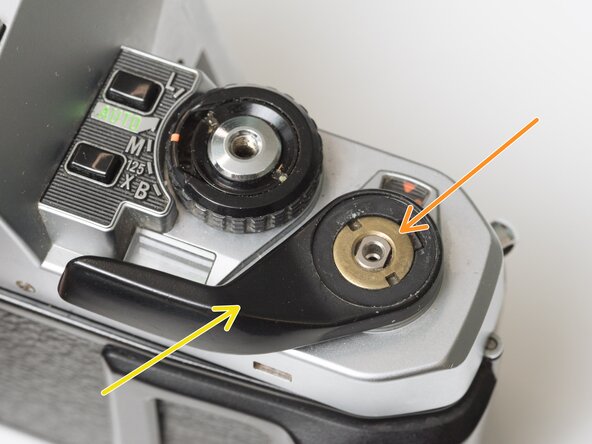
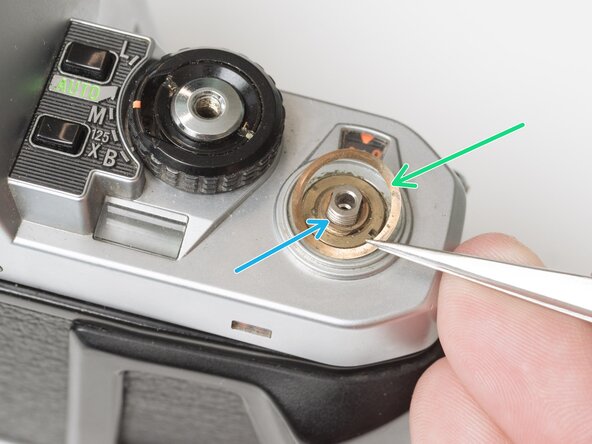
  13. Pentax Super Program Film Advance Mechanism Disassembly, Remove film advance lever: step 13, image 1 of 3 Pentax Super Program Film Advance Mechanism Disassembly, Remove film advance lever: step 13, image 2 of 3 Pentax Super Program Film Advance Mechanism Disassembly, Remove film advance lever: step 13, image 3 of 3
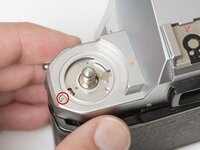
    • Remove the rubber decorative cap. It is attached with contact cement underneath. Isopropyl Alcohol may be used to soften the adhesive.

    • Unscrew the lock nut using a spanner wrench. The lock nut is reverse threaded.

    • Lift off the advance lever.

    • Remove the spring washer.

    • Remove one shim washer.

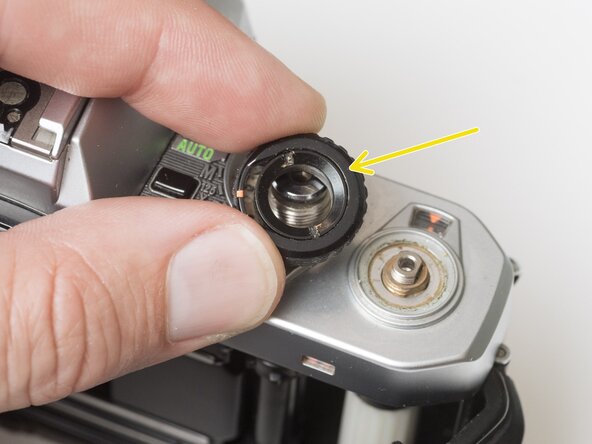
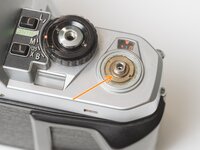
  14. Pentax Super Program Film Advance Mechanism Disassembly, Remove mode dial: step 14, image 1 of 2 Pentax Super Program Film Advance Mechanism Disassembly, Remove mode dial: step 14, image 2 of 2
    • Set the mode dial to the 'L' position.

    • Use a spanner wrench to unscrew the dial lock nut.

    • Lift off the mode dial.

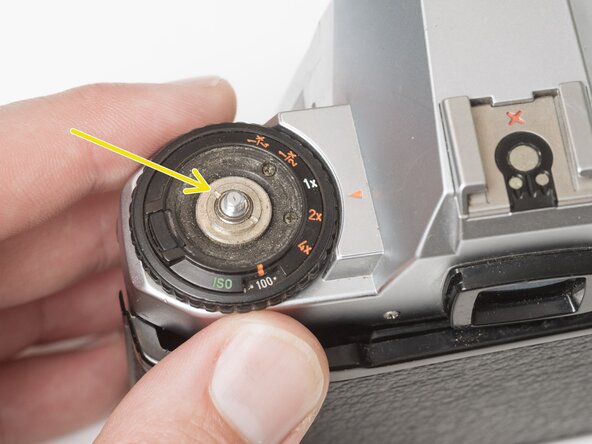
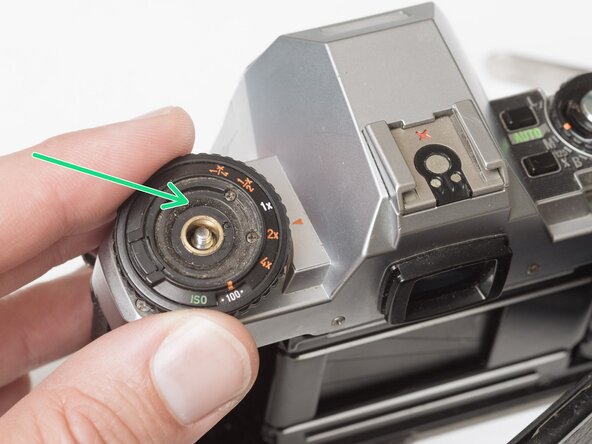
  15. Pentax Super Program Film Advance Mechanism Disassembly, Remove exposure compensation dial: step 15, image 1 of 3 Pentax Super Program Film Advance Mechanism Disassembly, Remove exposure compensation dial: step 15, image 2 of 3 Pentax Super Program Film Advance Mechanism Disassembly, Remove exposure compensation dial: step 15, image 3 of 3
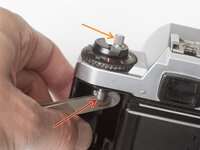
    • Place a rigid object in the fork.

    • Unscrew the rewind lever.

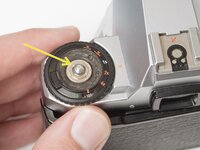
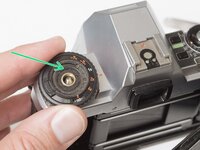
    • Use a spanner wrench to remove the lock nut.

    • Lift off the exposure compensation dial.

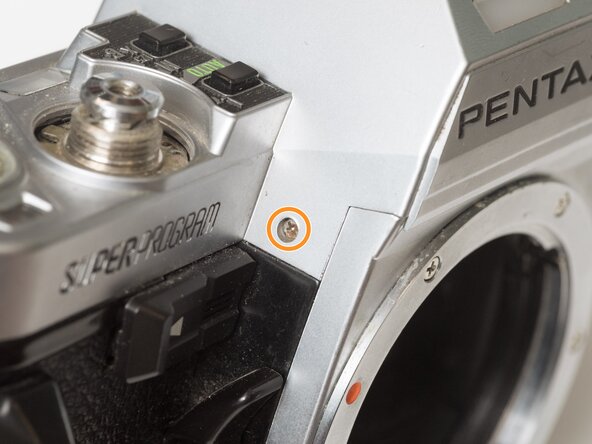
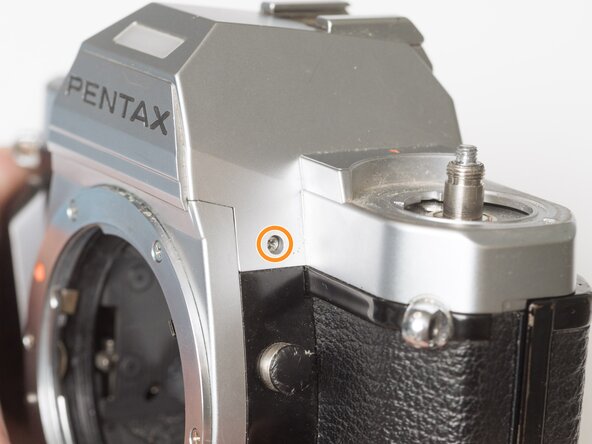
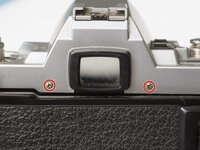
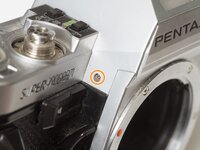
  16. Pentax Super Program Film Advance Mechanism Disassembly, Remove top cover screws: step 16, image 1 of 3 Pentax Super Program Film Advance Mechanism Disassembly, Remove top cover screws: step 16, image 2 of 3 Pentax Super Program Film Advance Mechanism Disassembly, Remove top cover screws: step 16, image 3 of 3
    • Remove two screws on either side of the eye piece.

    • Remove two screws on either side of the lens mount.

  17. Pentax Super Program Film Advance Mechanism Disassembly, Remove top cover: step 17, image 1 of 3 Pentax Super Program Film Advance Mechanism Disassembly, Remove top cover: step 17, image 2 of 3 Pentax Super Program Film Advance Mechanism Disassembly, Remove top cover: step 17, image 3 of 3
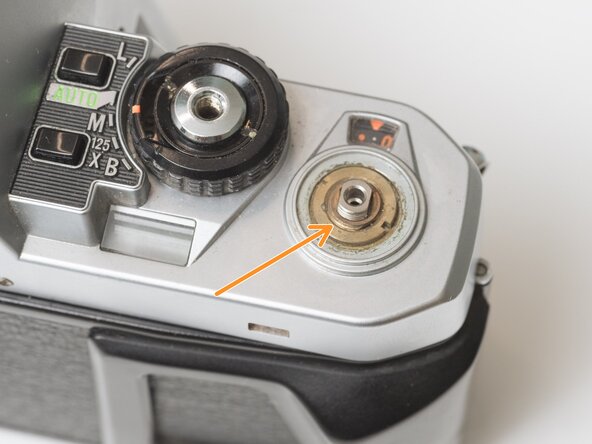
    • Remove one screw by the exposure compensation dial.

    • Use a spanner wrench to remove the lock nut under the advance lever.

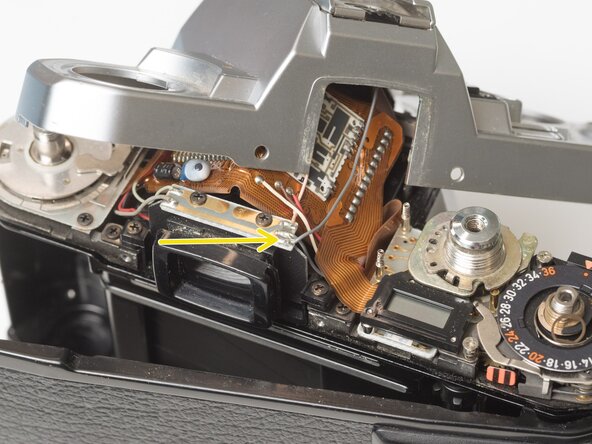
    • Lift off the top cover slowly. It is still attached by one wire.

    • Unsolder one gray flash sync wire.

  18. Pentax Super Program Film Advance Mechanism Disassembly, Remove frame counter assembly: step 18, image 1 of 3 Pentax Super Program Film Advance Mechanism Disassembly, Remove frame counter assembly: step 18, image 2 of 3 Pentax Super Program Film Advance Mechanism Disassembly, Remove frame counter assembly: step 18, image 3 of 3
    • Remove one slotted screw.

    • Remove one screw and the frame number indicator.

    • Installation Notes: Position the advance cam as indicated before installing the counter assembly. After installation, make sure to hook the spring near the right side strap lug.

  19. Pentax Super Program Film Advance Mechanism Disassembly, Remove main wind shaft: step 19, image 1 of 2 Pentax Super Program Film Advance Mechanism Disassembly, Remove main wind shaft: step 19, image 2 of 2
    • Do not remove the main wind shaft or the stopper plate unless the winding spring has been removed (located on the bottom of the camera).

    • Remove one screw and retainer plate.

    • Pull out main wind shaft. The main wind gear may come with it.

  20. Pentax Super Program Film Advance Mechanism Disassembly, Remove main wind gear: step 20, image 1 of 1
    • Remove main wind gear.

    • Installation Notes: Ensure that the alignment dot on the main wind gear is matched with the dot on the intermediate gear.

  21. Pentax Super Program Film Advance Mechanism Disassembly, Remove advance mechanism plate: step 21, image 1 of 3 Pentax Super Program Film Advance Mechanism Disassembly, Remove advance mechanism plate: step 21, image 2 of 3 Pentax Super Program Film Advance Mechanism Disassembly, Remove advance mechanism plate: step 21, image 3 of 3
    • Remove two screws.

    • Remove one countersunk screw.

    • Lift off advance mechanism plate.

  22. Pentax Super Program Film Advance Mechanism Disassembly, Installation Notes: Advance Mechanism Plate: step 22, image 1 of 3 Pentax Super Program Film Advance Mechanism Disassembly, Installation Notes: Advance Mechanism Plate: step 22, image 2 of 3 Pentax Super Program Film Advance Mechanism Disassembly, Installation Notes: Advance Mechanism Plate: step 22, image 3 of 3
    • Position the sprocket pawl so you can see this slot from the top side.

    • During installation, the sprocket pawl must couple with the tip of the wire coming from the sprocket gear.

    • And the tab on the slipper clutch should sit in the slot in the take-up spool.

    • Proper coupling of sprocket pawl and sprocket gear wire.

    • At this point, the sprocket shaft in the film chamber should only turn in the direction of film advance. It should lock in the reverse (rewind) direction.

  23. Pentax Super Program Film Advance Mechanism Disassembly, Remove intermediate wind gear: step 23, image 1 of 2 Pentax Super Program Film Advance Mechanism Disassembly, Remove intermediate wind gear: step 23, image 2 of 2
    • Remove one screw.

    • Remove intermediate gear.

    • Remove washer.

    • Installation Notes: During reassembly, make sure that the alignment dot on the intermediate gear matches the slot on alignment slot on the sprocket gear.

  24. Pentax Super Program Film Advance Mechanism Disassembly, Remove sprocket gear: step 24, image 1 of 3 Pentax Super Program Film Advance Mechanism Disassembly, Remove sprocket gear: step 24, image 2 of 3 Pentax Super Program Film Advance Mechanism Disassembly, Remove sprocket gear: step 24, image 3 of 3
    • Remove one screw. It is often secured with threadlocker.

    • Push the sprocket rod up and slide the pin out.

    • Remove sprocket gear.

  25. Pentax Super Program Film Advance Mechanism Disassembly, Remove take-up spool: step 25, image 1 of 3 Pentax Super Program Film Advance Mechanism Disassembly, Remove take-up spool: step 25, image 2 of 3 Pentax Super Program Film Advance Mechanism Disassembly, Remove take-up spool: step 25, image 3 of 3
    • Remove wind action washer. This spins when film is properly loaded in the camera, and moves the striped flag to alert the user.

    • Lift out take-up spool.

    • There are several pieces that are loosely assembled.

  26. Pentax Super Program Film Advance Mechanism Disassembly, Remove sprocket shaft: step 26, image 1 of 2 Pentax Super Program Film Advance Mechanism Disassembly, Remove sprocket shaft: step 26, image 2 of 2
    • Pull the inner sprocket rod out from the bottom of the camera.

    • Lift out sprocket shaft.

    • There are many loose pieces. Approximate location shown here.

Conclusion

To reassemble your device, follow these instructions in reverse order.

Sam Gustafson

Member since: 09/01/22

10,650 Reputation

62 Guides authored

0 Guide Comments

Add Comment

View Statistics:

Past 24 Hours: 0

Past 7 Days: 5

Past 30 Days: 20

All Time: 20