
Pentax PZ-10 Button Replacement

Jonathan Diaz and 6 other contributors
Last updated on May 7, 2024
Views: 1K
View statistics:
- Past 24 Hours:
- 3
- Past 7 Days:
- 17
- Past 30 Days:
- 95
- All Time:
- 1,012
Comments: 0
No one has left comments on this guide. Will you be first?
Go to guide commentsCompleted: 0 1
No one has marked this guide "completed." Will you be the first?
1 person has marked this guide "completed." It's you — great job!
Favorites: 0 1
No one has favorited (and subscribed to) this guide. Will you be the first?
1 person has favorited (and subscribed to) this guide — and that's you!
Needs Better Images
Better photos will improve this guide. Help out by taking, editing, or uploading new ones!
Introduction
Go to step 1 ↓Button replacement may be necessary if the shutter button sticks or no longer activates shutter due to wear.
What you need
Tools


-
-
-
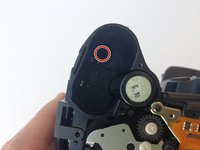
Using the J0 screwdriver, remove the 6.3 mm screw.
-
-
-
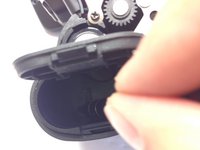
Remove the 6.3 mm screw using a J0 screwdriver.
-
-
-
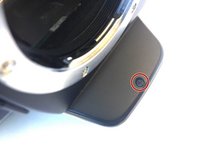
With the top of the camera facing down, remove the 3.4 mm screw with a J0 screwdriver.
-
-
-
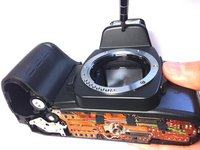
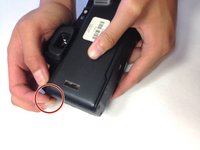
Gently pull off the top cover with your hands by pulling on the tab on the left of the camera.
-
-
-
Tool used on this step:Tweezers$4.99
-
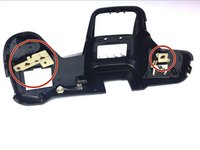
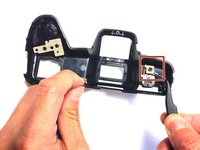
Gently remove the beige rubber tabs from under the casing by pulling each down using tweezers.
-
-
-
-
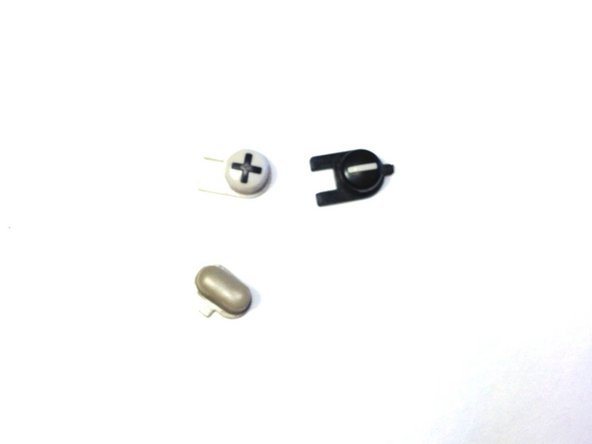
Remove the 3 buttons by pushing them from under the casing out through the top.
-
-

 Ask FixBot










To reassemble your device, follow these instructions in reverse order.

